Programmable Control Panel
11
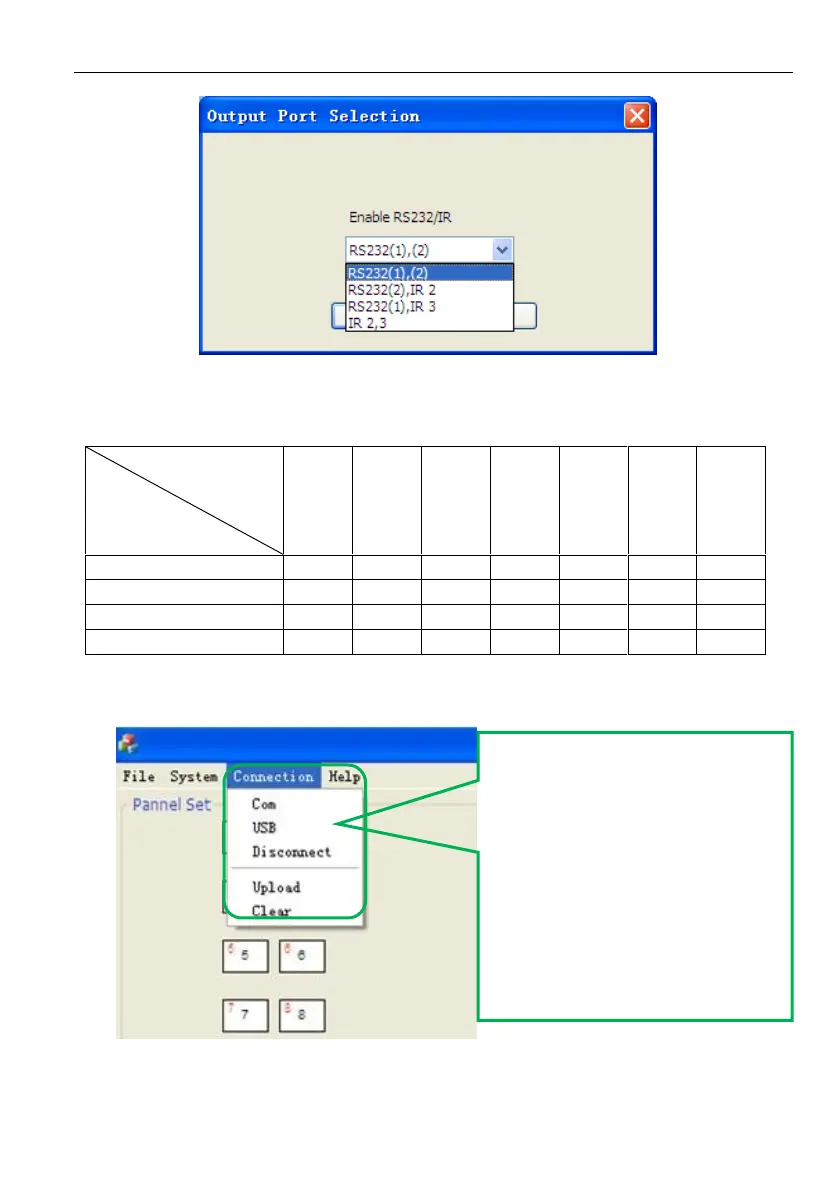
The output port set in JTD-Control and the port used in the programmable control
panel is corresponding. And there are four output types. They are showed as below
form (“√” means port is available):
3) Connection type: the instructions are in the picture below:
The functions of the programmable control panel’s buttons will be available only
after the programmed data is uploading successfully.
1:Com, connect by serial port.
2:USB, connect by mini USB.
3:Disconnect, disconnect the
connection.
4:Upload: upload the programmed
data to the programmable
control panel. It will clear all the
old data in the programmable
control panel.
5:Clear, clear the data in the
programmable control panel.



 To Next Page