Programmable Control Panel
2
1.3 Installation
Follow the steps to install the device:
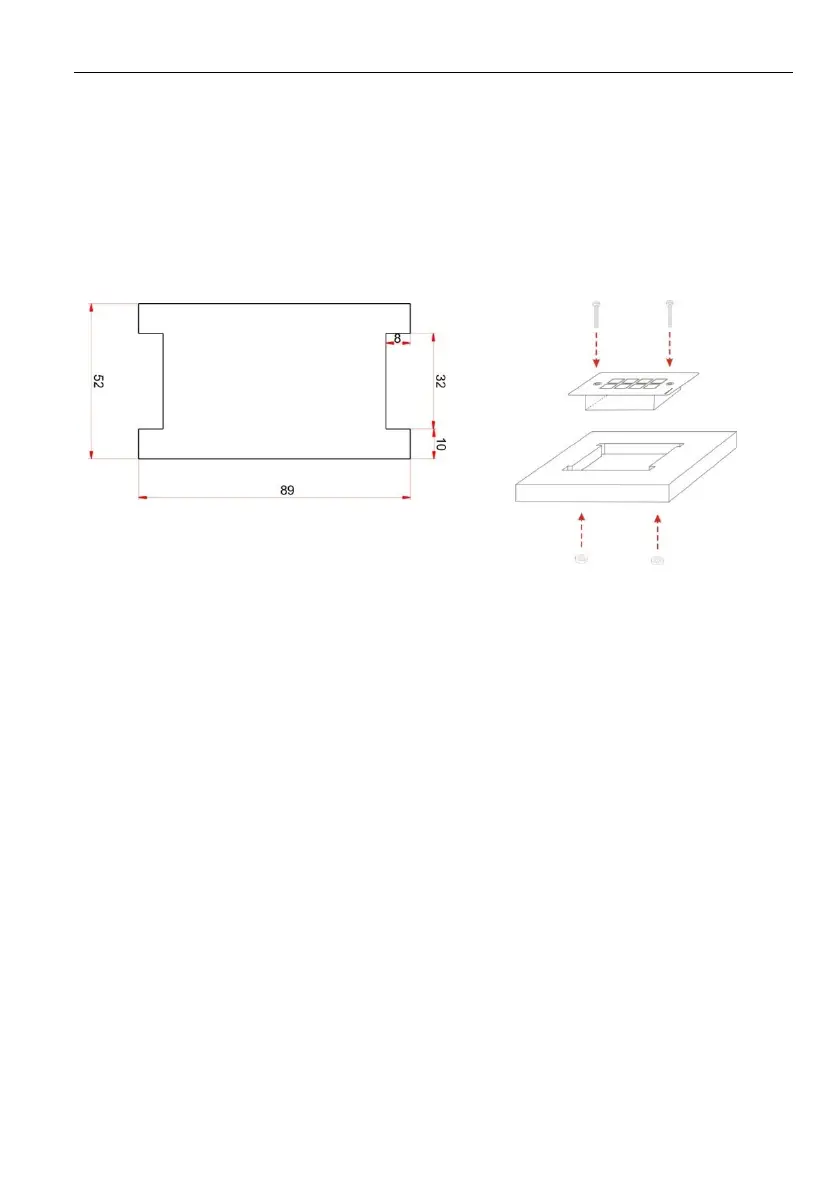
Firstly, dig a hole on the desk to the size marked on the aperture paper (shown in
Figure 1-1).
Secondly, put the device into the hole and adjust it to flush with the table (shown in
Figure 1-2).
Then, plug a set screw into the fixing mounting and screw the nuts tightly.



 To Next Page