USB DISPLAY ADAPTER USER MANUAL
22
Multi-USB 3.0 Display Adapter Installation
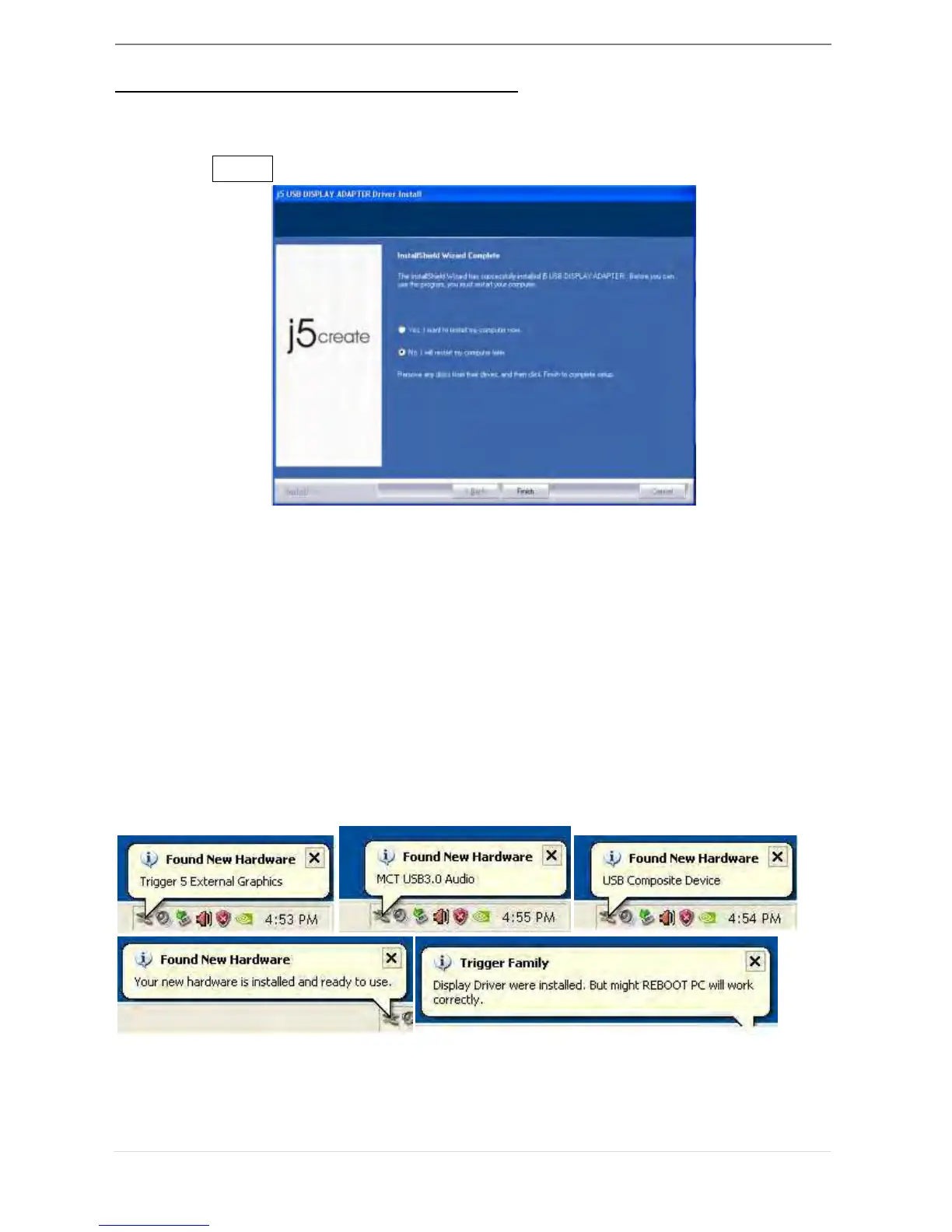
For installation of multiple USB 3.0 Display Adapters, during the “Install
Shield Wizard complete” step, select “No, I will restart my computer later.”
and click Finish to continue next step below
A. Connect all external display devices (monitor/ projector) to the
VGA/DVI connector of USB 3.0 Display Adapters and switch power
on.
B. Connect the USB 3.0 Display Adapter into available USB port of PC
or Notebook.
After Inserting an USB 3.0 Display Adapter into a USB port, the systems
will automatically start the installation procedure and the prompt
message will pop-up on the task bar.
The Device driver software was installed properly, if you are going to install
more USB 3.0 Display Adapters, repeat step A & B or restart computer



 To Next Page