EasyManua.ls Logo

jablotron JA-60 "Comfort" - User Manual

jablotron JA-60 "Comfort"
4 pages
Print Icon
To Next Page IconTo Next Page
Loading...
User instructions of JA-60 "Comfort" - 1 - MDY51410
User instructions of JA-60 „Comfort“
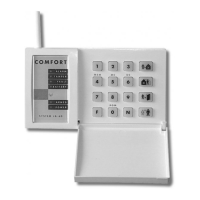
1. Indicators
Alarm alarm triggered by an intruder, smoke, gas etc.
Tamper opened cover, damaged detector, excessive number of attempts to enter code etc.
Fault
power loss, lost communication with a detector etc., (confirm pressing key N)
Battery battery of the device specified on the display is low. See battery replacement section.
Armed continues = armed, slow blinking = exit delay, fast blinking = entrance delay
Power continues = AC power & back-up battery are O.K., blinking = failure (AC power or back-up
battery), off = control panel is not powered
Two digits display
Specifies event source or mode of the control panel.
event sources:
1 to 16 zone input number
c1 to c8 wireless controller or keypad number
C control panel
A wireless siren
J sub system (other JA-60 or 65 system enrolled)
L telephone line
d digital line (PC interface, keypad JA-60E, …)
F wireless communication of the keypad lost (JA-60F only)
control panel modes:
P programming mode
U user mode (bypass setting, testing, battery replacement, voice dialer setting)
H home (partial) arming (inputs & wireless detectors addressed to B section are bypassed)
section A arming (split system)
section B arming (split system)
a zone is bypassed when arming
waiting for more data to complete entry
2. Access codes
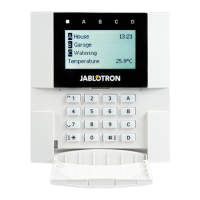
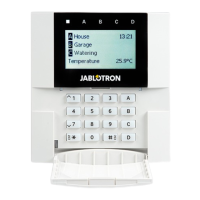
The control panel can be operated with the following codes (by JA-60E or JA-60F keypad or via connected
PC):
Master code is an extra user code, which can be used for arming, disarming but also for code changes, entering of user mode,
bypass setting, system testing, battery replacement, voice dialer programming (if enabled by installer) - factory default
Master code is 1234.
If the system is split, the use of MC will arm all sections if no section is armed or it will disarm all sections if any is
armed. If no code arming is disabled and the system is spilt then entering F1 MC will effect only section A and
entering F2 MC will effect only section B.
User codes up to 14 different user codes can be set in the system for different users for arming and disarming only (all are blank
from the factory). This way it is possible to differ between different users operations (details about used codes are
stored in the control panel internal events memory, the Comlink software or the monitoring station can access these
details).
Service code
is a code for installer to open programming mode for the control panel setting and testing (entering F 0 Service code).
If the control panel is split
, the user codes can be addressed to sections A or B in the programming mode.
Note: After 5 attempts to enter an invalid code a tamper alarm is triggered, indicated by LED “Tamper” and “C” on the display.
3. Controlling the system
Arming enter your access code or press the A button on the remote control. System will beep and will start exit delay count
down. You must leave the protected area during the exit delay.
Disarming enter your access code or press the B button on the remote control. The panel will beep twice and will disarm. When
you enter the protected area before disarming, the entrance delay count down will start. If disarming is confirmed
with three beeps, check the keypad indicators for information (alarm memory, failure, low battery etc.).
To stop alarm enter your access code or press the B button on the remote control.
Panic alarm entering F 7 before your code will trigger a silent panic alarm. This can also be triggered by the RC-22 panic button
or by pressing and holding of both buttons of the RC-11 remote control for 3 seconds.

Other manuals for jablotron JA-60 "Comfort"

Questions and Answers

  • T
    teresabondAug 14, 2025
    Why does my Jablotron Security System movement detector keep triggering false alarms?
    • B
      baileyhaleyAug 15, 2025
      If your Jablotron Security System's JA-60P movement detector is repeatedly triggering alarms without any apparent reason, consider these potential causes and solutions: * Check for animals in the protected area, such as mice. * Look for sudden temperature changes or intense air circulation. * Be aware of movement of objects with a temperature around 37°C. To address this, you can increase the detector’s immunity by setting DIP SW 1 to the ON position, change the detector's location, or use an optional sensor lens.
  • B
    Brian ThomasAug 18, 2025
    Why does my jablotron JA-60 "Comfort" show a telephone line failure when the phone works?
    • T
      Todd ObrienAug 18, 2025
      If your Jablotron Security System indicates a telephone line failure, even though your phone appears to work normally, it might be due to making phone calls longer than 15 minutes. The system interprets these long calls as the telephone line not being ready. If this problem persists, disable telephone line checking in the programming mode.
  • D
    Dr. Joel Reynolds Jr.Aug 21, 2025
    What to do if jablotron JA-60 "Comfort" Security System dialer calls a number multiple times?
    • B
      Bobby RodriguezAug 22, 2025
      If your Jablotron Security System's tel. dialer calls a number multiple times when activated, it could be because the telephone network (or mobile network) isn't using standard recognition signals. This makes the dialer unsure if the connection was successful. For calls to a GSM network, add F0 after the last digit of the number (see 9.1).
  • M
    Michael CarrAug 25, 2025
    What does fault C mean on my jablotron JA-60 "Comfort" Security System control panel?
    • G
      gabbottAug 25, 2025
      If your Jablotron Security System shows fault C on the control panel, it indicates a technical problem such as a power supply failure or a blown fuse in the panel. Check the AC adapter, backup battery, and fuses. If the problem persists, contact your installer.
  • R
    Randall JacksonAug 28, 2025
    How to fix jablotron JA-60 "Comfort" when it doesn't connect to PC?
    • H
      howardhollyAug 28, 2025
      If your Jablotron Security System does not communicate with the connected PC, the data cable may not be connected to the correct connector on the PC. Check the connection or select the port number in the software manually.
  • L
    Larry SchneiderAug 31, 2025
    What does alarm C mean on my Jablotron Security System control panel?
    • J
      John AllenAug 31, 2025
      If your Jablotron Security System indicates alarm C on the control panel, it could be due to jammed communication or a blown fuse in the control panel. If necessary, the jamming check can be disabled.
  • R
    Robert GriffithSep 4, 2025
    Why can't I enroll a detector or keypad to my jablotron JA-60 "Comfort" Security System?
    • B
      Brandon LeeSep 4, 2025
      If you are unable to enroll a detector or keypad to your Jablotron Security System, it could be due to an unsuitable location of the item or the control panel, resulting in a low radio signal level. This may be due to excessive distance or an obstacle blocking communication. Try changing the location of the item. Temporarily secure it in the new place and test it before final installation.
  • C
    Cynthia WilsonSep 7, 2025
    What to do if Jablotron Security System alarms after first powering?
    • R
      Randall AndersonSep 7, 2025
      If your Jablotron Security System triggers an alarm immediately after the first powering of the control panel, it is likely that the control panel is not in the factory default setting. To resolve this, perform a factory default reset, see 11.
  • K
    kelly66Sep 10, 2025
    What to do if Jablotron Security System indicates a fault and is beeping?
    • D
      danamillerSep 10, 2025
      If your Jablotron Security System control panel indicates a fault and is beeping, check the reason for the trouble in the user instructions and fix it, or call the installer.

Summary

Indicators

Two digits display

Specifies event sources or modes of the control panel using a two-digit display.

Access codes

Master code

The primary code for system operation, configuration, and bypass settings.

User codes

Up to 14 codes for individual users to arm and disarm the system.

Service code

Installer code used for accessing programming mode for system settings and testing.

Controlling the system

Arming

Procedure to arm the system using access code or remote control.

Disarming

Procedure to disarm the system using access code or remote control.

Panic alarm

Procedure to trigger a silent alarm or panic alarm using codes or remote control.

Optional user functions

F1 arming without a code

Allows arming without an access code, disarming requires a code.

F2 partial (home) arming

Arms the system while ignoring specific detectors for home security.

F3 door opening

Releases an electric door lock when connected to the system.

F7 panic alarm

Triggers a silent alarm or disarms the system under duress.

F4 memory reading

Displays event history and details on the LED and via PC.

F5 new Master Code

Procedure to change the existing Master Code to a new one.

F6 new User Code

Procedure to set a new User Code or erase an existing one.

F9 voice message listening

Allows listening to recorded messages from the telephone dialer.

F0 user mode

Enters user mode for bypass setting, system testing, and battery replacement.

Zone bypassing

Bypass setting procedure

Steps for entering user mode and selecting detectors for bypass.

Arming with bypass

Indication when the system is armed with a bypassed zone.

Voice dialer programming

List of programmable parameters

Details functions, sequences, and options for voice and pager dialer programming.

Telephone number entering

Sequence for storing telephone numbers for voice messages.

Store number to call Pager

Sequence for storing pager number, provider prefix, and message.

Voice message recording

Recording a single message

Procedure to record a voice message up to 20 seconds.

Recording two messages

Procedure to record two separate voice messages.

Telephone dialer testing

Testing dialer operation

Sequence to test the dialer by calling programmed numbers.

Real time and date setting

Setting the system clock

Procedure to set the control panel's real time and date.

Battery replacement

Replacement procedure

Steps for replacing batteries in detectors or keypads.

jablotron JA-60 "Comfort" Specifications

General IconGeneral
TypeWireless Alarm System
Partitions2
Alarm MemoryYes
Operating Temperature-10°C to +40°C
Power Supply230V AC
SensorsSmoke
Wired ZonesUp to 8
Zones8 wired
Remote ControlYes
Weight1.2 kg

Related product manuals