17
ENGLISH
JABRA EVOLVE 65
6.3 BUSYLIGHT
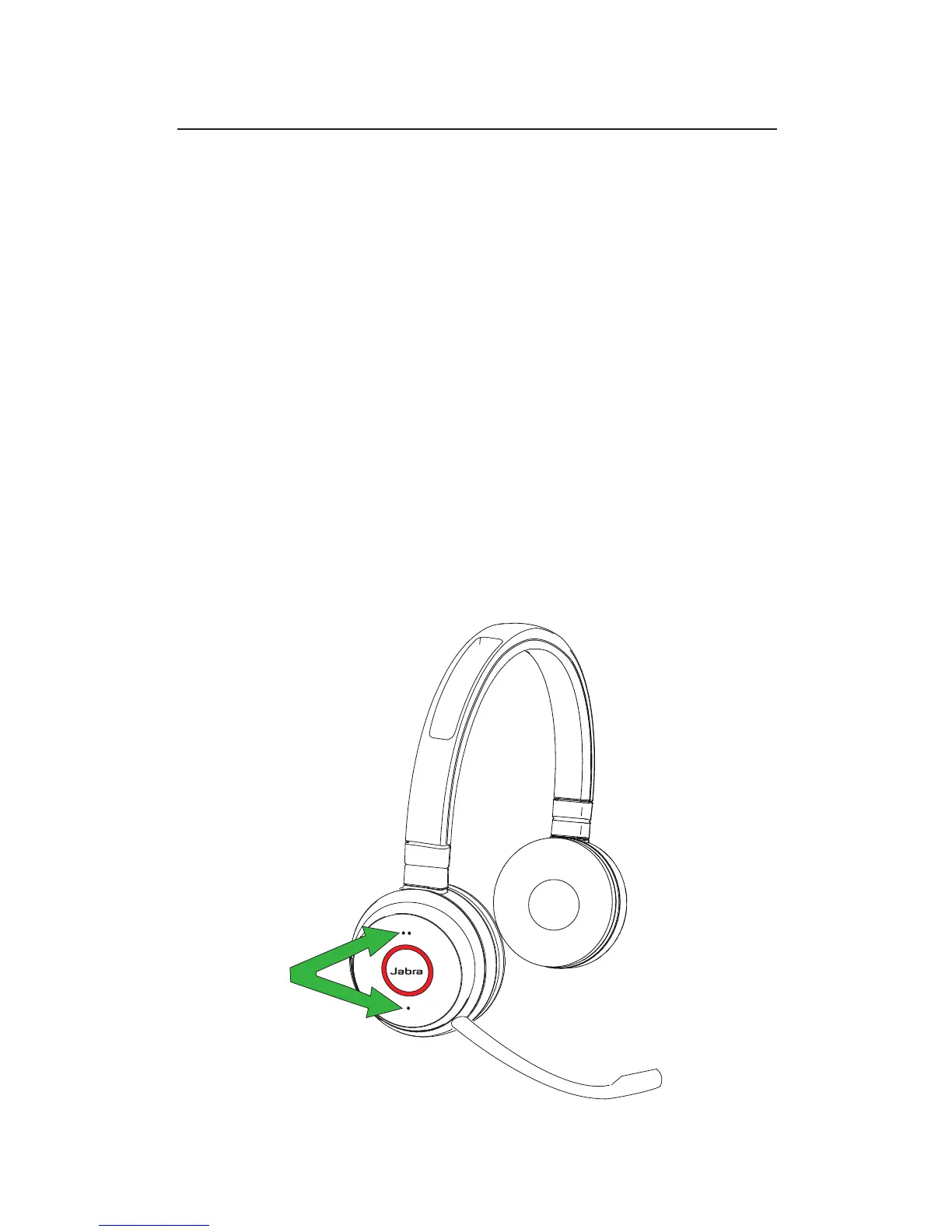
The busylight indicator on the headset can be
turned on to let others know that you are busy.
MANUALLY TURN BUSYLIGHT ON/OFF
To manually turn the busylight on/off, tap both the
Volume up and Volume down buttons at the same
time.
ENABLE/DISABLE BUSYLIGHT FUNCTION
To enable/disable the busylight function, press
and hold (3 secs) both the Volume up and Volume
down buttons at the same time.














 To Next Page