23
ENGLISH
7.7 Voice guidance
Voice guidance are announcements intended
to guide you or give earbud status updates (e.g.
connection and battery status).
How to turn voice guidance on/off
Voice guidance is enabled by default.
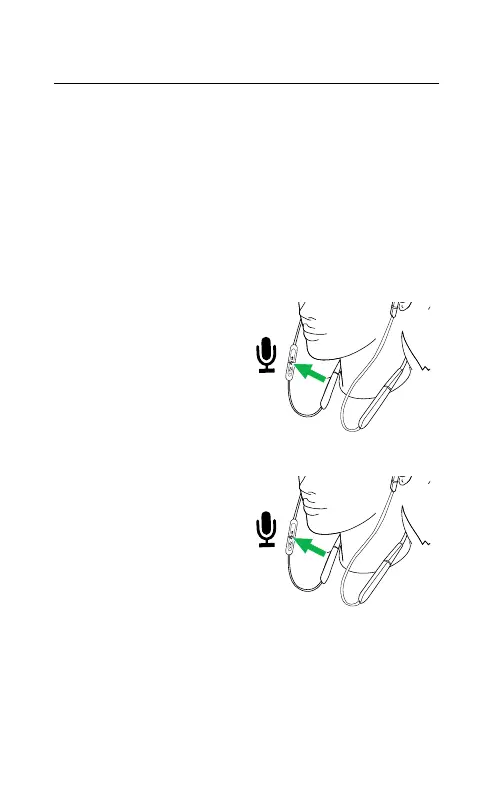
Voice guidance on:
Ensure the earbuds
are powered on, and
then hold (5 sec) the
Mute/Voice button.
Voice guidance off:
Ensure the earbuds
are powered on, and
then hold (5 sec) the
Mute/Voice button.
Alternatively, use the Jabra Sound+ app
(smartphone) or Jabra Direct (computer) to
turn voice guidance on/off.






 To Next Page