15
ENGLISH
5.2 Pairing with a smartphone
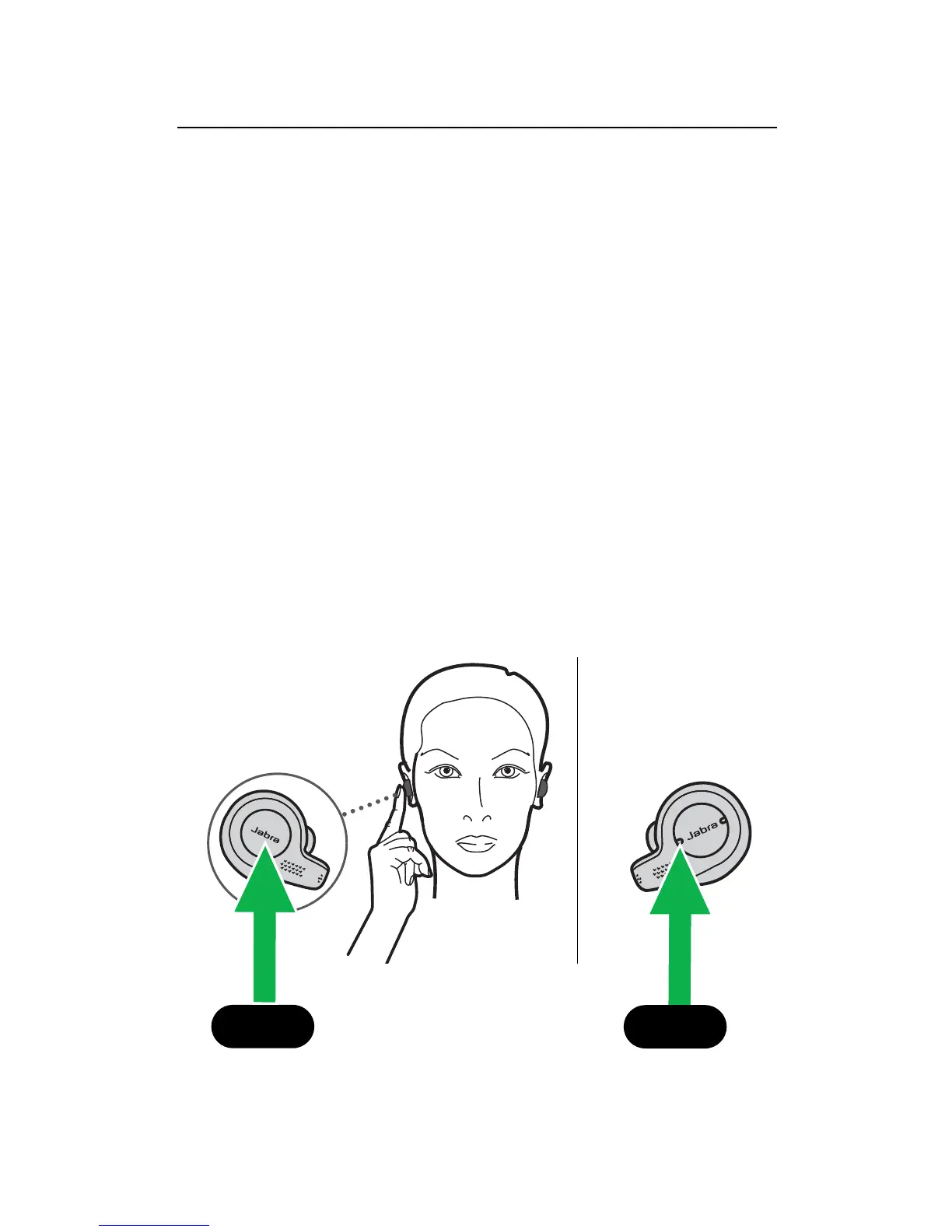
1. Ensure the right earbud is powered off and
not in the charging case. To manually power
off the earbud, hold the Multi-function
button until the LED flashes red.
2. Hold the Multi-function button on the right
earbud for 5 seconds until you hear the
connection instructions in the earbud and
the LED flashes blue. Release the button, and
follow the voice-guided instructions to pair
to your smartphone.
3. You may need to hold the Volume down
button for 1 second on the left earbud to
power it on.
5 sec.
L
1 sec.
R







 To Next Page