- 37 -
5.1.4 刀动作等参数设置 Setting sword parameter
在<形状参数>、<缝制开始/结束>、<底缝关联>画面触摸 进入<刀动作等>画面,如图 5.5 所示。
The system enters < sword parameter> screen when you press button in <shape parameter>、< sewing start/end
parameter >、< basting>screen.
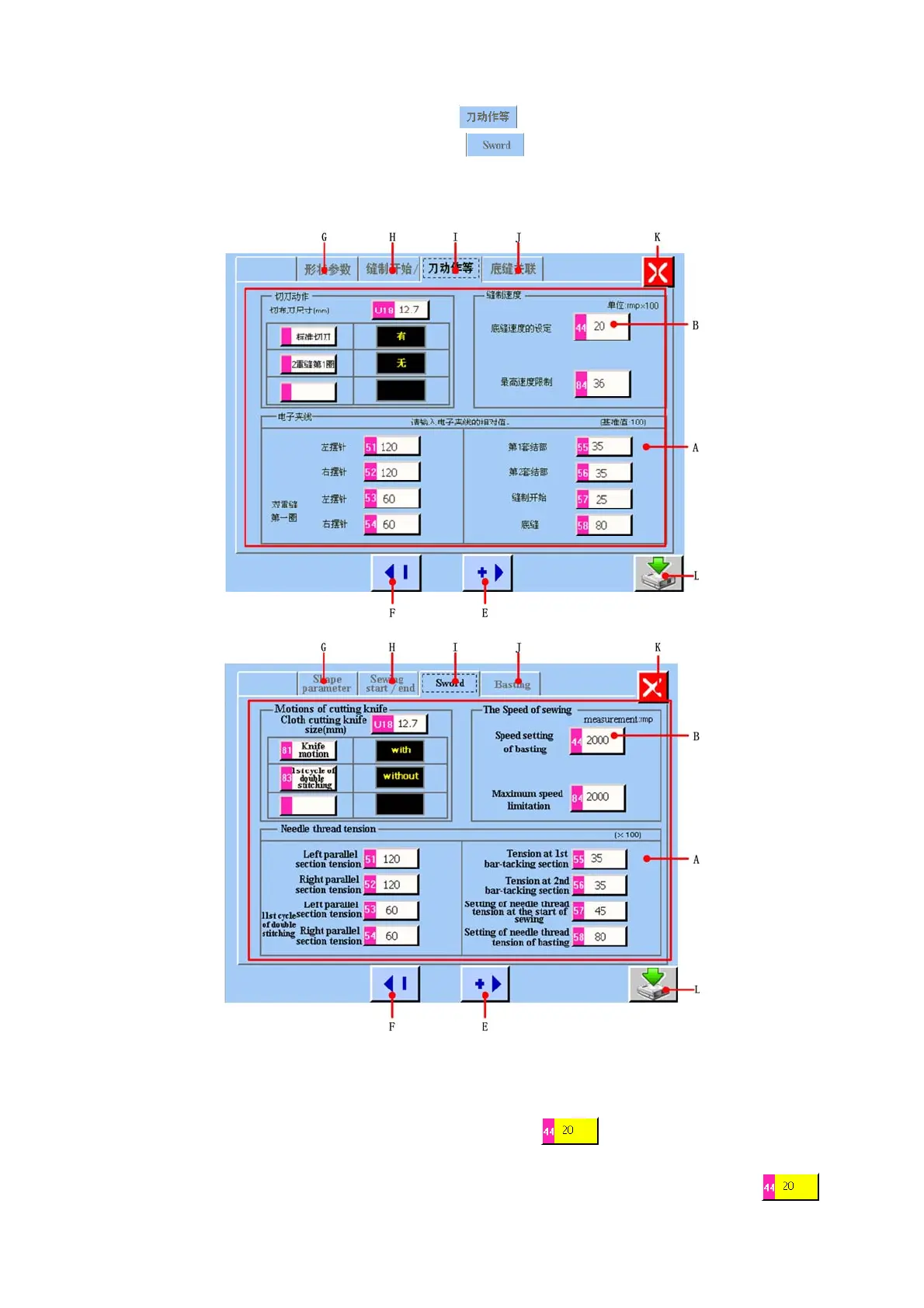
图/figure 5.5
A 平锁刀动作等参数显示区域
Sword parameter display area.
B 刀动作等参数显示和更改按键。当触摸该按键时,该按键显示为黄底
,表示当前选中需要更改的参数,然后
通过 E、F 按键就可以进行该参数的更改。
Sword parameter display and changing button. When you press this button, it will display yellow color , it
shows the parameter which you select want to change. Then you can press E and F button to change this parameter.



 To Next Page