- 76 -
11.2 连续缝制时 Performing continuous stitching
11.2.1 连续缝制文件命名 Continuous stitching named
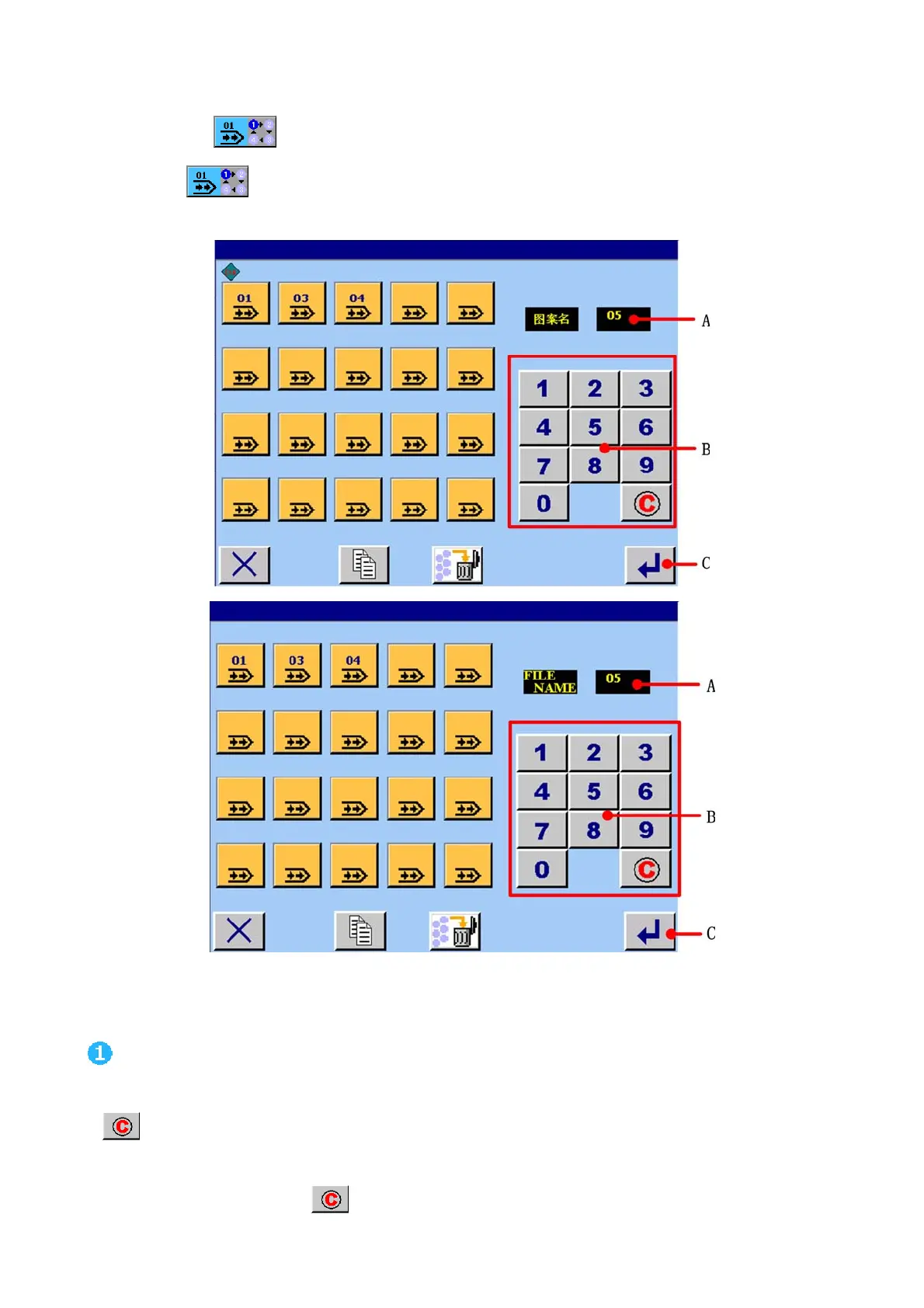
在数据输入画面触摸 A 键,如图 11.1 所示。进入<连续缝制文件管理>画面,如图 11.3 所示:
Press button A
in data input screen(see figure 11.1), the <continuous stitching file management>screen is
displayed(see figure 11.3).
图/figure 11.3
输入数字 Input number
按想输入的数字按键(B),可以输入数字。最大可以输入 20。输入的数字在 A 区域显示。若想消除输入的数字时,按清除
键
。
Press numerical button s B which you need. And the number display in area A. the greatest number is twenty. If you want to
cancel it , you can press clear button
to clear.



 To Next Page