HS-1RS User’s Manual Page 56
UPC-A
UPC-A Defaults
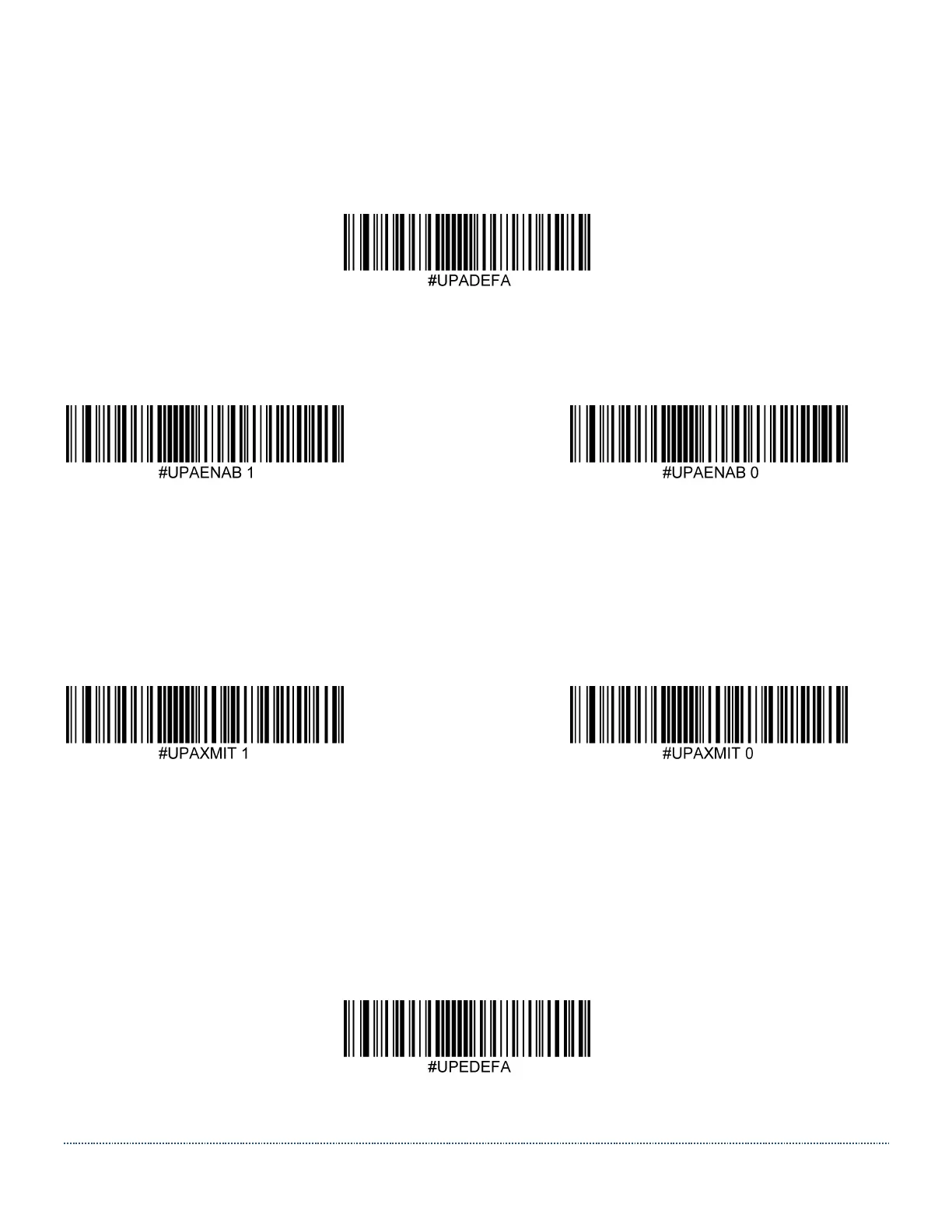
Set the UPC-A settings to their default configuration with this code.
UPC-A On/Off
Scan one of the codes below to enable or disable UPC-A. Default = Enabled.
* Enable Disable
UPC-A Check Digit
The check digit is the last character and is used to verify data integrity. This digit is always
checked but it may be chosen whether or not to transmit it. Default=Transmit
* Transmit UPC-A Check Do Not Transmit UPC-A Check
UPC-E(0)
UPC-E(0) Defaults
Set the UPC-E(0) settings to their default configuration with this code.


 To Next Page