11
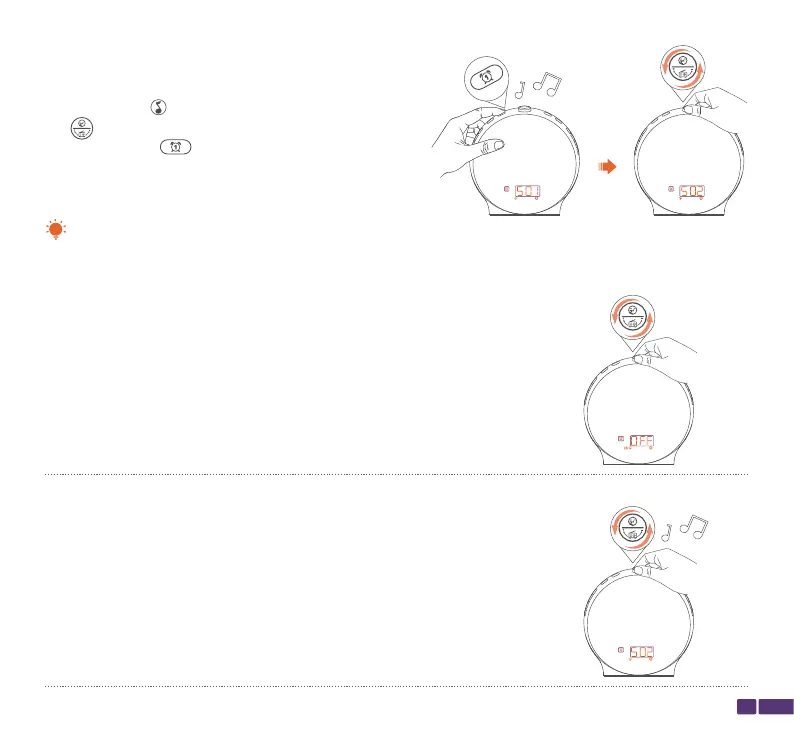
OFF:
No sound when the alarm rings;
S01-S07:
Natural sound effects play when the alarm rings;
Step 5:
While the music icon for the alarm is show, rotate the
top button to select the music for the alarm, then
press the Alarm 1 button to confirm the music
setting.
The music options for the alarm include OFF, seven natural sound effects (S01-S07), and broadcast radio.
Note:



 To Next Page