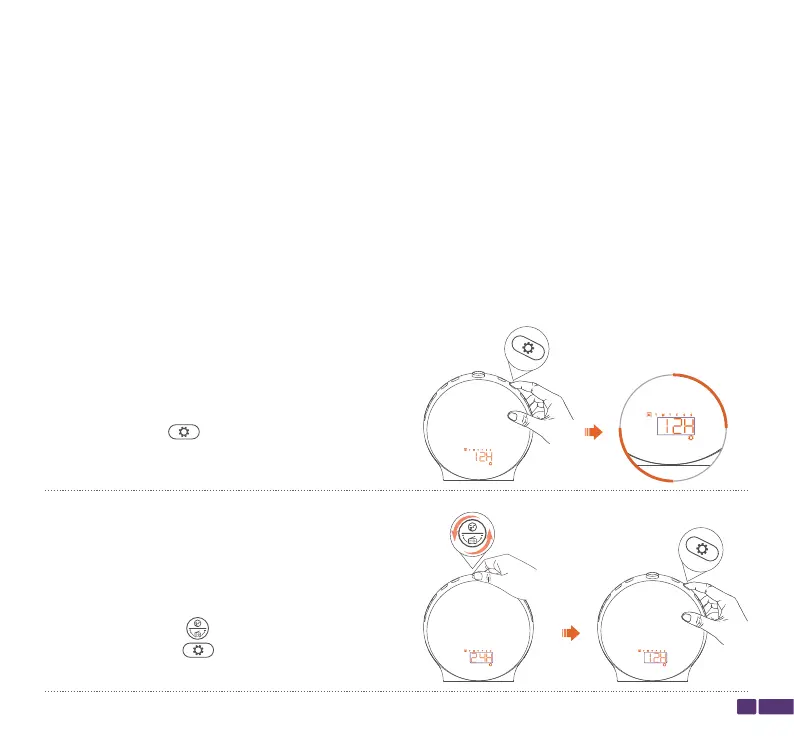
Time Setting
OPERATION GUIDE
Note:
If there is no operation within 15 seconds, the wake-up light will automatically save the current
settings and exit the setting mode.
The wake-up light has a built-in button battery that can continue timing for up to three years
after a power outage.
To ensure proper use of the wake-up light, it is important to set the time correctly.
Step 1:
Press and hold the button for 2 seconds
until 12 hours (12H) starts flashing on the screen
to begin setting the time.
05
Step 2:
Rotate the top button to select 12 hours or 24
hours, then press the button once to
confirm.
Here are the steps to set the time on the wake-up light:



 To Next Page