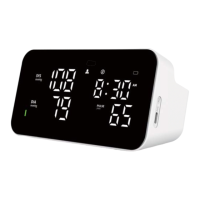
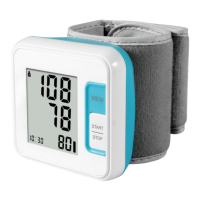
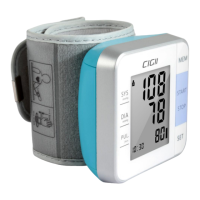
12
for two people using User ID A and User ID B.
1. Sit comfortably in a chair with your feet flat on the floor.
2. Select your User ID (A or B).
Stretch your arm forward on the desk and keep relaxing, make sure the palm of hand is
upturned. Make sure a rm is in correct position, to avoid body movement. Sit still and do not
talk or move during the measurement.
After the cuff has been appropriately p ositioned on the arm and connected
to the blood pressure monitor, the measurement can begin:
a) Press the Stop/Start button. The pump begins to inflate the cuff. In the display, the
increasing cuff pressure is c o ntinually displayed.
b) After automatically reaching an individual pressure, the pu mp stops a nd the pressure slowly
falls. The cuff pressure is displayed during the measurement.
c) When the device has detected your pulse, the heart symbol in the display begins to blink.
d) When the measurement has been concluded, the measured systolic and diastolic blood
pressure values, as well as the pulse will be d is played.
e) The measurement results are displayed until you switch the device off. If no button is
pressed for 60 seconds, the device switches off a u tomatically.
f) Cuff self-checking symbol (√×)
The cuff correct symbol(√) will be displayed if the cuff position is correct, otherwise the wrong
symbol(×) will be displayed. Please check again the cuff if the wrong sym bol(×) is displayed.
g) Movement error symbol (
)
The Movement Error Symbol (
) is d isplayed if you move your body during the
measurement. Please remove the cuff, and wait 2-3 minutes. Reapply the cuff and take
another measurement.
Recommended Use Methods:
1. Recommendation that the PATIENT relax as much as possible and not talk during the
measurement PROCEDURE.
2. Recommendation that 5 min should elapse before the first reading is taken.
3. Any reading can be affected by the measurement site, the p osition of the PATIENT,
exercise, or the PATIENT’S physiologic condition.
4. Performance of the AUTOMATED SPHYGMOMANOMETER can be affected by extremes
of temperature, humidity and altitude.
5. To stop the inflation or measurement, push the START/STOP button. The monitor will stop
inflating, start deflating, and will turn off.
6. After the monitor has detected your blood pressure and pulse rate, the cuff automatically
deflates. Your blood pressure and pulse rate are displayed.
7. The monitor will automatically turn off after one minute.


 To Next Page