Page 16
15. Disconnect all temperature sensors.
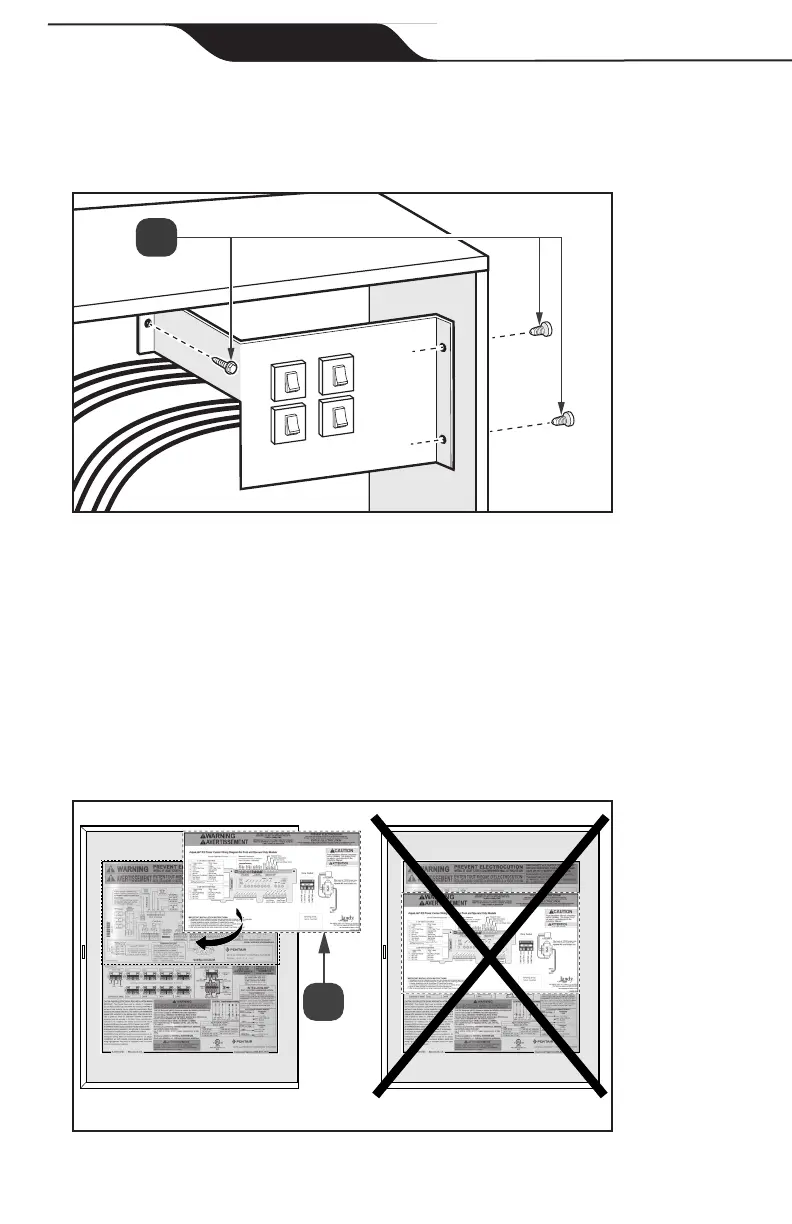
16. Remove the 3 retaining screws from circuit breaker assembly located behind
control panel, see Figure 11(a).
a
Figure 11. Remove Circuit Breaker Assembly
Section 5. Install the AquaLink
®
RS
Conversion Kit
5.1 Apply the New Wiring Label
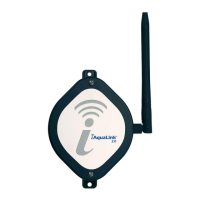
1. Place AquaLink RS Conversion wiring diagram label over existing Pentair
®
wiring diagram on the inside of the enclosure door. DO NOT COVER
EXISTING PENTAIR WARNINGS OR RATING INFORMATION,
see Figure 12(a).
Figure 12. Warning Label
Jandy
®
AquaLink
®
RS Conversion Kit


 To Next Page