8
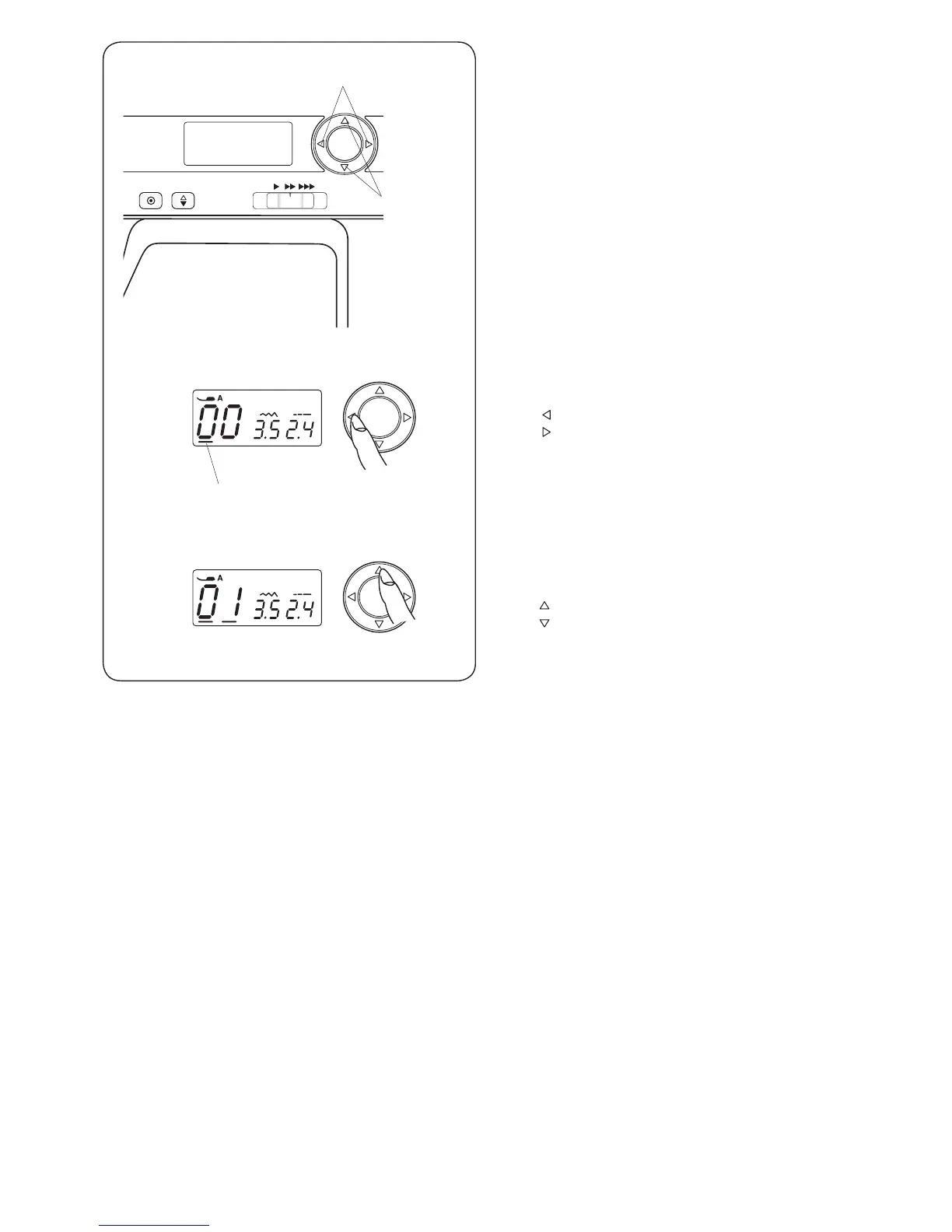
y Cursor Buttons
Use these buttons to move the cursor i.
Press button to move the cursor to left.
Press button to move the cursor to right.
u Value Set Buttons
Use these buttons to change the set value.
Move the cursor under the digit you would like to change.
Press
button to increase the value.
Press button to decrease the value.
i
y
u
y
u



 To Next Page