EasyManua.ls Logo

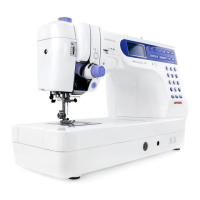
Janome Memory Craft 6500 Professional - User Manual

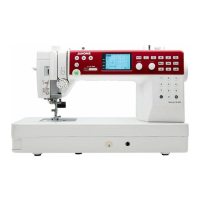
Janome Memory Craft 6500 Professional
78 pages
Print Icon
To Next Page IconTo Next Page
Loading...
AAASewing.com
Janome Memory Craft 6500 Instruction Manual
Janome Sewing Machine
www.aaasewing.com
MC6500P Owners Manual/ User Guide

Table of Contents

Questions and Answers

  • C
    Claire ColonAug 18, 2025
    Why does the needle thread keep breaking on my Janome Memory Craft 6500 Professional?
    • G
      gravesmatthewAug 18, 2025
      The needle thread may break due to several reasons: * The needle thread might not be threaded properly. * The needle thread tension could be too tight. * The needle might be bent or blunt. * The needle might be incorrectly inserted. * The needle thread and bobbin thread might not be set under the presser foot when you start sewing. * The threads might not have been drawn to the rear after sewing. * The thread could be too heavy or fine for the needle. * The thread might be tangled around the spool.
  • K
    Kelsey CochranAug 20, 2025
    What to do if my Janome Memory Craft 6500 Professional Sewing Machine is skipping stitches?
    • T
      Taylor OneillAug 21, 2025
      Skipped stitches on your Janome Sewing Machine can occur if: * The needle is incorrectly inserted, bent, or blunt. * The needle and/or threads are not suitable for the fabric being sewn. * The blue tipped needle is not being used for sewing stretch, very fine fabrics, and synthetics. * The needle thread is not threaded properly. * A poor-quality needle is being used; in this case, change the needle.
  • K
    Kimberly PalmerAug 23, 2025
    Why is the bobbin thread breaking on my Janome Memory Craft 6500 Professional?
    • A
      aguirretammyAug 23, 2025
      The bobbin thread in your Janome Sewing Machine could be breaking because: * The bobbin thread is not threaded properly in the bobbin holder. * Lint has collected in the bobbin holder. * The bobbin is damaged and does not turn smoothly; in this case, change the bobbin.
  • T
    Tonya WoodsAug 26, 2025
    What to do if my Janome Memory Craft 6500 Professional does not work?
    • D
      Douglas AlexanderAug 26, 2025
      If your Janome Sewing Machine isn't working, check the following: * Ensure the machine is plugged in and the foot control is connected. * See if thread has been caught in the hook race. * Make sure the presser foot is lowered.
  • L
    Laurie WatsonAug 28, 2025
    Why is my Janome Memory Craft 6500 Professional so noisy?
    • V
      vsullivanAug 28, 2025
      A noisy Janome Sewing Machine may be caused by: * Thread caught in the hook race. * Lint buildup in the hook race or bobbin holder.
  • K
    Kathy SotoAug 30, 2025
    How to prevent seam puckering with my Janome Memory Craft 6500 Professional?
    • E
      erica29Aug 30, 2025
      Seam puckering on your Janome Sewing Machine can be caused by: * The needle thread tension being too tight. * The needle thread not being threaded properly. * The needle being too heavy for the fabric being sewn. * The stitch length being too long for the fabric; make the stitch shorter. * The foot pressure not being adjusted properly. * A stabilizer not being used when sewing very fine fabrics; apply a stabilizer.
  • M
    Mr. David WilliamsSep 2, 2025
    Why is the cloth not feeding smoothly in my Janome Memory Craft 6500 Professional?
    • D
      Dana NelsonSep 2, 2025
      If the cloth isn't feeding smoothly through your Janome Sewing Machine: * The feed dog might be packed with lint. * The stitches might be too fine; make the stitch longer. * The feed dog might not be raised after ”drop feed” sewing.
  • V
    Valerie HarperSep 4, 2025
    Why is the buttonhole sewing not working properly on my Janome Memory Craft 6500 Professional Sewing Machine?
    • A
      Abigail GonzalezSep 5, 2025
      If buttonholes aren't sewing properly on your Janome Sewing Machine: * The stitch density may not be suitable for the fabric. * Interfacing may not have been used for stretch or synthetic fabric; apply an interfacing. * The buttonhole lever might not be lowered.
  • D
    david96Sep 7, 2025
    Why are layers shifting when I sew with my Janome Memory Craft 6500 Professional Sewing Machine?
    • C
      Calvin RodriguezSep 7, 2025
      Layers shift on your Janome Sewing Machine because the foot pressure is not suitable for fabrics being sewn.
  • W
    William PetersenSep 9, 2025
    Why does my Janome Memory Craft 6500 Professional Sewing Machine needle keep breaking?
    • B
      bhawkinsSep 9, 2025
      Your Janome Sewing Machine's needle may break due to: * Incorrect insertion of the needle. * A loose needle clamp screw. * Failure to draw threads to the rear after sewing. * Using a needle too fine for the fabric. * Using the wrong presser foot; use the correct foot.

Summary

IMPORTANT SAFETY INSTRUCTIONS

DANGER

Critical warnings to prevent severe electric shock hazards.

WARNING

Important warnings to prevent burns, fire, electric shock, or injury.

KNOW YOUR MACHINE

Name of Parts

Details the various components of the sewing machine.

GETTING READY TO SEW

Connecting the Power Supply

Step-by-step guide to connect the sewing machine to power.

Controlling Sewing Speed

Instructions on adjusting sewing speed using the speed control lever and foot control.

Function Buttons

Control Panel Operation Buttons

Raising and Lowering the Presser Foot

Changing the Presser Foot

Winding the Bobbin

Inserting the Bobbin

Threading the Machine

Automatic Needle Threader

Drawing Up the Bobbin Thread

Changing Needles

Balancing Thread Tension

Adjusting the Foot Pressure

Dropping the Feed Dog

Instructions on lowering the feed dog for specific sewing tasks like darning.

Customizing Machine Settings

BASIC STITCHES (Mode 1)

Straight Stitch

Instructions for sewing a straight stitch, including variations.

Zigzag Stitch

Variety of Overcasting Stitches (Modes 1 and 3)

Zipper Sewing

Rolled Hem

PATCHWORK AND QUILTING (Mode 2)

Patchwork

Tips and methods for piecing fabric squares for patchwork.

UTILITY STITCHES AND DECORATIVE STITCHES (Mode 3)

Buttonholes

Various types of buttonholes and their applications.

Sensor buttonholes

Automatic buttonhole

Darning

Button Sewing

Tacking

Eyelet

Blind Hem

Twin Needle Sewing

Programming a Pattern Combination

Pattern combination with auto thread cutting

Editing Program

Custom stitch adjustment (Mode 2 and 3 only)

MONOGRAMMING (Mode 4)

Programming a Monogram

Editing a Monogram

CARE AND MAINTENANCE

Correcting Distorted Stitch Patterns

How to fix stitch pattern distortions using the feed balancing dial.

Cleaning the Hook Race and Feed Dog

Problems And Warning Signals

Troubleshooting

Janome Memory Craft 6500 Professional Specifications

General IconGeneral
TypeComputerized Sewing Machine
Maximum Stitch Width7 mm
Maximum Stitch Length5 mm
Speed ControlYes
Needle Threading SystemAutomatic
Speed Control SliderYes
Start/Stop ButtonYes
Needle Up/Down ButtonYes
Automatic Thread CutterYes
Bobbin WinderYes
Foot Pressure AdjustmentYes
Feed Dog SystemDrop Feed
LightingLED
Presser FeetMultiple Included
LCD ScreenYes
Memory FunctionYes
Buttonholes7
Speed1000 stitches per minute
Needle ThreaderBuilt-in
Bobbin TypeTop-loading
Warranty25 Years

Related product manuals