CONFIGURATION AND CALIBRATION – Software Calib.
Page 66 of 80
the right column to nominal values of 0, 1 and 1. The CALIBRATE button
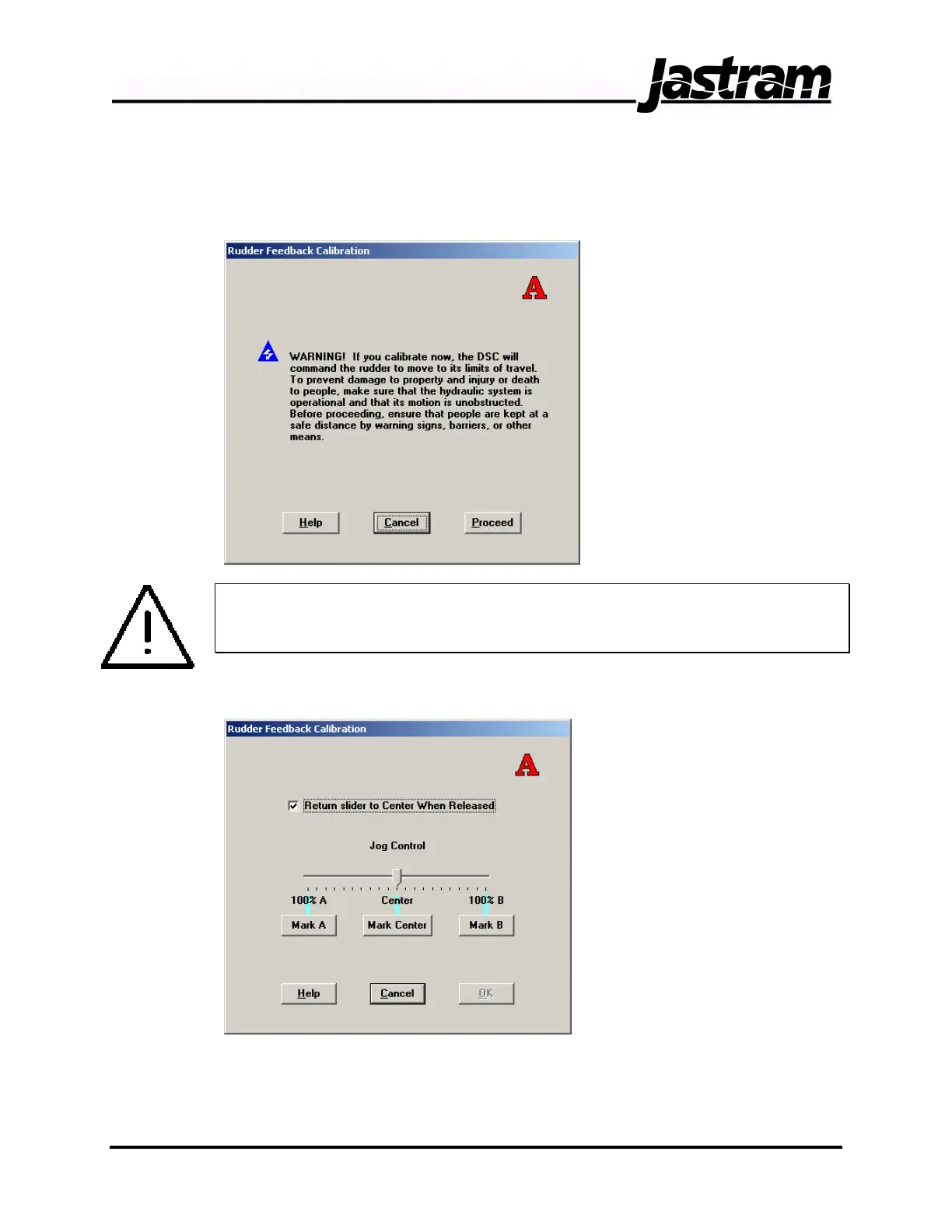
will advance you to the actual calibration procedure. After selecting
CALIBRATE a warning screen will appear.
WARNING:
IF THIS INFORMATION IS NOT HEEDED, INJURY OR DEATH OF
PEOPLE AND DESTRUCTION OF PROPERTY MAY RESULT.
Click on the PROCEED button to enter the feedback calibration screen.
For proportional systems,
the ‘Jog Control’ slider
will act as a variable non
follow-up control. As you
advance the slider farther
from center, the rudder
will move faster. For on-
off systems, advance the
slider until the directional
valve solenoid is
energized. Using the
‘Jog Control’ slider, move
the rudder to midships
and click the MARK
CENTER button. Then
move the rudder to either port or starboard hard over and click the MARK
A or MARK B button. It is not critical which one you click. Then move the
rudder to the opposite hard over and click the opposite MARK A or MARK
B button. Once the midships and hard over positions have been entered
Doc No.: MAN01504, 20-02-06 DSC 100 & MCP 100 Manual



 To Next Page