EasyManua.ls Logo

Jayco Redhawk 2017 - Rear Camera

Jayco Redhawk 2017
98 pages
Print Icon
To Next Page IconTo Next Page
To Previous Page IconTo Previous Page
Loading...
P
R
E
P
A
R
ING
T
O
D
R
IV
E
B
ASI
C
O
PE
R
A
T
IO
N
S
R
ear
C
amera
N
O
T
ES
W
hen ba
cki
ng up, ne
v
e
r
r
e
ly
on the
c
a
m
e
r
a and
si
de
vi
e
w
mirr
o
rs
a
l
one. It
is
a
lw
a
ys
s
ugge
s
ted that
y
ou ha
v
e
s
o
m
eone p
r
o
vi
de
y
ou
a
ssis
tan
c
e and
w
a
r
n
i
ng to othe
rs
n the
vici
n
i
t
y
.
You
r
c
oa
c
h
is
equ
i
pped
wi
th a ba
ck
up
c
a
m
e
r
a to ASSIS
T
the d
riv
e
r
w
h
il
e d
rivi
ng but e
s
pe
ci
a
lly
w
hen
r
e
v
e
rsi
ng.
T
he
r
e
is
a t
w
o
w
a
y
aud
i
o
sys
te
m
that enab
l
e
s
a
he
l
pe
r”
to
c
o
mm
un
ic
ate
wi
th the
d
riv
e
r
.
T
he
c
a
m
e
r
a
is
e
m
bedded
i
n the th
ir
d b
r
a
k
e
li
ght
w
h
il
e the
d
is
p
l
a
y
is
c
on
v
en
i
ent
ly
l
o
c
ated
w
he
r
e a
r
ea
r
vi
e
w
mirr
o
r
w
ou
l
d be
found.
T
he
c
a
m
e
r
a ha
s
a
wi
de ang
l
e
vi
e
w
w
h
ic
h
m
ean
s
that
d
is
tan
c
e
s
a
r
e
s
o
m
e
w
hat d
is
to
r
ted.
C
a
m
e
r
a Sett
i
ng
s
And Ope
r
at
i
on
s
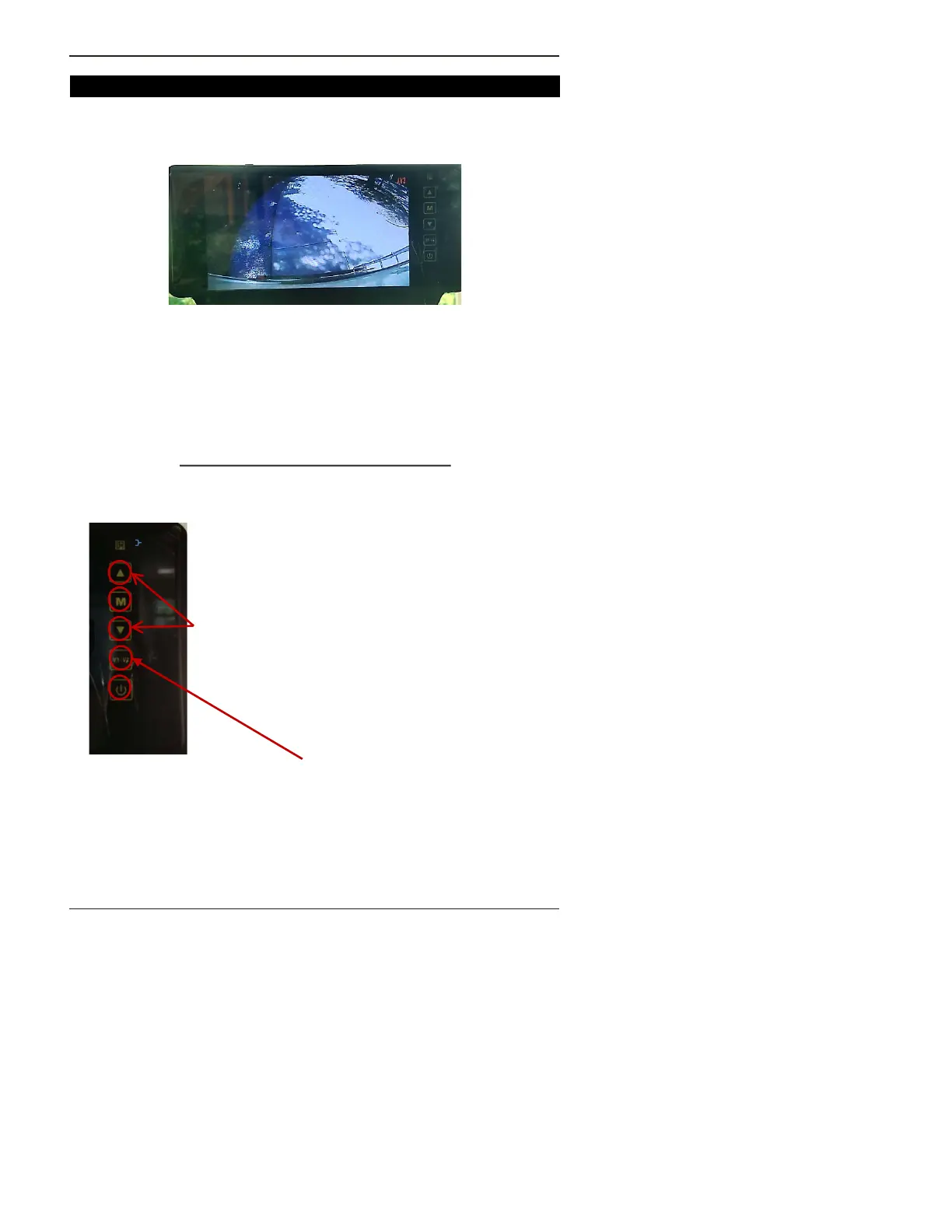
T
he
c
a
m
e
r
a
’s
c
ont
r
o
l
button
s
a
r
e on the
ri
ght
si
de of the
m
on
i
to
r
.
Sho
w
n be
l
o
w
is
ho
w
to ad
j
u
s
t the
s
ett
i
ng
s
.
On/Off Button
Us
e a
rr
o
w
button
s
to
m
a
k
e
s
e
l
e
c
t
i
on
s
wi
th
i
n
m
enu
i
te
ms
.
P
r
e
ss
the
M
E
NU
button the nu
m
be
r
of t
im
e
s
s
ho
w
n be
l
o
w
to
r
ea
c
h an ad
j
u
s
t
m
ent
i
te
m
and
then u
s
e the a
rr
o
ws
to
m
a
k
e
y
ou
r
s
e
l
e
c
t
i
on.
1 = B
ri
ghtne
ss
2 =
C
ont
r
a
s
t
3 = Satu
r
at
i
on
4 = Sha
r
pne
ss
5 = Vo
l
u
m
e
6 = Language
7 = I
m
age
r
otat
i
on
8 =
Dis
tan
c
e g
ri
d
9 = G
ri
d po
si
t
i
on
10 =
D
a
y
/
Ni
ght opt
i
on
11 = S
ys
te
m
R
e
s
et
Shou
l
d
y
ou add
m
o
r
e
c
a
m
e
r
a
s
, the
“C
a
m
e
r
a Se
l
e
c
t
i
on
button
will
c
hange
i
nput
s
. You
r
c
a
m
e
r
a
i
nput
V 1
37
©
J
a
yc
o, In
c
., 2016 ALL
R
IG
HT
S
R
ESE
R
VE
D

Table of Contents

Related product manuals