- 12 -
6. Lock door setting
(Only when the lock door function is
available, the setting will proceed.
The “lock” key can not be matched)
7. Half-open setting
(Only when the half-open function is
available, the setting can proceed.
The half-open key on the transmitter
can not be matched)
8. Open/Stop/Close Terminal
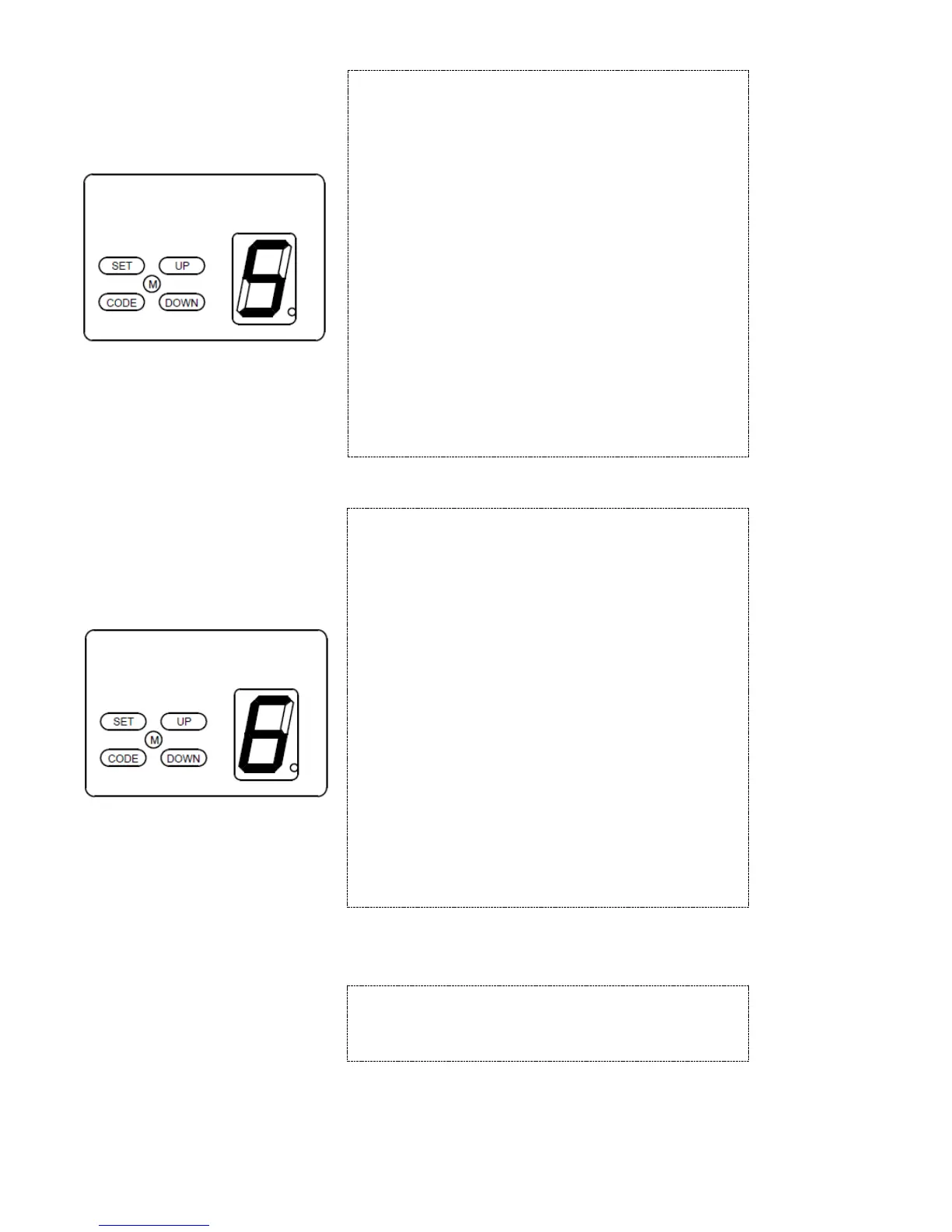
Press and hold on “SET” button for 3 seconds until the
LED flashes “1”. Press “UP” or “DOWN” button to
increase or decrease. Adjust the LED to flash “5”, press
“SET” button to enter into lock door setting. The LED
displays the current setting.
Press “UP” button, the LED displays “1”, the lock door
function is on. Press “DOWN” button, the LED
displays”0”, the lock door function is off. Press “SET”
button to confirm, the opener returns to standby mode.
When the lock door function is on and the door is fully
closed, the opener will lock the door automatically. And
then the door can only be opened by transmitter after
unlocked by the “lock” key(S2) on the transmitter. (If not
unlocked by the S2 button on the transmitter, the light will
flash twice when press the open key on the transmitter)
The default setting is: invalid.
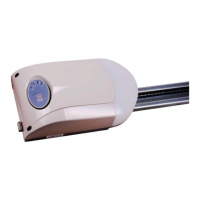
Press and hold on “SET” button for 3 seconds until the
LED flashes “1”. Press “UP” or “DOWN” button to
increase or decrease. Adjust the LED to flash “6”. Press
“SET” button to enter into half-open setting. The LED
displays the current setting.
Press “UP” or “DOWN” button to increase or decrease.
When the LED displays ”1”, the half-open height is 30cm.
When the LED displays “2”, the half-open height is 60cm.
When the LED displays “3”, the half-open height is 90cm.
When the LED displays “0”, the half-open function is off.
Press “SET” button to confirm, the opener returns to
standby mode.
If the half-open function is on, only when the door is fully
closed, the door can half-open by the “S1” key on the
transmitter. If the door is at other position, the “S1” key
will not work.
The default setting is : invalid.
For connecting a wired touch switch to this terminal
(Fig.11),or other external receiver


 To Next Page