18
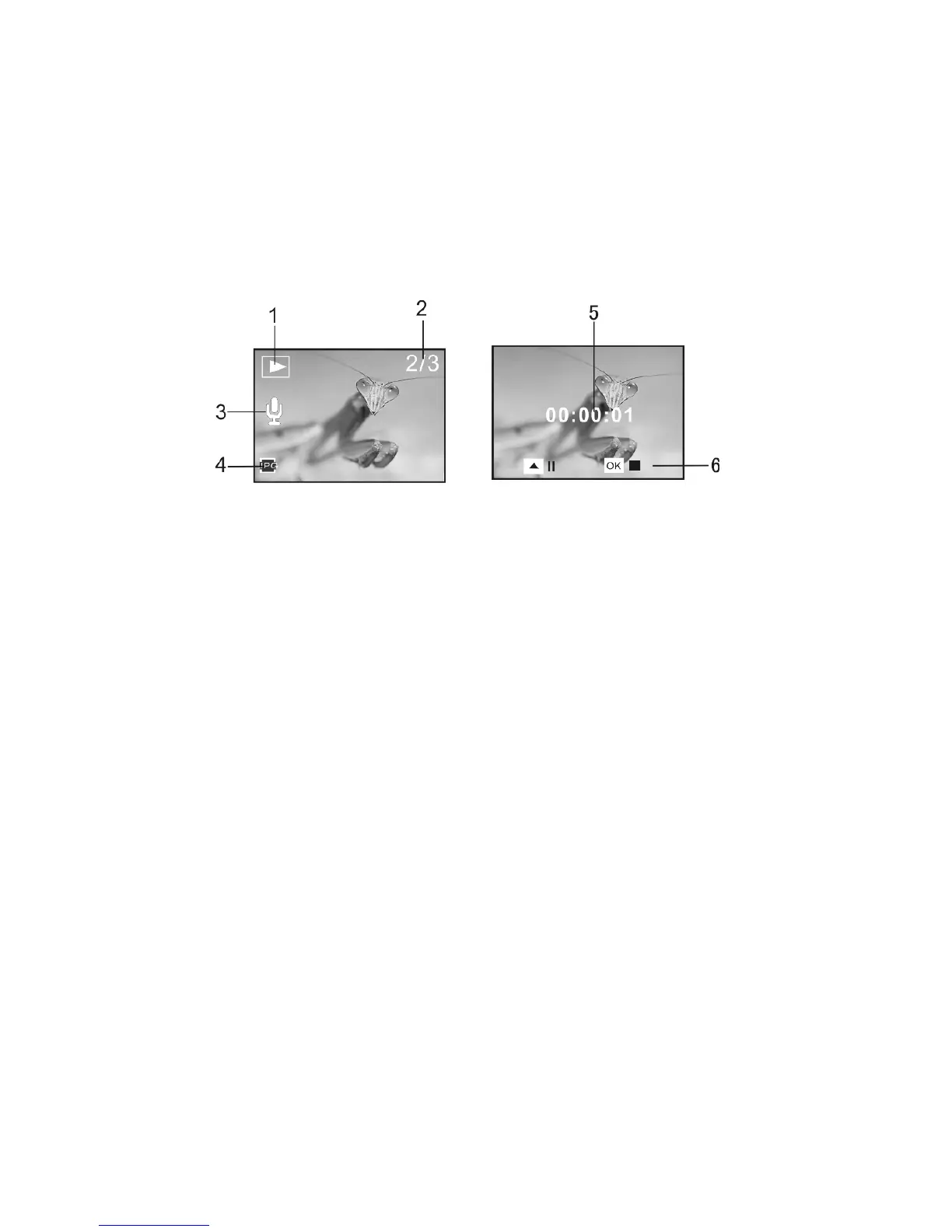
1 Playback mode icon 2 Image counter 3 Voice Memo indicator
4 PHOTO file indicator 5 Playing time 6 Control panel for playing voice memo
Note:
1 The files stored in card will be lost during formatting operation, please backup all
important memories or data before formatting the memory card.
2 The “My image” menu can be activated after you have set “Start-up Image” function.
11. Setup the recorder
1. Press OK key then press Right Direction key to enter Setup Menu.
2. The following Options are displayed on the Setup Menu. Select the option you want
by pressing Up or Down Direction key:
Sounds: You may turn on or turn off the sound of tripping Shutter, Start-up, Beeping
(when any key is pressed) and self timer Beeping. You may also change the Volume
of audio sound.
Power Frequency: You may also alter the frequency setting of recorder so that it
adapts to match power supply and indoor fluorescent lamp at 50Hz or 60Hz.


 To Next Page