9
8. Video mode:
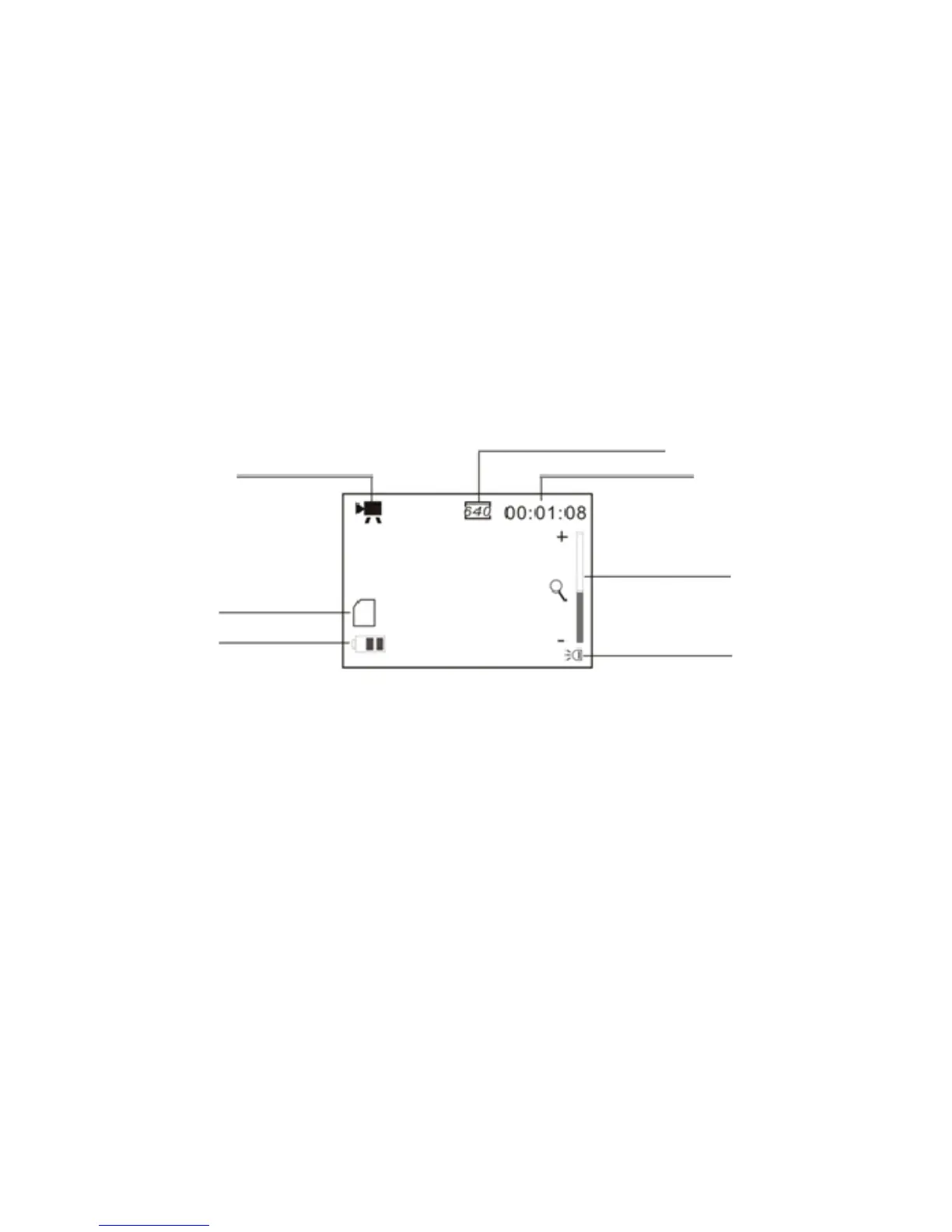
Preview mode
Recording the Video clip
1. Open the LCD screen.
2. Press / hold the Power key and turn the recorder ON
3. Press the Shutter key to start recording video
4. To stop recording, press the Shutter key again.
Note that if the memory card is full, recorder will stop recording by itself.
5. Zoom IN or zoom OUT during recording by pressing Zoom keys; recorder has 4X
Video resolution; it can be selected at 640x480 or 320x240
The remaining time for recorded
Video; ex 1 minute 8 seconds left
Battery icon
The LED Lamp is turned ON
Zoom ratio range


 To Next Page