6
Press Right Direction key and then press Up or Down Direction key to select ‘Yes’ option.
The memory card will be formatted automatically.
Please note that all the previous DATA in card will be deleted when formatted.
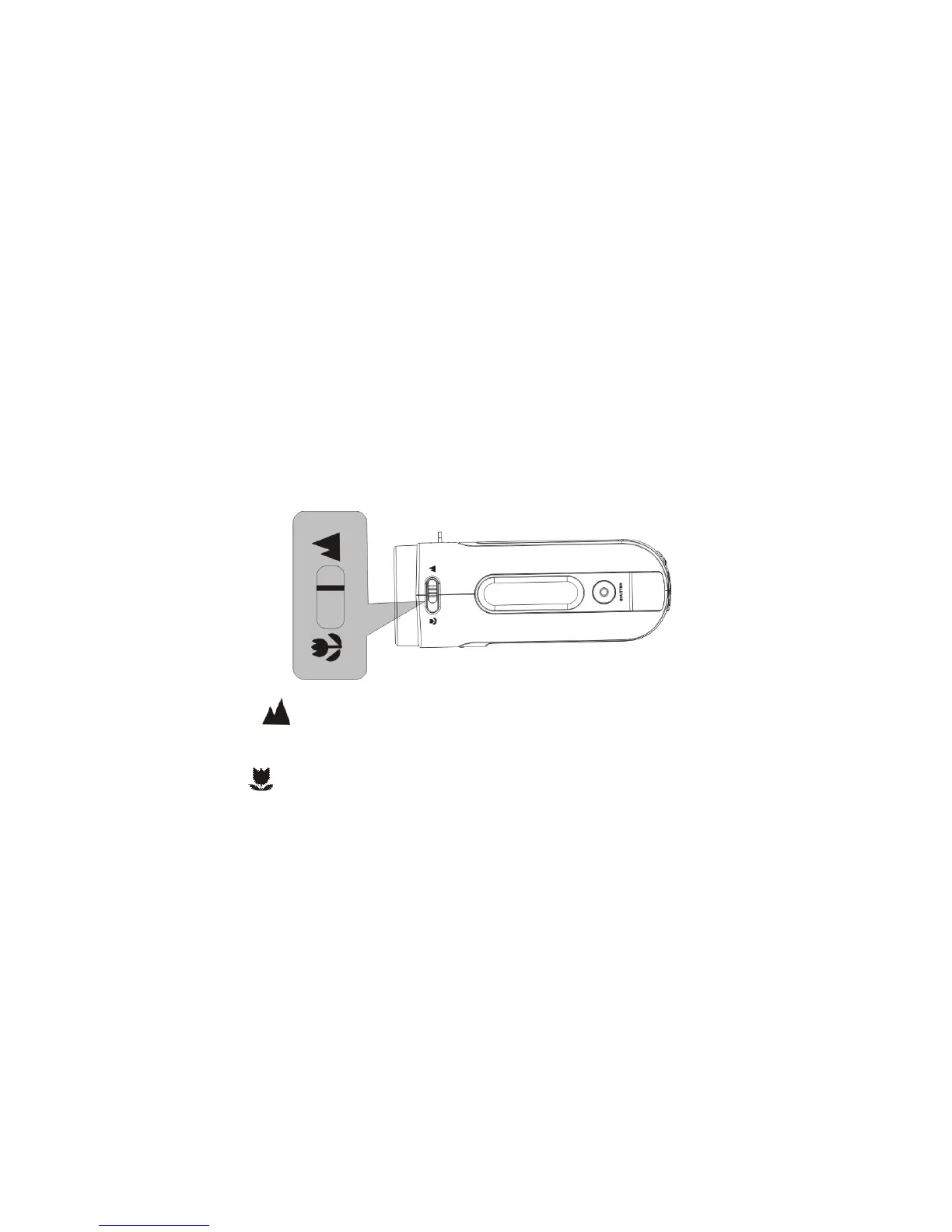
3. Selecting Lens Mode
Slide the Macro / Normal lens selector to set either Normal (for everyday use) or Macro
mode (only for close-up) depending on the distance of the main subject.
1. Normal setting is suitable for shooting subjects located 140cm or more away
from the recorder
2. Macro setting is suitable for shooting close-up subjects 2.5 -5cm away.
4. Power ON / OFF the recorder
1. Power ON: press the Power key for a second or two to turn the recorder ON.
2. Power OFF: press the Power key (when the recorder is active) to turn the power


 To Next Page