DSC260 Preliminary Owners Manual Revision 0.9
5
The current program has been edited since the last Store command:
IN A *
Delay 715’12.1”
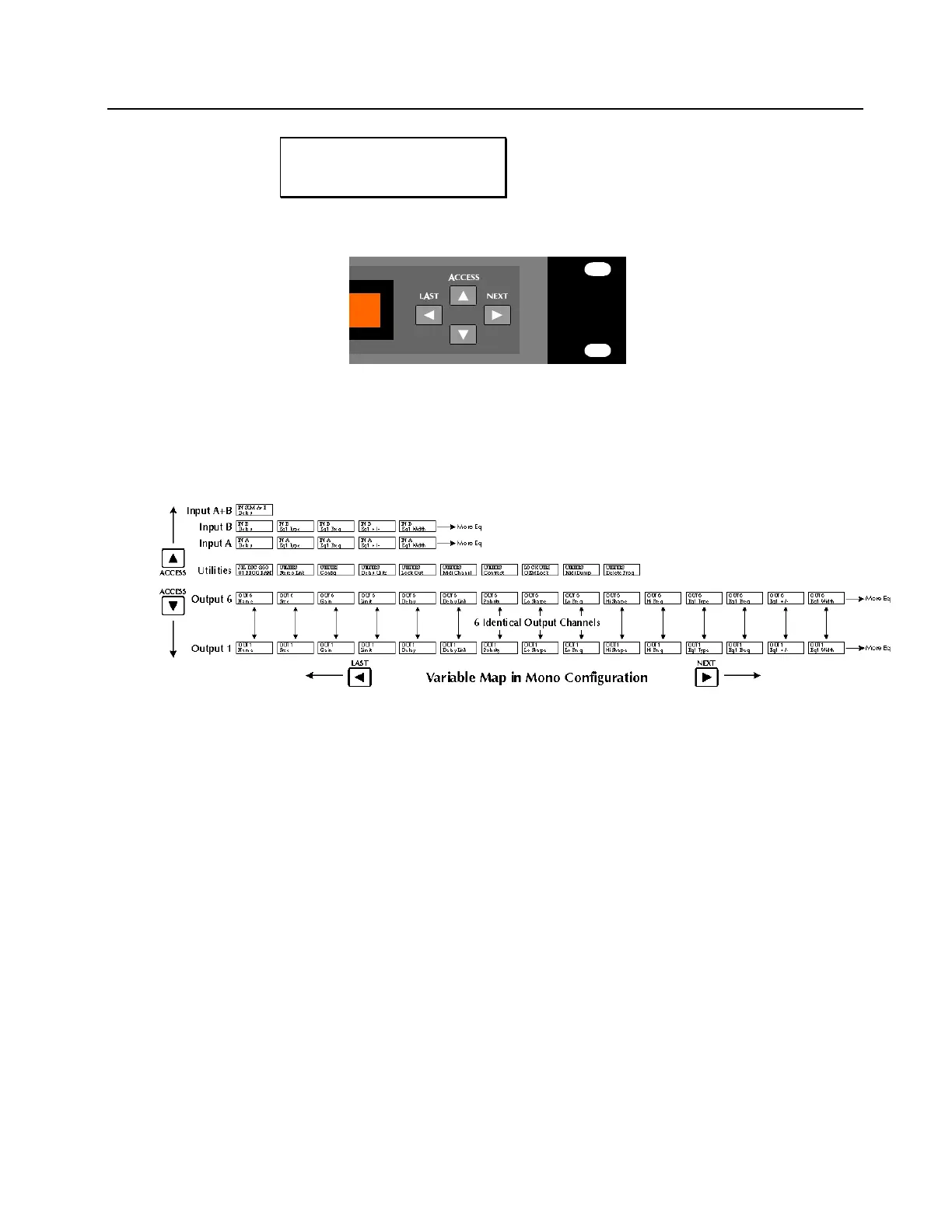
Figure 4 Access Buttons
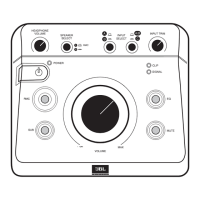
4.7 Access Buttons: These four buttons step the display through input, output and system variables which are grouped in a grid as shown
below in figure 5. All inputs and outputs are configured in rows with their respective parameters in columns. There are rows for
Input A, Input B, Input Sum A+B, and Outputs 1 though Output 6. In addition, a row of Utility Control parameters is included.
The Up and Down Access keys move the user between rows. The Next and Last keys step the user through the variables
within the currently selected row. See section 9.0 on ASSIGNABLE EQ for the use of Next and Last to assign EQ to a channel.
Figure 5 DSC260 Programming Grid


 To Next Page