HARMONY SERVICE BULLETIN JBL9906
Service Bulletin JBL9906 - May 1999 This is considered a Major repair
To: All JBL Service Centers
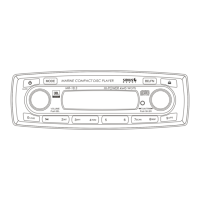
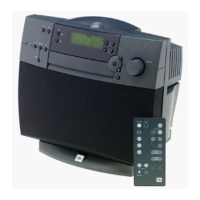
Model: Harmony AM/FM, CD Compact Sound system (Gray only)
Subject: Noise when Playing CD’s
In the event that you receive a Harmony speaker system with the complaint “there is a mechanical noise
or ticking sound when playing Compact Discs, even when the volume is turned all the way down”, replace
the CD mechanism as per the instructions below:
Note: It is very important that the various screws do not get mixed up and inserted in other locations
upon
reassembly. Make note, or label each removed screw set, and keep them apart from other screw sets.
REPLACEMENT OF CD MECHANISM
1)
Unplug all cables & connectors; place the unit on padded surface.
2)
Carefully pry the speaker grille out of its recess and remove.
3)
At the rear of the unit, remove the (4) screws holding the top cover on. Two are directly underneath
the handle and two are near the center of the unit.
4)
Slide the top cover straight back and off the unit, exposing the CD mechanism.
5)
At the front of the unit, directly below the CD tray, remove the two CD mounting screws.
6)
Pull the CD mechanism out and away from the unit. Looking at the rear of the unit, the right side will pull
away first and “pivot” around a thick wire cluster on the left side of the cabinet.
7)
Unplug all connectors; make note of colors and locations - do not mix upon reassembly.
8)
To separate CD assembly from Main PCB:
a) Remove the two lower, outermost screws from the small heatsink.
b) Remove the (4) silver-colored screws from the bottom of the PCB.
c) Remove the single screw from the RCA jack bracket.
d) Unplug remaining connectors.
9)
Replace CD mechanism with replacement JBL part # AFA0086-001.*
10)
Attach CD assembly back onto Main PCB, and replace assembly back into unit following all disassembly
instructions in reverse order. You must pry off the front plastic faceplate from the old CD mechanism
and replace it on the new unit.
11)
Test unit by confirming all controls work and original complaint not longer occurs.
* The original CD mechanism has a motor pulley diameter of 0.53 in/13.4mm.
The new CD mechanism, part # AFA0086-001, has a motor pulley diameter of 0.81in/20.5mm.
(The motor pulley is located near the laser warning label)
Model
Serial number
120V
Serial number
230V
Status Action
Harmony
(Gray)
AC0022-01001
to
AC0022-22500**
AC0023-01001
to
AC0023-17384**
Mechanical noise or
ticking sound when
playing CD’s
Replace CD mechanism
with
JBL part #: AFA0086-001
Harmony
(Gray)
AC0022-22501**
and above
AC0023-17385**
and above
New revision CD
Mechanism
NONE REQUIRED
** White versions of the Harmony Sound system have the latest version of CD Mechanism.
12
CD Player/Tuner Stereo System HARMONY


 To Next Page