EasyManua.ls Logo

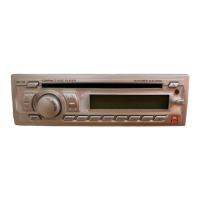
JBL MR-17 - User Manual

JBL MR-17
8 pages
Print Icon
To Next Page IconTo Next Page
Loading...
Revised 28 / April / 05
This product is sold and serviced exclusively by Prospec Electronics Inc. and must be returned
to Prospec for in and out of warranty repairs. It can not be serviced under warranty by other JBL
service centers. All products sold and serviced exclusively by Prospec Electronics Inc.
For service contact us : 3325 South Morgans Point Road Mt Pleasant SC 29466
Tel 843-849-9037 Fax 843-849-9054
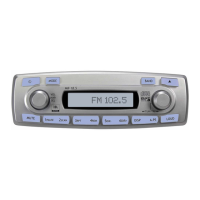
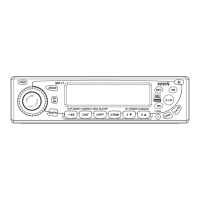
MARINE
COMPACT
DIGITAL AUDIO
Operation Manual
for Users
Model No.: MR-17
8.D
IS
9
.A
.
P
S
PWR
2 INT
3 RPT
4 RDM
1
5
MODE
7.SCN
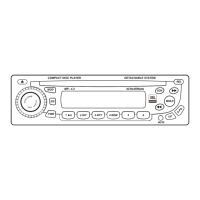
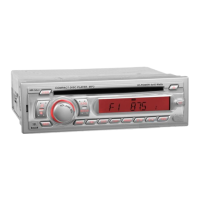
FLIP DOWN / COMPACT DISC PLAYER HI - POWER 4x45Watts
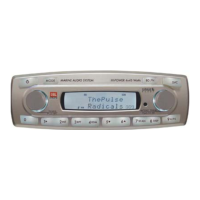
MR-17
0. LD
MUT
6
SH.
SR
BD/FN
MARINE
EST.JBL(MR-17)-061205-I/M

Questions and Answers

  • J
    Jared KellyJul 29, 2025
    Why is the audio distorted on my JBL MR-17 Car Receiver?
    • R
      Robert GarciaJul 29, 2025
      Distorted audio on your JBL Car Receiver can stem from several factors. Here are a few things to check: * Loudspeaker wiring * Avoid connecting the front loudspeaker ground to the rear speaker ground. * Faulty loudspeaker * Distortion at highest volume levels may be normal, as the amplifier has reached its maximum power output. * Use 10amp cable or more. * Reduce the bass effect or switch off the loudness mode. * Boat battery and or charging circuit may be faulty.
  • T
    Thomas MccallAug 12, 2025
    What to do if I experience interference on the radio with my JBL MR-17?
    • C
      Chris ChambersAug 12, 2025
      If you're experiencing interference on the radio with your JBL Car Receiver, it could be due to poor atmospheric conditions; in this case, try again later in the day. Another cause could be a broken or damaged antenna or lead.

Summary

Trouble shooting guide

Interference on Radio

Common radio interference issues and potential solutions.

Distorted Audio

Troubleshooting steps for distorted audio output from the unit.

Specifications

FM Tuner Specifications

Technical details for the FM radio tuner.

AM Tuner (Option) Specifications

Technical details for the optional AM radio tuner.

Compact Disc Specifications

Technical details for the Compact Disc playback.

Audio Amplifier and General Specifications

Specifications for audio amplification and general unit features.

Precautions and Maintenance

Reset Function

Instructions on how to perform a manual reset of the unit's microprocessor.

Cautionary Notes

Important cautionary advice regarding unit operation and maintenance.

Wiring Identification

Installation Notes

Important notes for speaker and power cable connections during installation.

Operating the CD & CD Changer

CD Playback and Control

Instructions for loading, playing, pausing, and scanning CD tracks.

Track Management Functions

How to use repeat play, random play, and track tuning features.

Station Tuning

Manual and Seek Tuning

How to manually tune radio stations or use the seek mode.

Station Memory and Scanning

Storing stations, auto-store function, and scanning for stations.

Installing and Removing the Detachable Face

Attaching the Faceplate

Instructions for attaching the detachable faceplate to the unit.

Removing the Faceplate

Step-by-step guide for safely removing the detachable faceplate.

Important Notes

Grounding and Polarity

Essential notes on grounding and system polarity for safe operation.

Speaker and Power Cable Connection

Guidelines for correctly connecting speakers and power cables.

Controls

Audio and System Settings

Adjusting volume, bass, treble, balance, fader, and DSP modes.

Mode Selection and Tuning

Selecting radio bands, modes (Radio, CD, SIRIUS, AUX), and tuning.

Advanced Functions

Using loudness, clock adjustment, and specific buttons like SHIFT/SCROLL.

Supporting the Unit

Fuse Replacement

Procedure for replacing the unit's fuse and important warnings.

Identification of Controls and Functions

Front Panel Controls

Identification and function of buttons on the unit's front panel.

Key Button Functions

Detailed explanation of the purpose of various buttons.

JBL MR-17 Specifications

General IconGeneral
BrandJBL
ModelMR-17
CategoryCar Receiver
LanguageEnglish

Related product manuals