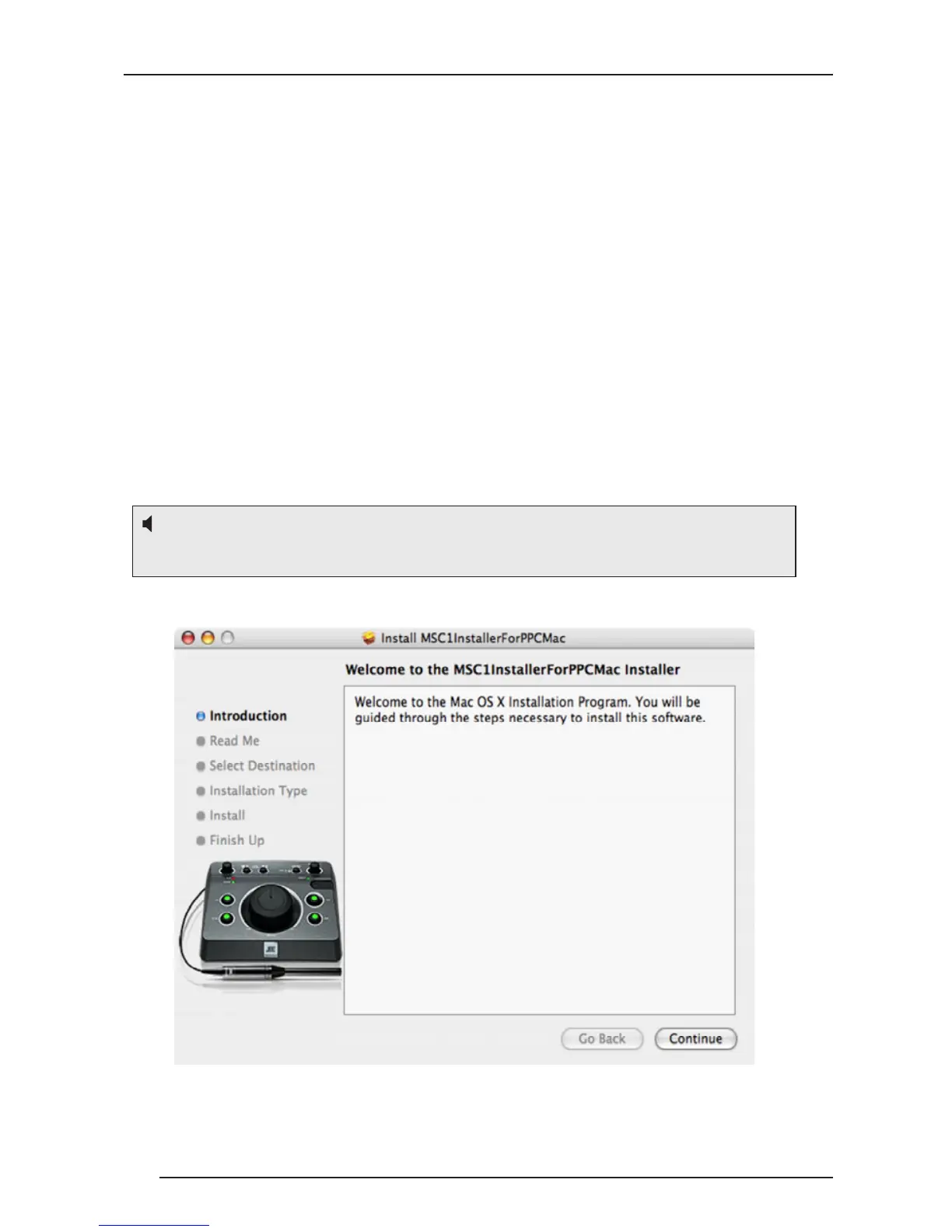
MSC1 Control Center Software Installation Menu
Minimum System Requirements
Hard Drive: 200 MB available
RAM: 1 GB minimum
CPU: Power PC / Intel 2.0 GHZ or better (Duo core recommended)
Operating System: Tiger 10.4.1.1 through Snow Leopard 10.6,
Power PC/Intel.
Audio: Accessible analog audio IN/OUT connectors of an internal
soundcard or optional external audio interface.
USB port.
Minimum Screen Resolution: 1024 x 768.
Uses: Adobe
®
Flash 9 or later, Adobe
®
Acrobat Reader 9 or later.
Apple, Adobe, Intel are registered trademarks of their respective owners.
Harman Professional claims no ownership or goodwill in the use of these trademarks.
Note: Use on an Intel Macintosh Computer requires Macintosh version
MSC1 Control Center Software and Macintosh Operating System.


 To Next Page