5
troubleshooting your jbl spyro
Symptom
Possible Problem Solution
Troubleshooting
If you have any questions or need further assistance, please visit www.jbl.com.
These specications are subject to change without notice.
No sound from the JBL Spyro
speaker system.
No power to the system.
Power adapter plug is not
inserted correctly.
No volume or low volume.
Input source is low.
™
JBL Spyro Specications
Frequency Range:
40Hz–20kHz
Power Consumption:
30W maximum
Power Input:
18V/2.5A
Satellite Transducer:
(1) 1 (25mm)Full-range
per channel
Amplier Output Power:
6W RMS per channel
Subwoofer Transducer:
6 (152mm)Atlas
Amplier Output Power:
24W RMS
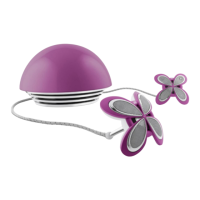
Satellites Dimensions:
Diameter – 3-1/4 (83mm)
Height – 2
(51mm)
Subwoofer Dimensions:
Diameter – 8 (203mm)
Height – 5-1/2
(140mm)
System Weight:
4.3 lb (1.95kg)
Ensure that the power supply is
connected to a live power source
and is properly connected to JBL
Spyro. Note: When JBL Spyro is
powered, a green power LED on
the JBL Spyro subwoofer should
light up.
Touch the volume “Up” (+) pad
on the volume control to un-
mute and/or increase the system
volume level.
Note: Touching the volume
“Down” (–) pad lowers the
system volume. Touching both
the (+) and (–) volume control
pads at the same time will mute
the system.
Increase the volume level on the
audio source device.


 To Next Page