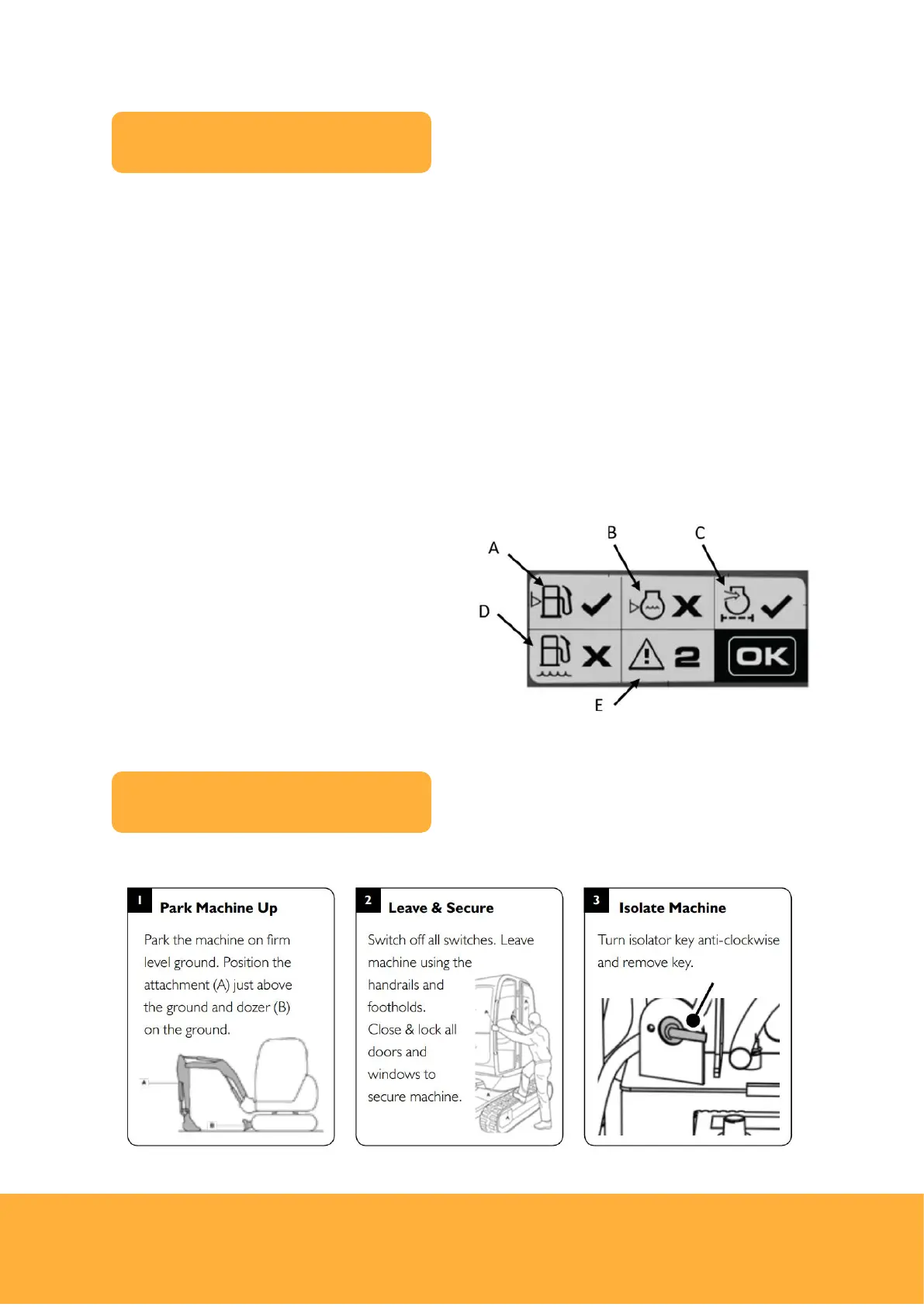
The machine health check screen is displayed for every user when the ignition is
switched on for the first time that day.
This screen is designed to highlight any possible issues with the machine prior to the
machine being worked.
It will appear after the key code has been entered, or the correct immobiliser key has
been used.
If there are no issues present, the health check screen disappears after the specified
duration and returns to the home screen.
If there are any faults present, then acknowledgement of the faults are required by
pressing the enter button.
The fault screen with each symbol labelled is shown below:
A. Fuel level low
B. Coolant level low
C. Blocked air filter
D. Water in fuel indicator
E. ‘Master warning’ – contact JCB dealer



 To Next Page