15 - Engine
24 - Air Filter
00 - General
15 - 111 9813/5050-2 15 - 111
Remove and Install
Do not attempt to wash or clean the elements, they
must only be renewed.
A new inner element must be installed at least
every other time the outer element is changed. As
a reminder, mark the inner element with marker pen
each time the outer element is changed.
Remove
1. Make the machine safe. Refer to (PIL 01-03).
2. Get access to the engine.
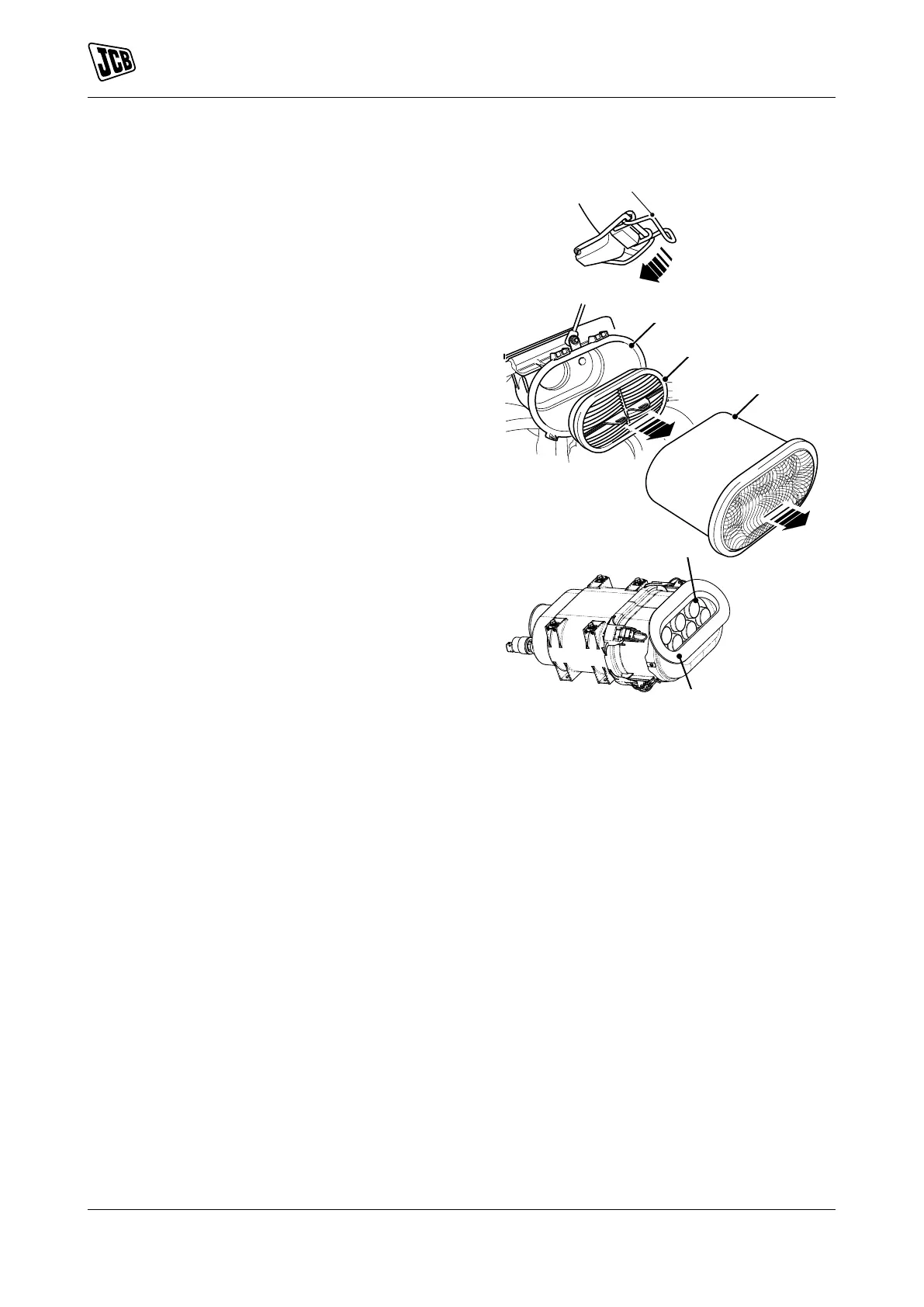
3. Depress the clips and lift off the cover.
4. Remove the outer element. Take care not to tap
or knock the element.
5. If the inner element is to be changed, lift up pulls
and remove the inner element.
Figure 240.
B Clips
C Cover
D Outer element
E Inner element
F Housing
G Air holes
Install
1. The installation procedure is the opposite of the
removal procedure. Additionally do the following
steps.
2. Clean inside the housing, and cover, make sure
that the air holes are clear.
3. Install the cover and fasten the latch. Make sure
that dust valve is at the bottom.



 To Next Page