15 - Engine
27 - Crankcase Ventilation Filter
00 - General
15 - 115 9813/5050-2 15 - 115
Remove and Install
The filter element must be changed at the
recommended maintenance interval. Refer to (PIL
78-24).
1. Make the machine safe. Refer to (PIL 01-03).
2. Get access to the engine. Refer to (PIL 06-06).
3. Rotate the filter cover anti-clockwise and
remove.
4. Lift out the filter element and discard it.
5. Clean the inside of the filter housing. Remove all
oil and sludge contamination.
6. Make sure that the oil drain in the bottom of the
filter housing is not blocked with sludge.
7. Install a new filter element. Make sure that the
correct type of filter element is installed.
8. Align the arrows on both parts to install the filter
cover.
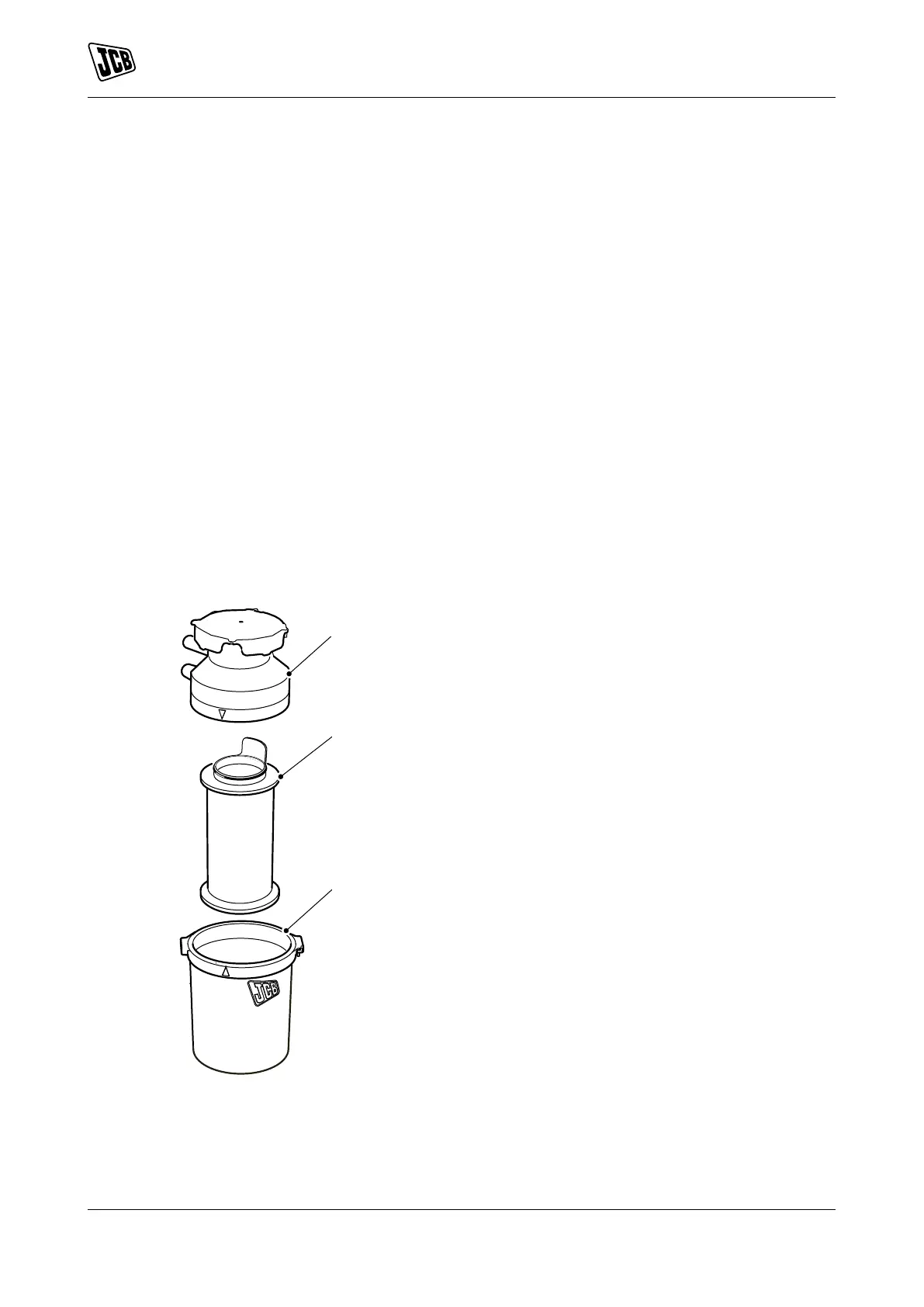
Figure 242.
A Filter cover
B Filter element
C Filter housing



 To Next Page