the cloud server.
D. Wi-Fi indication light is red when the Pump is connected to the
router but not connected to the cloud server.
E. Wi-Fi indication light is flashing in red when Wi-Fi is reset.
●Wi-Fi Button Instruction
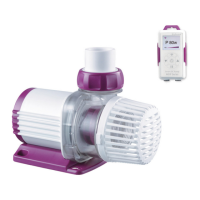
A. Press Wi-Fi button for about 5 seconds and the Wi-Fi indication
light starts flashing in green and red. The Pump is into connection
mode.
B. Press Wi-Fi button for about 10 seconds and the Wi-Fi
indication light starts flashing in red. The Wi-Fi is reset.
C. The Wi-Fi indication light is green when connection is
successful.
NOTE: For initial use, the Wi-Fi should be reset. To reset, press
Wi-Fi button for about 10 seconds and the Wi-Fi indication light
starts flashing in red.


 To Next Page