①
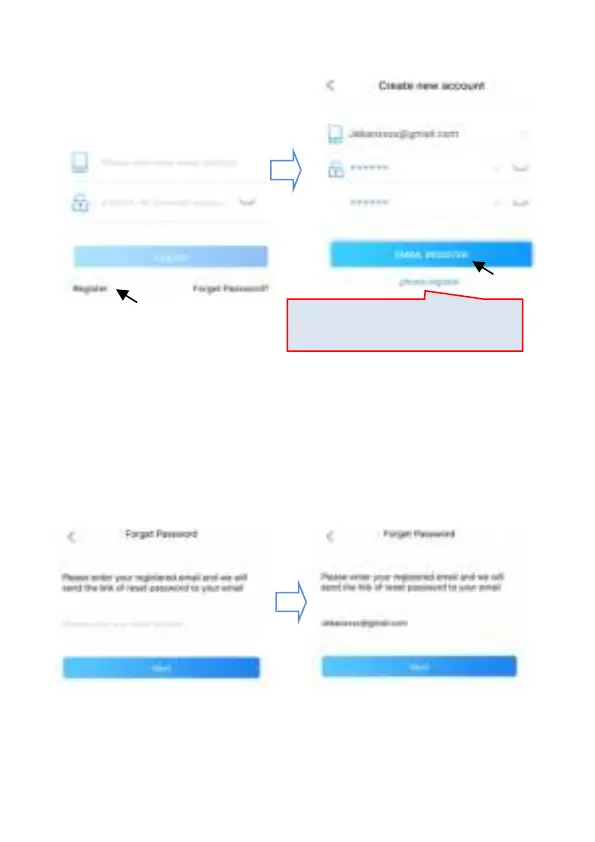
Open Jebao Aqua App and tap "Register".
②
Switch to email registration, fill in the information, and tap
"Register", go back, enter your account number and password to
log in.
2.2.2 Reset Password
Tap "Forget Password" on the login page. On the Forget Password
page,select "Reset by email",enter email address,tap Next,
Switch registration method


 To Next Page