Vario Wave Maker
D Series
Slave control can only set the flow and the speed, the function
is determined by the main control.
5.5 Group control functions
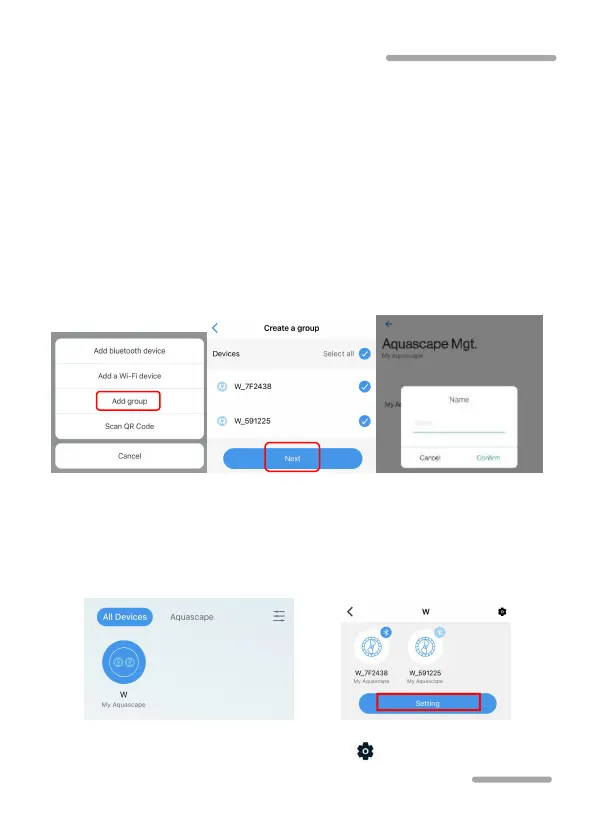
1) Add a group
Tap the "+" in the upper right corner of the home page and select "Add
group". Select devices to add to the group, tap “Next”. Then choose
Aquascape and name the group.
Press the icon for two seconds to enter the grouping page. Tap
"Settings" on the grouping page to enter the grouping control page.
The operation is the same as that of single wave maker control.
To add and delete devices in a group, tap the small ” ” in the upper right corner.



 To Next Page