Vario Wave Maker
D Series
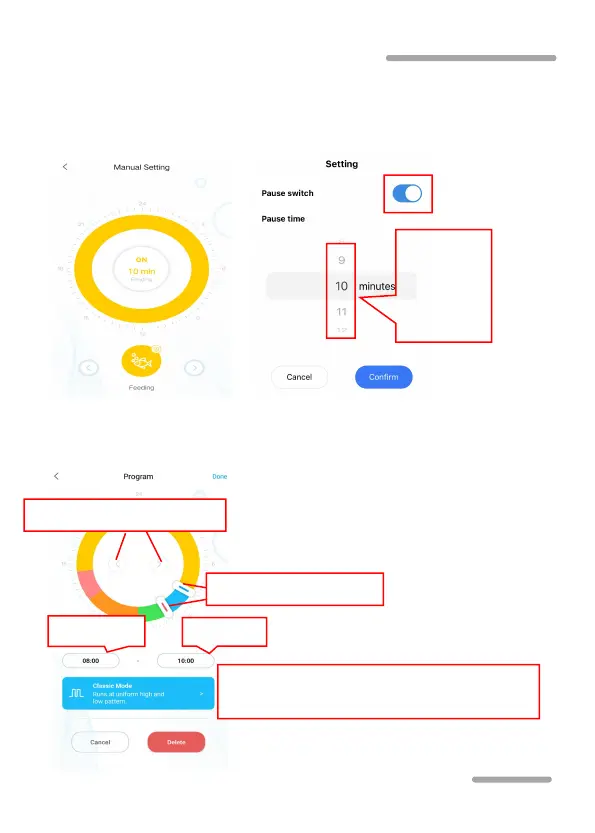
Feed mode:
The feeding switch should be turned on. After
setting the feeding duration time, click "confirm". During the
feeding period, the pump will stop working.
Timer mode: In the device control interface, press the Timer icon
of mode setting for 2 seconds to enter the Timer setting.
Time period switch button
Click into wave making mode selection
and parameter setting



 To Next Page