Vario Wave Maker
D Series
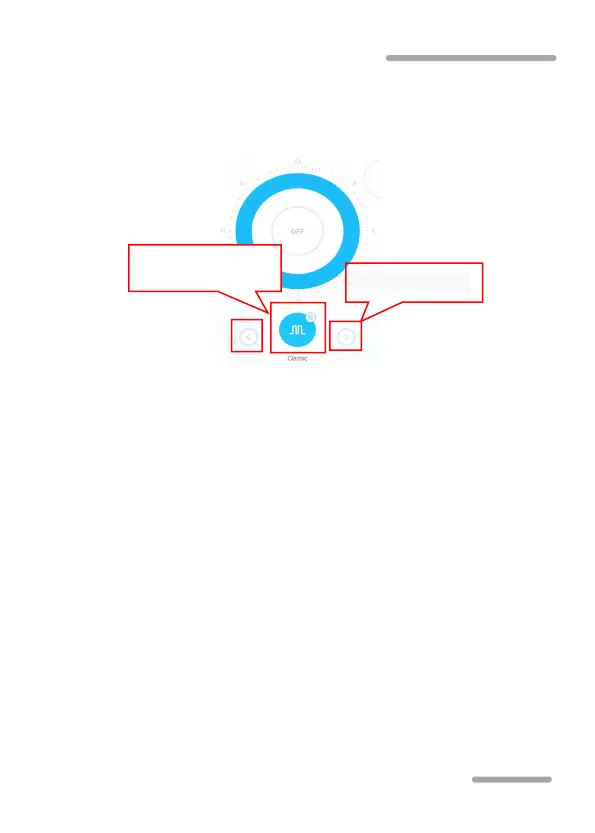
Manual mode settings: In the device control interface,
long press the bottom manual icon for 2 seconds to enter the
manual mode setting.
Enter the manual setting interface and switch the
wave-making mode by clicking the “<” and “>” button at the
bottom of the page. Click the middle circle wave-making mode
icon to set the specific flow value and frequency of
wave-making.
Classic mode:
Press or drag the bar to adjust the flow and
the frequency. The minimum flow is 30%. The minimum
frequency is 5%. Pulse or circulation can be chosen.
Sine Wave Mode:
Press or drag the bar to adjust the flow
and the frequency. The minimum flow is 30%. The minimum
frequency is 5%.



 To Next Page