EasyManua.ls Logo

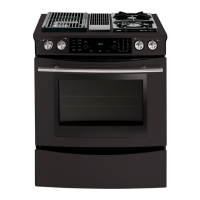
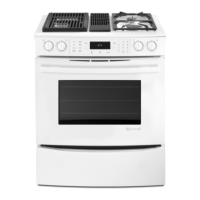
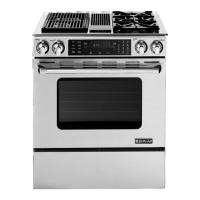
Jenn-Air JDS9860AAW - User Manual

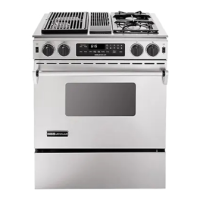
Jenn-Air JDS9860AAW
62 pages
Print Icon
To Next Page IconTo Next Page
Loading...
16026016
March 2005
©2005 Maytag Services
This Base Manual covers general information
Refer to individual Technical Sheet
for information on specific models
This manual includes, but is
not limited to the following:
Service
This manual is to be used by qualified appliance
technicians only. Maytag does not assume any
responsibility for property damage or personal
injury for improper service procedures done by
an unqualified person.
JDS8850AAB/Q/S/W
JDS8850ACS/W
JDS9860AAB/P/W
JDS9860ACB/P/W
Dual Fuel
Slide-In
Range

Table of Contents

Other manuals for Jenn-Air JDS9860AAW

Questions and Answers

  • S
    Sarah HerringAug 6, 2025
    What to do if my Jenn-Air Ranges burner won't ignite?
    • T
      Travis CrosbyAug 6, 2025
      If the burner on your Jenn-Air Ranges isn't igniting, several factors could be at play. First, ensure your range is receiving 120 VAC by verifying the voltage at the wall outlet. A dirty electrode or burner cap can also prevent ignition, so try cleaning them. Other potential causes include faulty wiring or a bad connection at the burner electrode and electrode socket, micro switch contacts not closing, or a non-operative spark module. Check the wiring against the appropriate wiring diagram to ensure all terminals and connections are correct and tight. If the electrode is cracked or broken, replace it. Check the module according to testing procedures information.
  • C
    Catherine MoralesAug 11, 2025
    How to fix Jenn-Air Ranges burners that won't ignite?
    • G
      Gary BrownAug 11, 2025
      If the burners on your Jenn-Air Ranges aren't igniting and there's no spark, it could be due to several reasons. Start by cleaning the burner cap to ensure a good ground. Low gas pressure could also be the culprit; verify the pressure is 4" WCP for natural gas or 10" WCP for LP gas. Additionally, a clogged burner port can prevent ignition, so clean the burner cap. If these steps don't work, the spark module might be weak or has failed and should be replaced.
  • A
    amandadelacruzAug 16, 2025
    Why is my Jenn-Air Ranges bake element not working?
    • J
      jbrockAug 16, 2025
      If the bake element in your Jenn-Air Ranges isn't working, it could be due to an open bake element. Check the element for continuity and replace it if it has failed. Also, inspect for any loose or broken wire connections and ensure all connections are clean and tight, replacing any broken wires. Finally, verify 240 VAC at the bake element to check for an open bake relay.
  • J
    Jason BrownAug 21, 2025
    What to do if my Jenn-Air Ranges oven won't bake or broil?
    • T
      Travis PowellAug 21, 2025
      If your Jenn-Air Ranges oven isn't operating in bake or broil mode, begin by checking for 120 VAC at the control. If there's no voltage, check the power source. If there is voltage to the control but no voltage from control to the ignitor, the control may need to be replaced. Also, inspect for any loose or broken wires, ensuring all connections are clean and tight; replace any broken wires.
  • M
    Melvin RaymondAug 27, 2025
    Why is there no spark on my Jenn-Air Ranges ignitor?
    • S
      sarahcastroAug 27, 2025
      If you're experiencing no spark or random sparks at one ignitor on your Jenn-Air Ranges, a few things could be the cause. Check for a cracked ignitor or pinched ignitor wire and replace the ignitor lead or electrode if needed. Poor continuity to the burner cap can also be an issue, so clean the burner cap and lead. Additionally, a bad ground connection or lack of continuity to ground or the ignitor can cause this problem. Tighten the ground connection and correct any breaks in the ground path from the ignitor path to the unit ground path. Finally, check for a cracked or broken ignitor extension lead and replace the ignitor lead if necessary.
  • E
    Eric CraigAug 31, 2025
    What to do if Jenn-Air Ranges keeps sparking after being turned off?
    • G
      gthomasAug 31, 2025
      If your Jenn-Air Ranges continues to spark after the knob is turned to the OFF position, it could be due to a shorted valve switch or harness. In this case, replace the switch or harness. Also, check if the switch has slipped off the valve; carefully reposition the switch on the valve and rotate it from OFF to high several times to verify the switch is not broken.

Summary

Important Information

Notices for Servicers and Consumers

Provides essential notices for service technicians and consumers regarding appliance safety and operation.

Safety Symbols and Labels

Explains the meaning of safety symbols, words, and labels used in the manual.

Important Safety Information

Appliance Tipping Prevention

Details safety measures to prevent appliance tipping and related injuries.

Gas Leak Procedures and Warnings

Provides critical steps to follow in case of a gas leak and associated warnings.

General Appliance Safety Rules

Outlines essential safety precautions for operating all appliances.

Surface Cooking Units Safety

Covers safety guidelines for the use and maintenance of surface cooking units.

Servicing Safety Practices

Details safety precautions for technicians performing service on the appliance.

Oven Usage and Safety Precautions

Provides guidelines for safe operation of the oven, including door usage and cleaning.

Product Safety Devices Explained

Explains the function and importance of various product safety devices.

General Information

Cooking Nomenclature and Model Identification

Explains the model number coding and how to identify the appliance.

Service, Parts, and Extended Plans

Information on obtaining service, replacement parts, and extended service plans.

Range Description

Component Identification Diagram

Illustrates and labels the various components of the range.

Troubleshooting Procedures

Troubleshooting Chart: Burner and Oven Issues

Lists common problems, possible causes, and suggested corrections for the appliance.

Fault Code Chart: Error Identification

Details fault codes displayed by the electronic control and their troubleshooting steps.

Oven Sensor and Meat Probe Charts

Provides resistance charts for oven sensors and meat probes for testing.

Testing Procedures

Component Testing Procedures

Step-by-step instructions for testing various components of the appliance.

Oven Control Testing Procedures

Guides for testing and changing factory default settings of the oven control.

Relay Logic Chart

Details the relay operations for different cooking modes.

Quick Test Mode Operation

Instructions for entering and using the Quick Test mode for the electronic oven control.

Description of Fault Codes

Explains fault codes and the components to troubleshoot for each.

Disassembly Procedures

Range Removal and Cartridge Assembly

Steps for removing the range and its cooktop cartridges.

Top Burner and Manifold Service

Procedures for disassembling and servicing top burners and manifold components.

Regulator and Spark Module Service

Instructions for removing and replacing the gas regulator and spark module.

Maintop and Control Panel Disassembly

Steps to remove the maintop assembly and the control panel.

Electronic Control and Bottom Access Panel Service

Guide for disassembling the electronic control and bottom access panel.

Oven Sensor and Element Disassembly

Procedures for removing the oven sensor and heating elements.

Oven Door Removal and Hinge Procedures

Instructions for safely removing the oven door and its hinges.

Door Disassembly and Insulation

Steps for disassembling the oven door, including glass and insulation.

Installation Instructions

Installation Drawings and Clearances

Diagrams showing required clearances for installation.

Anti-Tip Device Installation Guide

Detailed instructions for installing the anti-tip device for safety.

Connecting Range to Electric Supply

Guidelines for connecting the appliance to the electrical power supply.

Connecting Range to Gas Supply

Instructions for safely connecting the appliance to the gas supply.

Downdraft Installation Instructions

Specific steps for installing the downdraft ventilation system.

Use Information

Control Pad Operation and Settings

How to operate the control pad and adjust basic settings.

Setting Oven Functions: Clock and Timers

Instructions for setting the clock and using the timer functions.

Control Options and Oven Temperature Adjustment

Customizing control options and adjusting oven temperature settings.

Oven Cooking Functions: Bake and Convect

Details on using the Bake and Convect Bake/Roast cooking functions.

Oven Cooking Functions: Broil, Keep Warm, Probe

Guides for Broil, Keep Warm, and Meat Probe cooking functions.

Care Information

Cleaning Procedures and Precautions

General guidelines and safety precautions for cleaning the appliance.

Specific Component Cleaning: Controls and Cooktop

Instructions for cleaning control panels, knobs, cooktops, and glass surfaces.

Specific Component Cleaning: Burners, Grates, and Stainless Steel

Guides for cleaning gas burner assemblies, grates, and stainless steel surfaces.

LP Conversion Instructions

Gas Conversion and Regulator Adjustment

Procedure for converting the appliance between Natural Gas and LP Gas.

Orifice Conversion and High Altitude Notice

Steps for orifice conversion and considerations for high altitude operation.

Surface Burner Head Service and Range Removal

Instructions for servicing burner heads and removing the range for cleaning.

Jenn-Air JDS9860AAW Specifications

General IconGeneral
BrandJenn-Air
ModelJDS9860AAW
CategoryRanges
LanguageEnglish

Related product manuals