EasyManua.ls Logo

Jensen JiLS-525iB - User Manual

Jensen JiLS-525iB
24 pages
Print Icon
To Next Page IconTo Next Page
Loading...
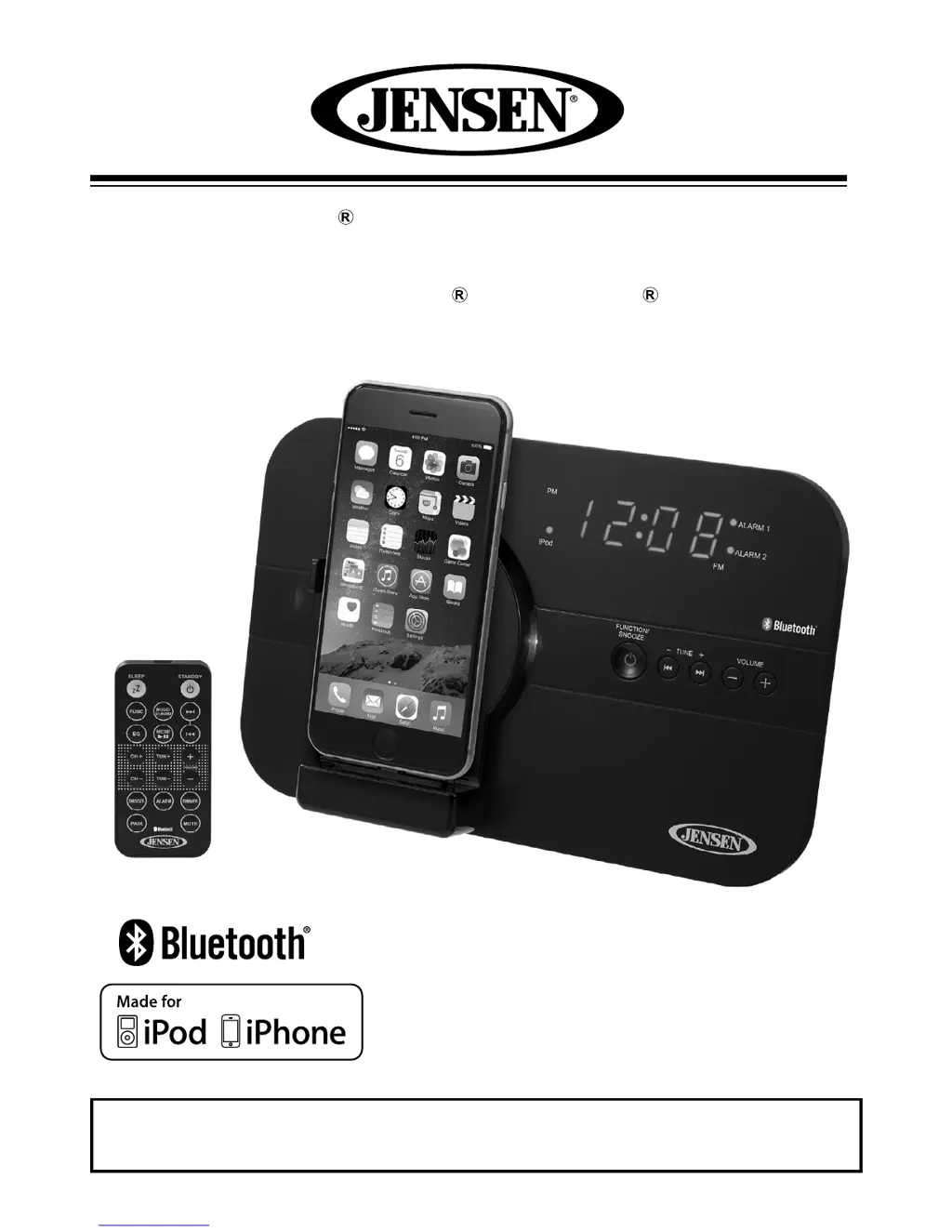
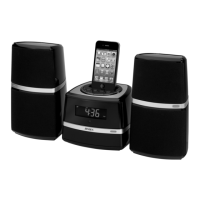
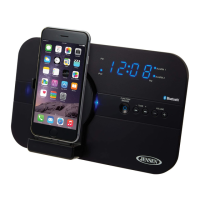
Bluetooth Docking Music System
with Rotating Lightning™ Dock for
iPhone and iPod
USER MANUAL
JiLS-525iB
PLEASE READ THIS USER MANUAL COMPLETELY BEFORE OPERATING
THIS UNIT AND RETAIN THIS BOOKLET FOR FUTURE REFERENCE.
(iPod/iPhone Not Included)

Questions and Answers

  • T
    Terry MortonJul 26, 2025
    Why is my Jensen Docking Station not turning on?
    • C
      Cheryl AndrewsJul 27, 2025
      If your Jensen Docking Station isn't turning on, there could be a couple of reasons. First, ensure the AC adapter is properly plugged into both the wall outlet and the DC jack on the back of the unit. If that doesn't work, try plugging another device into the wall outlet to confirm that the outlet is functioning correctly.
  • M
    Miss Heidi MatthewsJul 30, 2025
    How to increase the volume on my Jensen JiLS-525iB Docking Station?
    • R
      Ricardo CookJul 31, 2025
      If your Jensen Docking Station is on but the volume is low or non-existent, the volume control might be turned all the way down. Simply turn the volume control to a higher level.
  • M
    Michael JensenAug 4, 2025
    Why does the sound from my Jensen Docking Station sound distorted?
    • M
      Michael SantiagoAug 4, 2025
      Sound distortion from your Jensen Docking Station can occur for several reasons. The volume level might be set too high, so try decreasing it. Also, the sound source itself might be distorted; if you're using an Apple device, try a different audio source like a music CD to see if the issue persists. If you are using an external sound source like older generation of iPod, try reducing the output volume on the device itself. Also try changing the EQ setting of your Apple device.
  • S
    Sean BrownAug 8, 2025
    Why is my Apple device not charging on the Jensen JiLS-525iB?
    • H
      Holly HollowayAug 8, 2025
      If your Apple device isn't recharging on the Jensen Docking Station, remove it from the dock and inspect the connectors on both the dock and your Apple device for any obstructions. Then, reseat the device in the dock.
  • B
    Beth ReedAug 12, 2025
    What to do if Apple device does not respond to Jensen Docking Station?
    • A
      Amy RobertsAug 12, 2025
      If your Apple device isn't responding to the Jensen Docking Station, first remove your Apple device from the dock and check for any obstructions on the connectors, both on the dock and on your Apple device. Then, reseat the device on the dock. Also, ensure your Apple device is working properly before docking it into the unit; refer to your Apple device manual for information on resetting the device.
  • C
    Christopher DavisAug 17, 2025
    How to fix noise or distorted sound on FM broadcast on Jensen JiLS-525iB?
    • W
      wendy14Aug 17, 2025
      To improve the FM broadcast quality on your Jensen Docking Station, fully extend or rotate the wire antenna for the best reception. Also, try retuning the FM broadcast station.
  • A
    Alyssa SpencerAug 21, 2025
    Why does Jensen Docking Station get warm after playing at high volume?
    • J
      Jose DelgadoAug 21, 2025
      It is normal for the Jensen Docking Station to get warm after extended play at high volume. You can turn the unit off for a period of time or lower the volume.

Summary

Important Safety Instructions

Safety Instructions and Warnings

Comprehensive safety guidelines and warnings for product operation.

Location of Controls

Getting Started

Docking Apple Devices

Docking iPhone 5;iPod Touch (5 Gen)

Steps for docking iPhone 5 and iPod touch (5 Gen) with or without a case.

Docking iPod Nano (7 Gen)

Instructions for docking the iPod nano (7 Gen) in portrait mode.

Docking iPhone 6

Steps for docking iPhone 6 with or without a case or bumper.

Docking iPhone 6+

Steps for docking iPhone 6+ with or without a case or bumper.

Playing and Charging Apple Devices

Charging Apple Devices

Automatic charging process when iPhone/iPod is docked.

Playing Music from Apple Device

Steps to play music from a docked iPhone/iPod.

Apple Device Playback Controls

Details on how to play, pause, skip, and fast-forward/rewind music.

Radio Operation

Bluetooth Operation

Bluetooth Pairing

Steps to link a Bluetooth device like a cell phone to the unit.

Bluetooth Music Playback

Instructions for playing music wirelessly from a paired Bluetooth device.

EQ and Tone Settings

Setting the Clock

Alarm Operation

Alarm Source Selection

Choosing between Beep, Radio, or iPhone/iPod for the alarm.

Setting Alarm Time

Steps to set the desired hour and minute for the alarm.

Sleep Timer Function

Charging Smart Devices via USB

Resetting the Unit

Troubleshooting Guide

Jensen JiLS-525iB Specifications

General IconGeneral
BrandJensen
ModelJiLS-525iB
CategoryDocking Station
CompatibilityiPod, iPhone
Audio OutputStereo
Connectivity3.5mm Aux Input
Power SourceAC Adapter
Signal-to-Noise Ratio≥ 60dB
FeaturesFM Radio
TypeiPod/iPhone Docking Station

Related product manuals