EasyManua.ls Logo

Jensen JiMS-185i - User Manual

Jensen JiMS-185i
20 pages
Print Icon
To Next Page IconTo Next Page
Loading...
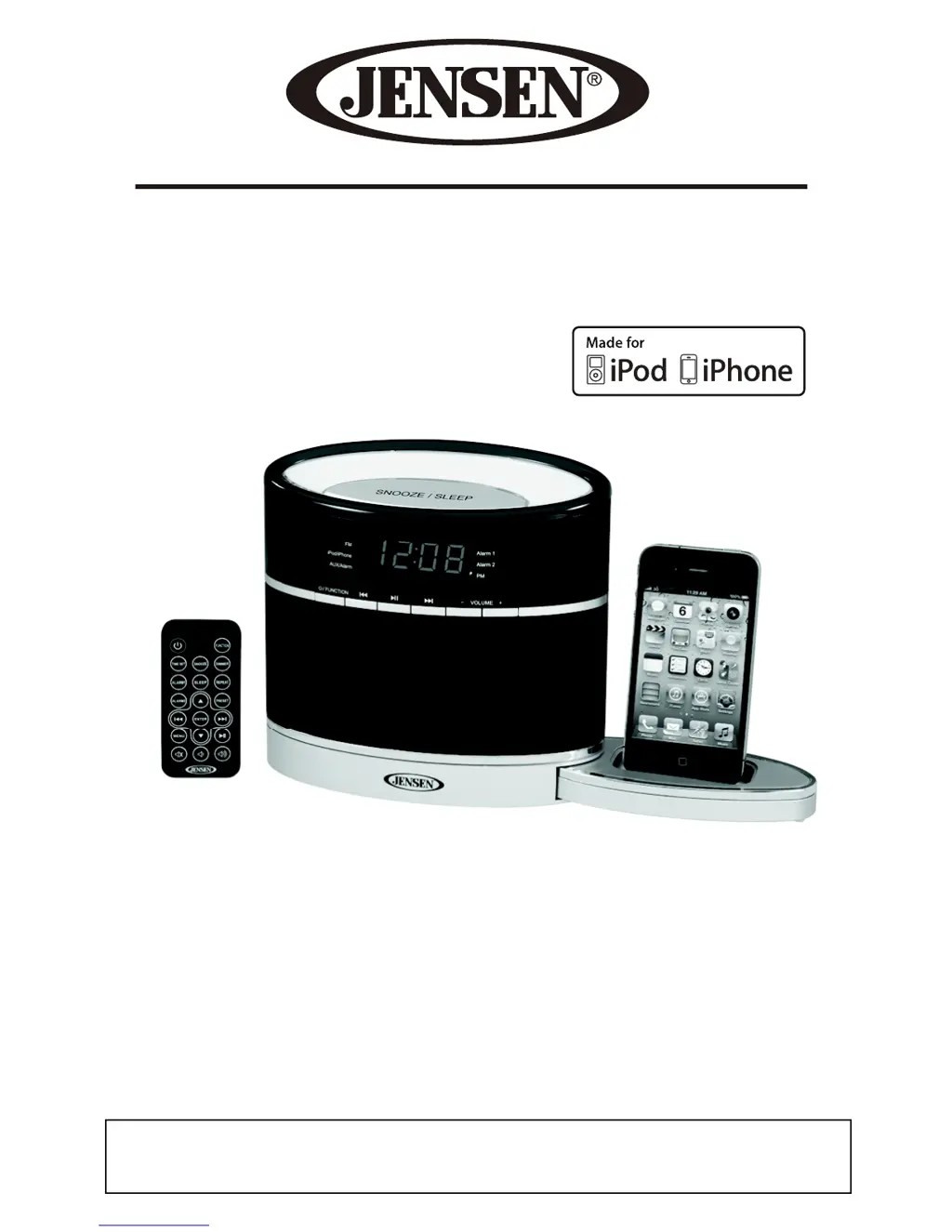
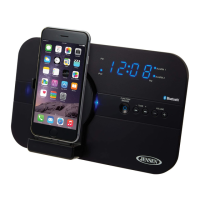
Docking Digital Music System With Night
Light For iPod and iPhone
USER MANUAL
JiMS-185i
(iPod/iPhone Not Included)
PLEASE READ THIS USER MANUAL COMPLETELY BEFORE OPERATING THIS UNIT
AND RETAIN THIS BOOKLET FOR FUTURE REFERENCE.

Questions and Answers

Summary

Important Safety Instructions

Important Notes on Installation Locations

Avoid operating the unit in direct sunlight, hot, humid, dusty places, or near heat sources.

Compliance with FCC Regulations

FCC Interference Troubleshooting

User encouraged to correct interference by reorienting, increasing separation, or consulting a technician.

Protect Your Furniture

Product Features

Location of Controls

Remote Control

Getting Started

Accessories Included

Lists included accessories: User Manual, AC Adaptor, and Remote control.

Power Source

Details the unit's power requirements and battery for the remote control.

Connecting the AC Adaptor

Instructions for connecting the AC adaptor to the unit and power outlet.

Cautions

Note on Non-Magnetically Shielded Speakers

Warns about potential color distortion on older TVs/monitors due to speakers.

Remote Control Battery Replacement

Instructions on how to activate and replace the battery in the remote control.

Setting the Time

Automatic Time Sync with iPod;iPhone

Explains how to automatically synchronize the unit's clock with a docked iPod/iPhone.

Setting the Current Time Manually

Alarm Operations

Setting the Alarm(s)

Step-by-step guide to setting Alarm 1 and Alarm 2 wake-up times and sources.

Tuning the Radio

Hints for the Best Reception

Tips for improving FM signal reception, including antenna adjustment.

Setting the Radio Station Presets

How to store and recall up to 10 FM radio stations.

Recall Preset Radio Stations

Procedure for accessing previously stored FM radio stations.

Listening to Your iPod;iPhone

Charging Your iPod or iPhone

Explains the automatic charging process when an iPod/iPhone is docked.

Listening to Music on Your iPod;iPhone

Steps to dock, play, navigate, and control music playback from an iPod/iPhone.

Auxiliary Input

Sleep Timer

Dimmer

Resetting

Care and Maintenance

Cleaning the Unit

Guidelines on how to safely clean the unit's exterior without causing damage.

Troubleshooting Guide

Unit Unresponsive or No Power

Troubleshooting steps for when the unit does not respond or has no power.

iPod;iPhone Connectivity and Charging Issues

Resolving problems with iPod/iPhone not responding or not charging.

FM Reception and Sound Quality Problems

Addressing weak FM reception and distorted sound issues.

Unit Heat and Other Operational Notes

Information on the unit getting warm and other operational notes.

Specifications

90 Day Limited Warranty and Service

Warranty Conditions and Validity

Details the conditions under which the warranty is valid, including usage and proof of purchase.

Obtaining Service and Repair

Instructions on how to get warranty service or out-of-warranty repair.

Summary

Important Safety Instructions

Important Notes on Installation Locations

Avoid operating the unit in direct sunlight, hot, humid, dusty places, or near heat sources.

Compliance with FCC Regulations

FCC Interference Troubleshooting

User encouraged to correct interference by reorienting, increasing separation, or consulting a technician.

Protect Your Furniture

Product Features

Location of Controls

Remote Control

Getting Started

Accessories Included

Lists included accessories: User Manual, AC Adaptor, and Remote control.

Power Source

Details the unit's power requirements and battery for the remote control.

Connecting the AC Adaptor

Instructions for connecting the AC adaptor to the unit and power outlet.

Cautions

Note on Non-Magnetically Shielded Speakers

Warns about potential color distortion on older TVs/monitors due to speakers.

Remote Control Battery Replacement

Instructions on how to activate and replace the battery in the remote control.

Setting the Time

Automatic Time Sync with iPod;iPhone

Explains how to automatically synchronize the unit's clock with a docked iPod/iPhone.

Setting the Current Time Manually

Alarm Operations

Setting the Alarm(s)

Step-by-step guide to setting Alarm 1 and Alarm 2 wake-up times and sources.

Tuning the Radio

Hints for the Best Reception

Tips for improving FM signal reception, including antenna adjustment.

Setting the Radio Station Presets

How to store and recall up to 10 FM radio stations.

Recall Preset Radio Stations

Procedure for accessing previously stored FM radio stations.

Listening to Your iPod;iPhone

Charging Your iPod or iPhone

Explains the automatic charging process when an iPod/iPhone is docked.

Listening to Music on Your iPod;iPhone

Steps to dock, play, navigate, and control music playback from an iPod/iPhone.

Auxiliary Input

Sleep Timer

Dimmer

Resetting

Care and Maintenance

Cleaning the Unit

Guidelines on how to safely clean the unit's exterior without causing damage.

Troubleshooting Guide

Unit Unresponsive or No Power

Troubleshooting steps for when the unit does not respond or has no power.

iPod;iPhone Connectivity and Charging Issues

Resolving problems with iPod/iPhone not responding or not charging.

FM Reception and Sound Quality Problems

Addressing weak FM reception and distorted sound issues.

Unit Heat and Other Operational Notes

Information on the unit getting warm and other operational notes.

Specifications

90 Day Limited Warranty and Service

Warranty Conditions and Validity

Details the conditions under which the warranty is valid, including usage and proof of purchase.

Obtaining Service and Repair

Instructions on how to get warranty service or out-of-warranty repair.

Jensen JiMS-185i Specifications

General IconGeneral
CompatibilityiPod
Remote ControlYes
TypeDocking Station
Power SourceAC Adapter
Speaker TypeStereo
FeaturesAM/FM radio
Output Power2 x 2W RMS
Audio Input3.5mm auxiliary input

Related product manuals