EasyManua.ls Logo

Jensen JiMS-211i - User Manual

Jensen JiMS-211i
9 pages
Print Icon
To Next Page IconTo Next Page
Loading...
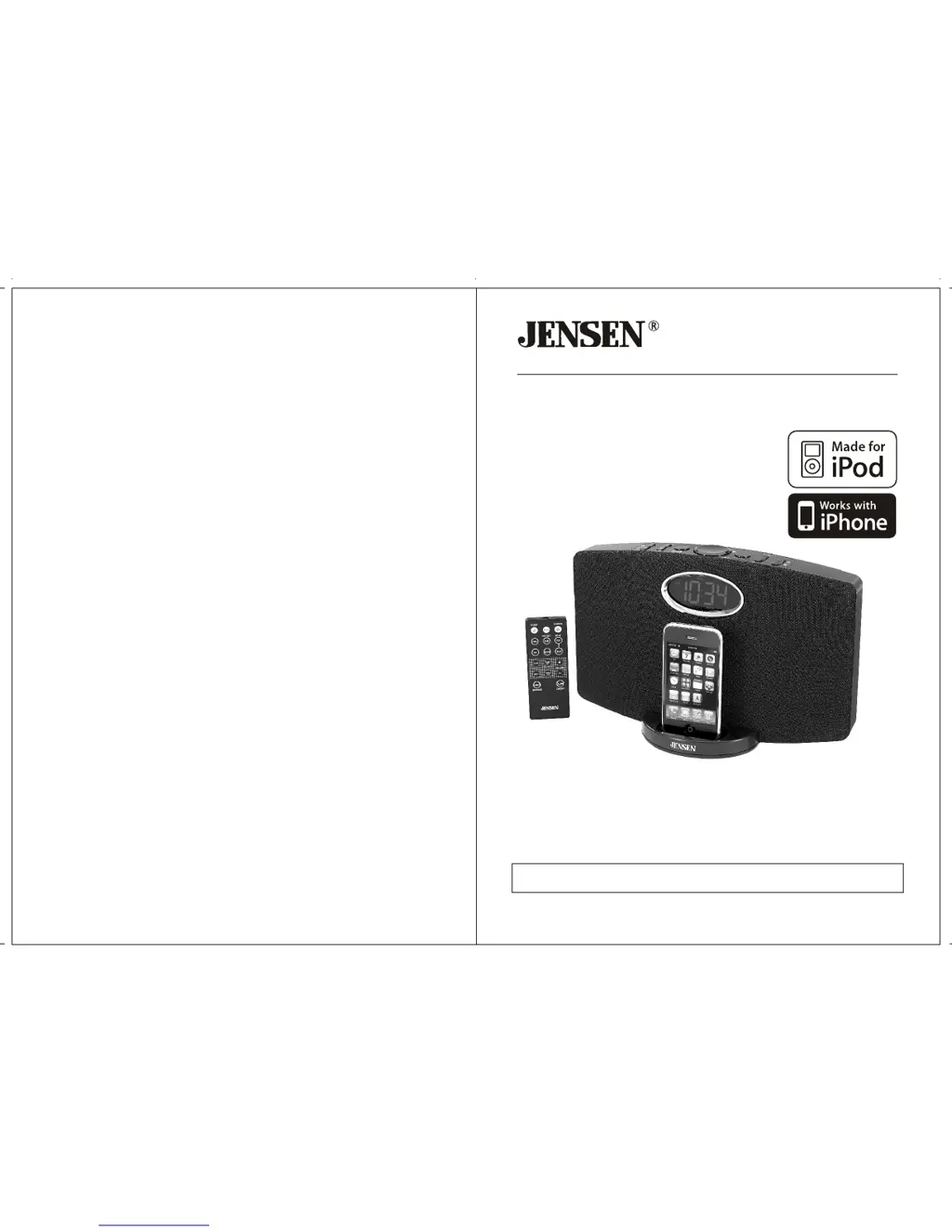
OWNER'S MANUAL
JiMS-211i
(iPod/iPhone Not Included)
PLEASE READ THIS OPERATING MANUAL COMPLETELY BEFORE OPERATING
THIS UNIT AND RETAIN THIS BOOKLET FOR FUTURE REFERENCE
DOCKING DIGITAL MUSIC SYSTEM
®
TM
FOR iPod /iPhone

Questions and Answers

  • M
    Mrs. Michelle TownsendJul 28, 2025
    Why is the sound distorted on my Jensen Docking Station?
    • J
      Joshua EvansJul 29, 2025
      If the sound from your Jensen Docking Station is distorted, it might be due to a few reasons. First, the volume level could be too high, so try decreasing it. Second, the sound source itself might be of poor quality. If you're using an iPod/iPhone, keep in mind that distortion and noise are easily noticed with high-power speakers if the original audio is low quality. Try a different audio source, like a music CD. If you're using an external sound source, like an older iPod, try reducing the output volume on the device itself. Also, try turning bass boost OFF or changing the EQ setting.
  • S
    Stephen VasquezAug 1, 2025
    How to fix a Jensen JiMS-211i that won't turn on?
    • J
      Joseph GreeneAug 1, 2025
      If your Jensen Docking Station isn't responding and has no power, there are a couple of things to check: * Ensure the AC adapter is properly plugged into both a functioning wall outlet and the power supply jack on the back of the unit. * To verify the wall outlet is working, plug another device into it.
  • C
    charles36Aug 6, 2025
    Why is my iPod/iPhone not charging on the Jensen JiMS-211i?
    • K
      Kristi WardAug 6, 2025
      If your iPod/iPhone isn't charging on the Jensen Docking Station, first, remove your iPod/iPhone from the dock and check for any obstructions on the connectors, both on the dock and your device. Then, reseat it firmly in the dock. If the issue persists, ensure your iPod/iPhone is working correctly before docking it, as a locked or frozen device, or a battery problem, can prevent charging. Please refer to your iPod/ iPhone manual for details.
  • A
    Anthony BishopAug 10, 2025
    What to do if my iPod/iPhone doesn't respond to the Jensen JiMS-211i Docking Station speaker system?
    • E
      Erik StewartAug 10, 2025
      If your iPod/iPhone isn't responding to the speaker system on your Jensen Docking Station, remove your iPod/iPhone from the dock and check for any obstructions on the connectors, both on the dock and on your iPod/iPhone. Then, reseat it on the dock. Also, make sure that your iPod/iPhone is working properly before docking into the unit. Please refer to your iPod/iPhone manual for details.
  • S
    Sarah WeaverAug 14, 2025
    How to properly dock my iPod/iPhone on the Jensen JiMS-211i?
    • S
      staceyboydAug 14, 2025
      If your iPod/iPhone isn't docking properly with your Jensen Docking Station, ensure that you're using the correct dock insert for your specific iPod/iPhone model. Also, remove your iPod/iPhone from the dock and check for any obstructions on the connectors, both in the dock and on your iPod/iPhone. Then, reseat it in the dock.
  • B
    bridgetarellanoAug 19, 2025
    Why does my Jensen JiMS-211i Docking Station get warm after playing music for a long time?
    • S
      shawmichaelSep 12, 2025
      It's normal for the Jensen Docking Station to get warm after playing at high volume for an extended period. To cool it down, turn the unit off for a while or lower the volume.
  • T
    Tanya FarrellAug 23, 2025
    What to do if my iPod/iPhone wakes up in PAUSE mode on my Jensen JiMS-211i?
    • M
      Megan WoodsAug 23, 2025
      If your iPod/iPhone unintentionally wakes up in PAUSE mode on the Jensen Docking Station, it may be happening during function switching. Wait for 3 minutes, and your iPod will enter sleep mode automatically.

Summary

IMPORTANT SAFETY INSTRUCTIONS

Ventilation and Placement

Ensures proper airflow and prevents overheating by advising on placement away from heat sources.

Polarization and Power Cord Safety

Details polarized plug usage and power cord protection to prevent electrical hazards.

General Usage Precautions

Covers general advice on cleaning, avoiding liquids, using approved accessories, and unplugging during storms.

COMPLIANCE WITH FCC REGULATIONS

FCC Compliance Statement

Confirms device compliance with FCC Part 15, subject to interference conditions.

Interference Correction Measures

Provides steps for users to correct potential radio interference issues.

PRODUCT FEATURES

System Capabilities

Lists the core features of the docking music system, including iPod/iPhone compatibility and FM reception.

INSTALLATION

Battery Backup Installation

Instructions for installing 2 x AAA batteries for clock backup, including warnings.

AC Power Connection

Guidance on connecting the AC-DC power adaptor for unit operation.

Unit Placement Considerations

Advice on avoiding direct sunlight, dust, vibration, and humidity for optimal performance.

LOCATION OF CONTROLS

Main Unit Controls (Top View)

Details the primary controls on the main unit's top panel: iPod dock, POWER, FUNCTION, SLEEP, CH+/-, VOLUME.

LOCATION OF CONTROLS - Remote Control

Remote Control Functions

Details all buttons on the remote control, including POWER, PRESET, iPod controls, ALARM, SLEEP, and TUNING buttons.

RADIO OPERATIONS

FM Antenna Setup

Instructions for extending the FM antenna to ensure optimal radio reception.

Radio Tuning Methods

Explains manual and automatic tuning procedures for finding FM radio stations.

Radio Preset Stations

Guide on storing up to 20 FM stations for quick and easy recall.

Recalling Preset Stations

Steps to select and listen to previously stored FM radio stations.

iPod;iPhone DOCKING

Docking Procedure

Step-by-step guide for securely docking an iPod/iPhone for playback and charging.

Playback and Charging

Information on how the unit manages iPod/iPhone playback and charging while docked.

Removing iPod;iPhone

Instructions on safely detaching the iPod/iPhone from the docking station.

Playback Control Functions

Details on using the unit's buttons and remote for iPod/iPhone track skipping and repeat/random playback.

VIDEO OUT FROM THE iPod;iPhone

Connecting to a Display

Instructions for connecting the unit to a TV or video display using RCA cables for video output.

Selecting Video Output

Guide on enabling and selecting video output from the iPod/iPhone menu.

EQ SETTING (REMOTE CONTROL ONLY)

Applying EQ Presets

How to select and apply different equalizer (EQ) sound profiles using the remote control.

AUXILIARY INPUT

Connecting External Devices

Procedure for connecting external audio sources via the 3.5mm AUX IN jack.

Audio Input Operation

Instructions on selecting the AUX input and managing volume for external devices.

CLOCK SETTING

Setting the Time

Step-by-step guide to set the current hour and minute for the clock display.

Setting 12;24 Hour Format

Instructions on choosing between 12-hour and 24-hour time formats.

Exiting Clock Setting Mode

How to save clock settings and return to normal operation.

ALARM OPERATIONS

Setting the Alarm Time

Guide to set the desired hour and minute for the alarm.

Selecting Alarm Source

How to choose between Buzzer, iPod/iPhone, or Radio as the alarm wake-up source.

Wake to Buzzer Function

Details on the buzzer alarm operation, including auto and manual snooze functions.

Wake to iPod;iPhone or Radio

Explanation of how alarms trigger iPod/iPhone playback or radio broadcasts with snooze options.

SLEEP TIMER FUNCTION

Setting the Sleep Timer

Instructions on setting a timer for the unit to automatically shut off after a specified duration.

Turning Off Sleep Timer

How to manually turn off the unit before the sleep timer expires.

TROUBLESHOOTING GUIDE

No Power Issues

Diagnosing and resolving problems related to the unit not responding or having no power.

iPod;iPhone Docking Problems

Troubleshooting steps for issues with docking, installing, or connecting iPod/iPhone.

iPod;iPhone Charging and Response Issues

Solutions for problems with iPod/iPhone charging, freezing, or unintended wake-ups.

Sound and Heat Issues

Guidance on fixing distorted sound and addressing normal unit warming during high volume playback.

SPECIFICATIONS

Power Supply Details

Technical specifications for the AC power adapter input and output voltages.

Battery and Frequency Specs

Details on battery requirements for clock backup and the FM radio frequency range.

90 DAY LIMITED WARRANTY AND SERVICE

Warranty Coverage and Limitations

Information on the warranty period, coverage terms, and exclusions for the product.

Obtaining Warranty Service

Instructions on how to submit the unit for repair or replacement under warranty.

Out of Warranty Service

Procedures and costs for obtaining service for units outside the warranty period.

Jensen JiMS-211i Specifications

General IconGeneral
BrandJensen
ModelJiMS-211i
CategoryDocking Station
LanguageEnglish

Related product manuals