EasyManua.ls Logo

Jensen JiMS-190 - User Manual

Jensen JiMS-190
16 pages
Print Icon
To Next Page IconTo Next Page
Loading...
®
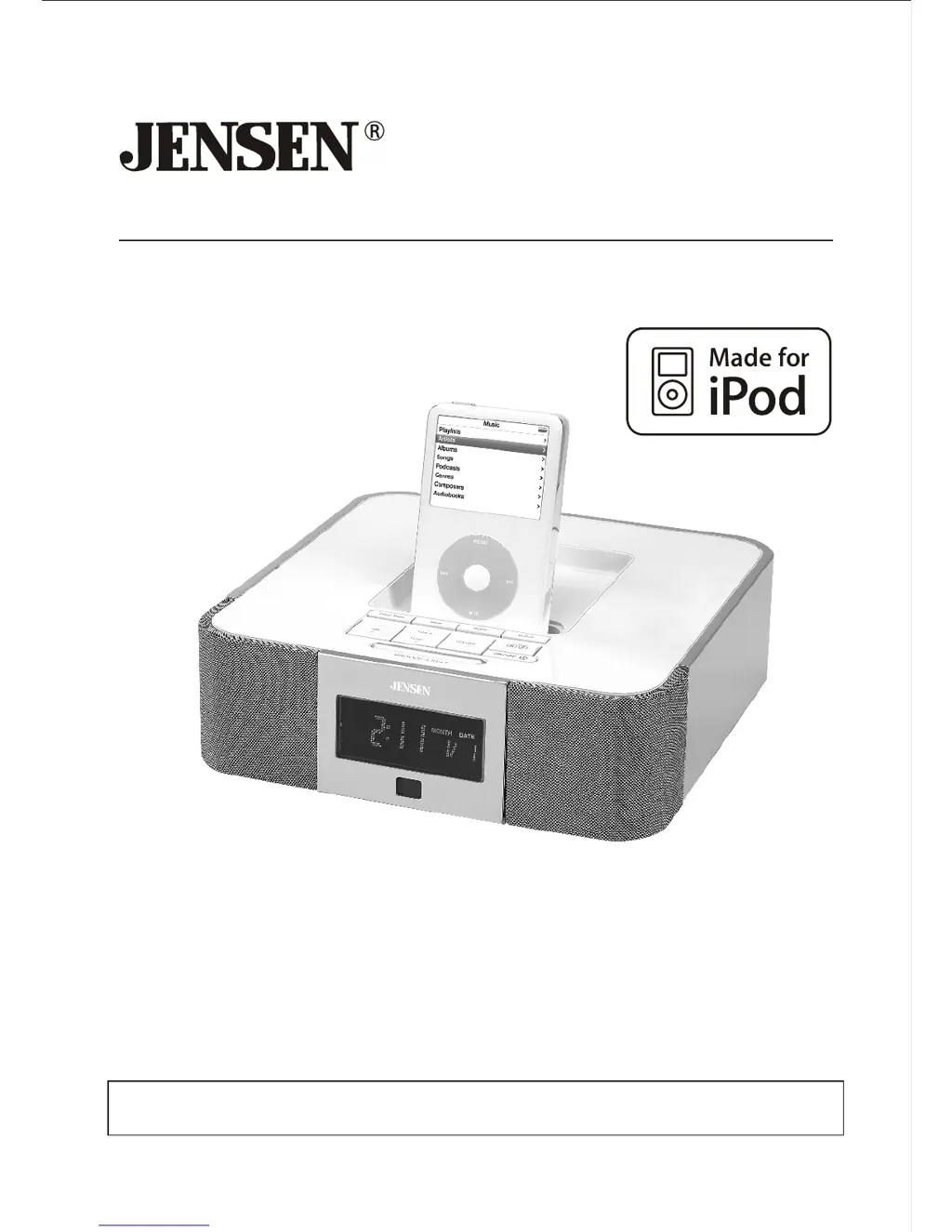
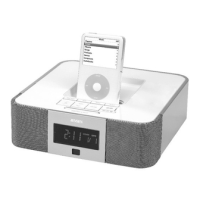
DOCKING DIGITAL MUSIC SYSTEM FOR iPod
OWNER'S MANUAL
JiMS-190
®
(iPod Not Included)
PLEASE READ THIS OPERATING MANUAL COMPLETELY BEFORE OPERATING
THIS UNIT AND RETAIN THIS BOOKLET FOR FUTURE REFERENCE

Questions and Answers

  • T
    Tracey Roach DVMAug 13, 2025
    Why is my Jensen JiMS-190 not charging my iPod?
    • A
      Ashley JohnsonAug 13, 2025
      There are several reasons why your iPod might not be charging on the Jensen Docking Station. First, remove the iPod and check for any obstructions on the connectors, then reseat it properly in the dock. Also, ensure the unit is not in Radio mode; select iPod, AUX, or Standby mode for iPod charging. If your iPod is frozen or has a battery issue, please refer to your iPod manual.
  • D
    Dawn HillAug 17, 2025
    What to do if my Jensen JiMS-190 doesn't turn on?
    • M
      morgan87Aug 17, 2025
      If your Jensen Docking Station isn't powering on, check that the AC adapter is properly plugged into both a functioning wall outlet and the power supply jack on the back of the unit. To verify the wall outlet is working, plug another device into it.
  • K
    kimberlymcphersonAug 21, 2025
    Why is the sound distorted on my Jensen JiMS-190 Docking Station?
    • D
      Dalton WalkerAug 21, 2025
      Sound distortion on your Jensen Docking Station can occur for several reasons. First, decrease the volume if it's set too high. If the original sound source (like an iPod) is of poor quality, distortion may be more noticeable, so try a different audio source like a music CD. If using an older iPod, reduce its output volume and try turning bass boost OFF or changing the EQ setting.
  • G
    gbrooksAug 25, 2025
    How to properly dock my iPod in Jensen JiMS-190 Docking Station?
    • L
      Lisa MitchellAug 25, 2025
      To properly dock your iPod in the Jensen Docking Station, ensure that you are using the correct iPod adapter for your specific iPod model. If the iPod doesn't install properly, remove it from the dock, check both the dock's connectors and your iPod for any obstructions, and then reseat it in the dock.
  • C
    cwarnerAug 28, 2025
    What to do if my iPod doesn't respond on Jensen JiMS-190 Docking Station?
    • E
      Evelyn JonesAug 28, 2025
      If your iPod isn't responding to the Jensen Docking Station, first remove your iPod from the dock and check for any obstructions on the connectors of both the dock and your iPod. Then, reseat it on the dock. Also, ensure your iPod is working correctly before docking it; refer to your iPod manual for assistance.
  • A
    Austin MarshallSep 1, 2025
    Why does my Jensen JiMS-190 get warm?
    • N
      Natalie BrockSep 1, 2025
      It is normal for the Jensen Docking Station to get warm after extended play at high volume. To cool it down, turn the unit off for a period of time or lower the volume.
  • J
    John RodriguezSep 5, 2025
    Why does my Jensen Docking Station wake up in pause mode?
    • S
      Steven BowenSep 5, 2025
      If your iPod unintentionally wakes up in PAUSE mode on the Jensen Docking Station, it may occur during function switching. Wait for 3 minutes, and the iPod will enter sleep mode automatically.
  • N
    Nicole MooreSep 9, 2025
    Why is the AM band noisy on my Jensen Docking Station?
    • M
      Melinda GomezSep 9, 2025
      If the AM band is too noisy on your Jensen Docking Station, the reception at your current location might be poor. Try slightly rotating the unit to find the best reception.

Summary

Important Safety Instructions

Water and Moisture Safety

Do not use the unit near water sources like bathtubs, sinks, or swimming pools.

Ventilation Requirements

Ensure proper unit ventilation by avoiding blocked openings or confined installations.

Heat Avoidance

Position the unit away from heat-generating appliances like radiators or stoves.

Correct Power Source

Connect the unit only to the power supply type specified in the instructions.

More Safety Instructions

Lightning and Surge Protection

Unplug the unit during thunderstorms to protect against surges.

Installation Guide

AC-DC Power Adapter Connection

Connect the 10V/1400mA AC-DC adapter to the DC jack to power the unit.

Location of Controls

Radio Operations

iPod Docking

Docking Your iPod

Steps to insert and dock your iPod for playback and charging.

iPod Playback Control

How to control iPod playback functions like pause, play, skip, and fast forward.

Clock and Calendar Settings

Alarm Operations

Setting Alarm Time and Source

How to set alarm time, choose wake source (buzzer, radio, iPod), and activate.

Care and Maintenance

System Reset Procedure

Instructions on how to reset the unit using the bottom reset button.

Troubleshooting Guide

Unit Power and Response Issues

Solutions for when the unit has no power or fails to respond to controls.

iPod Docking and Charging Problems

Troubleshooting for iPod not docking properly or not charging.

iPod System Interaction Issues

Solutions if iPod doesn't respond to speakers or wakes up unintentionally.

Jensen JiMS-190 Specifications

Power IconPower
input voltageAC120V/60Hz
output voltageDC10V
output current1400mA
Battery IconBattery
AAA battery voltage1.5V
AAA battery typeUM-4
CR2032 batteryincluded
Frequency Range IconFrequency Range
AM frequency range520 1710 kHz
AM tuning step10 kHz
FM frequency range87.5 108 MHz

Related product manuals