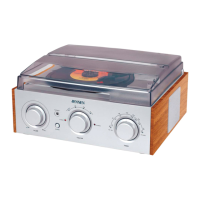
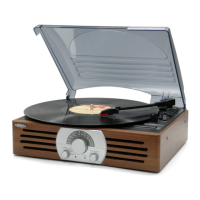
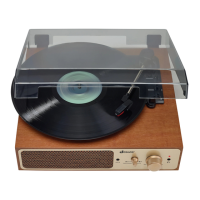
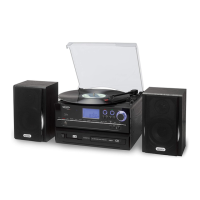
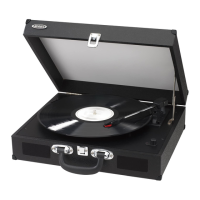
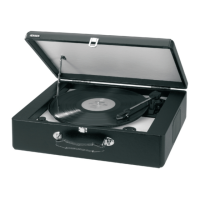
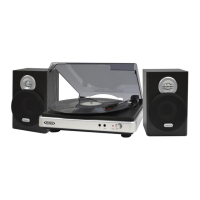
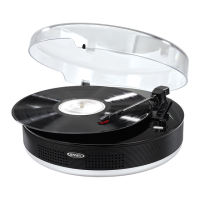
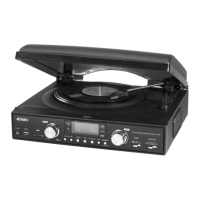
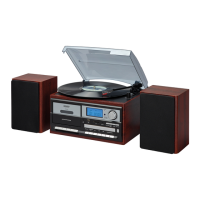
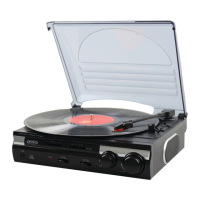
The Jensen JTA-230 is a 3-speed stereo turntable equipped with built-in speakers and speed adjustment, designed for musical enjoyment and easy recording of vinyl records. This unit allows users to play their favorite vinyl records at three different speeds (33, 45, and 78 RPM) and offers the convenience of integrated speakers for immediate playback without needing external audio equipment. Additionally, it features a USB port for connecting to a computer, enabling users to convert their vinyl music into digital formats.
To begin using the turntable, users should first remove the stylus protector and ensure the tone arm is unlocked and free to move from its rest. After placing a record on the turntable platter, the appropriate speed (33, 45, or 78 RPM) should be selected using the speed selector. For 45 RPM records, the included 45 RPM record adaptor should be used. The tone arm is then lifted from its rest and slowly moved over the record, which will cause the turntable platter to start spinning. Once the tone arm is placed down onto the record, music will begin to play. The volume can be adjusted to the desired level using the Volume Control Knob. At the end of a record, the platter will automatically stop spinning, and the tone arm should be lifted and returned to its rest. For manual stopping, the tone arm can be lifted and returned to its rest, and then the power can be turned off.
The JTA-230 includes an Auto Stop Switch. Certain records may have an auto-stop area outside the preset limit, causing the turntable to stop before the last track finishes. In such cases, setting the AUTO-STOP switch to the "OFF" position allows the record to play to the end, though it will not stop automatically. Users must then manually raise the tone arm, place it back in the rest, and turn off the power to stop the turntable from spinning. The turntable also features a Tone Control Knob, which allows users to adjust the treble level of the music being played. The Pitch Adjust Control provides fine-tuning of the record's playing speed, allowing users to slightly increase or decrease the speed even after the correct RPM is chosen.
For connecting external audio devices, the unit provides an auxiliary audio signal input jack (AUX-IN). Users can connect MP3 players, CD players, or non-dockable iPods (excluding iPod shuffle 3rd gen) using a 3.5mm stereo audio cable. Plugging one end of the cable into the AUX-IN jack on the main unit and the other end into the Line-out or Headphone Jack of the external audio device will automatically switch the unit to AUX mode. The volume can then be controlled through the main unit, while other functions are operated on the auxiliary device. It's important to note that the turntable cannot be used while an Aux-in cord is plugged in, so the cord must be disconnected before using the turntable.
The JTA-230 also offers a Line Out Connection, allowing users to connect the unit to an external Hi-Fi or amplifier system. This is done by connecting the LINE OUT RCA Jacks on the turntable to the auxiliary input jacks on the external system using RCA cables (not included). When using the LINE OUT, the Volume control on the main unit will not adjust the volume, which must be controlled via the external system. For private listening, inserting headphones into the 3.5mm Headphone Jack will enable listening without disturbing others. Users are advised to avoid extended play at very high volumes to protect their hearing and to reduce volume or shut off the unit if ringing in the ears occurs.
A key feature of the JTA-230 is its ability to record music from records or the Aux-in line to a computer via the USB port. The unit comes with an application CD that includes "AUDACITY" recording software. To set up recording, users connect the turntable to their computer using the provided USB cable. The computer will automatically detect the JTA-230 as a "USB Audio Controller" and install the necessary drivers. Once installed, users can open the "Sound Recorder" interface on their computer, select "USB Audio Controller" as the default device for sound recording, and adjust the line-in volume to prevent distortion.
The Audacity software allows users to record, play, pause, stop, and skip tracks. It also provides options to save, export, or edit the recorded music. To record, users click the record button in Audacity, and the left and right tracks will appear on the computer screen as sound waves. If sound waves do not appear, the input volume bar in Audacity should be adjusted. After recording, music files can be exported to WAV or MP3 format. For MP3 export, users may need to install the LAME MP3 encoder, which is included on the provided CD or can be downloaded from the Audacity website. The installation process involves inserting the CD, navigating to the "Plug-ins" folder, and running the "Lame_v3.99.3_for_windows.exe" file. Audacity typically locates the Lame file automatically, but manual location may be necessary if the default directory is changed.
Maintenance of the JTA-230 is straightforward. Users should avoid operating the unit under direct sunlight or in hot, humid, or dusty places, and keep it away from heating appliances and sources of electrical noise. In case of malfunction, the unit should be unplugged from the electrical power outlet immediately. For cleaning, the unit should be disconnected from the AC power source. The finish can be cleaned with a dust cloth, and plastic parts should be wiped with caution. For dusty cabinets, a soft dry dust cloth is recommended, avoiding wax or polish sprays. If the front panel becomes dirty with fingerprints, it can be cleaned with a soft cloth slightly dampened with a mild soap and water solution. Abrasive cloths or polishes should not be used as they can damage the unit's finish. Importantly, no water or other liquids should be allowed inside the unit while cleaning.
The JTA-230 is designed with user safety and convenience in mind, featuring non-skid rubber 'feet' to prevent movement during operation. Users are advised to place small self-adhesive felt pads under these rubber feet to prevent potential marks or residue on fine wooden furniture, as certain oil-based polishes or cleaning sprays may cause the rubber to soften. The unit also includes important safety warnings regarding electrical shock and fire hazards, emphasizing proper plug insertion and avoiding exposure to rain or moisture. It is recommended to read the user manual completely before operating the unit and to retain the booklet for future reference.


 To Next Page
 General