EasyManua.ls Logo

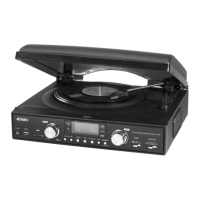
Jensen JTA-455 - User Manual

Jensen JTA-455
16 pages
Print Icon
To Next Page IconTo Next Page
Loading...
3-SPEED STEREO TURNTABLE WITH METAL TONE
ARM AND BLUETOOTH TRANSMIT
JTA-455
USER MANUAL
PLEASE READ THIS USER MANUAL COMPLETELY BEFORE OPERATING THIS
UNIT AND RETAIN THIS BOOKLET FOR FUTURE REFERENCE

Questions and Answers

  • A
    Andrew MorrisJul 26, 2025
    What to do if my Jensen Turntable has no power?
    • R
      roy22Jul 27, 2025
      First, ensure the AC power cord is properly plugged into both the wall outlet and the power supply jack on the back of the Jensen Turntable. If it's still not working, test the wall outlet by plugging in another device to confirm it's functioning. Also, verify that the POWER switch is in the ON position.
  • R
    Ryan LopezAug 10, 2025
    Why is there low or no volume on my Jensen JTA-455?
    • C
      Carolyn RangelAug 10, 2025
      The volume control might be turned all the way down. Try turning the Volume control to a higher output to increase the sound.

Summary

Safety and Warnings

Important Safety Instructions

Essential safety guidelines for operating the turntable safely and preventing hazards.

Regulatory and Protection Information

FCC Compliance Regulations

Details on adhering to Federal Communications Commission rules for digital devices.

Protect Your Furniture

Recommendations for preventing furniture damage from the turntable's rubber feet.

Setup and Controls Overview

Accessories Included

List of items provided with the turntable package.

Location of Controls

Identification and location of all buttons, knobs, and ports on the unit.

AC Operation

Step-by-step guide on how to power on and operate the turntable using AC power.

Operation Modes

Stereo Phonograph Operation

Instructions for playing records using the turntable's core function.

Bluetooth Connection

Guide on pairing the turntable with Bluetooth-enabled speakers or devices.

Audio Input and Output

AUX-IN Operation

How to connect and play audio from external devices via the AUX input.

Line-Out Connection

Instructions for connecting the turntable to external audio systems via RCA outputs.

Computer Connectivity and Recording

Connecting to Computer for Recording

Steps to connect the turntable to a computer for digital recording purposes.

Installing Audacity Software

Guide for installing the recommended audio recording and editing software.

Installing USB Drive

Process for installing the necessary USB drivers for computer connection.

Recording Input Level Adjustment

Setting Recording Input Level

How to adjust audio input levels for optimal recording quality.

Advanced Software Usage

Running Audacity Software

Instructions on launching and navigating the Audacity software interface.

Audio File Export

Exporting Audio Files

Guide on saving recorded audio into WAV or MP3 formats using Audacity.

Care, Maintenance, and Usage

Care and Maintenance

General advice on keeping the unit clean and well-maintained.

Using Headphones

How to connect headphones for private listening and recommended volume levels.

Troubleshooting and Specifications

Troubleshooting Guide

Solutions for common problems encountered during unit operation.

Product Specifications

Technical details and system requirements for the turntable.

Warranty and Service

Limited Warranty Information

Details of the 90-day limited warranty and service procedures within the U.S.A.

Jensen JTA-455 Specifications

General IconGeneral
Speeds33 1/3, 45 RPM
DriveBelt Drive
Built-in SpeakersYes
TonearmStatic Balance
OutputsRCA
CartridgeCeramic
Power SupplyAC 120V ~ 60Hz
TypeBelt Drive

Related product manuals