EasyManua.ls Logo

Jensen JTA-990 - User Manual

Jensen JTA-990
31 pages
Print Icon
To Next Page IconTo Next Page
Loading...
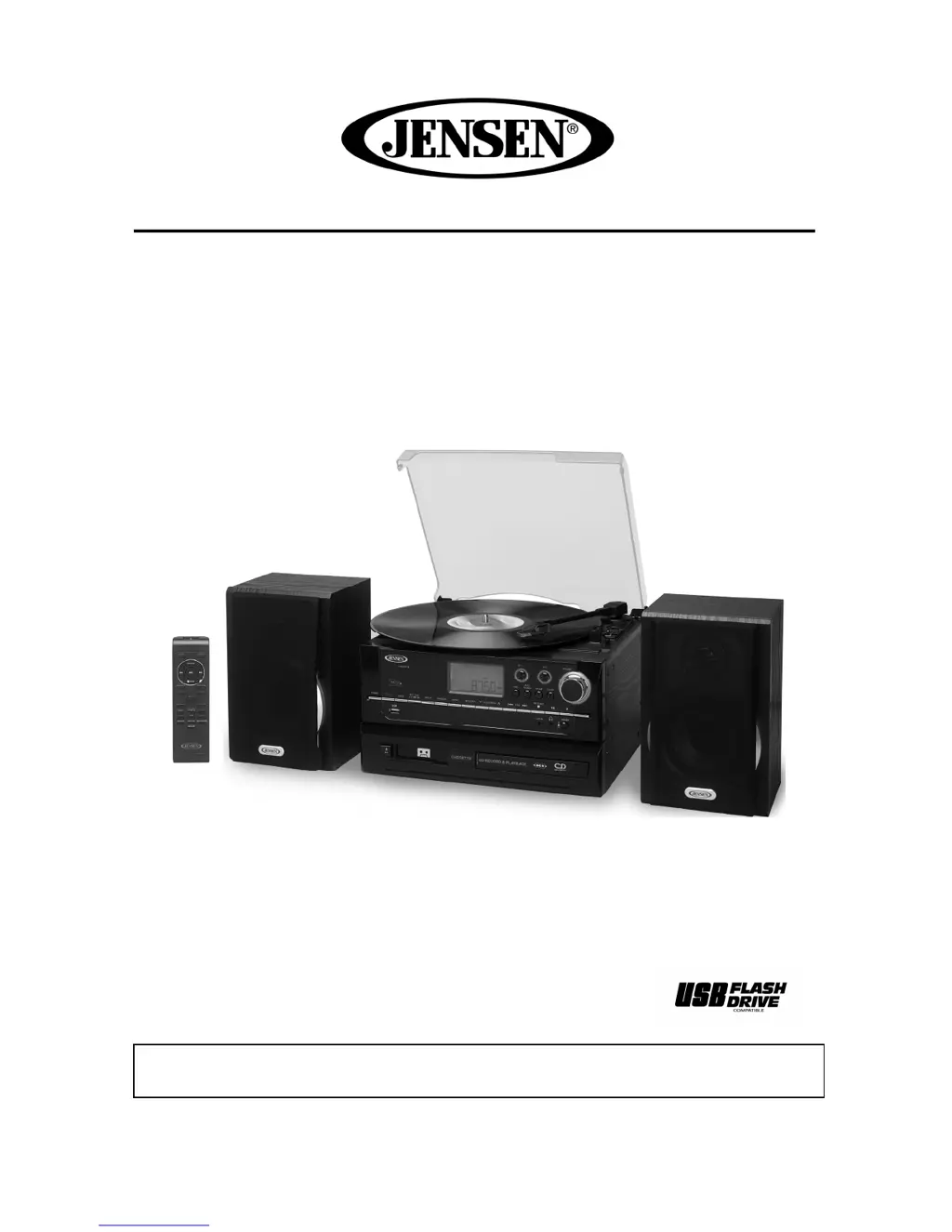
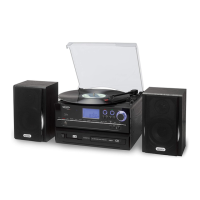
ALL IN ONE STEREO MUSIC SYSTEM WITH MP3 ENCODING
MODEL: JTA-990
USER MANUAL
PLEASE READ THIS USER MANUAL COMPLETELY BEFORE OPERATING THIS UNIT
AND RETAIN THIS BOOKLET FOR FUTURE REFERENCE.

Questions and Answers

  • B
    brownpatriciaAug 17, 2025
    What to do if my Jensen JTA-990 does not respond or have power?
    • I
      Isaac SpencerAug 17, 2025
      First, ensure the Jensen Turntable is properly connected to a functioning AC outlet. If it's disconnected, reconnect it. If the outlet isn't working, test it by plugging another device into the same outlet.
  • T
    Timothy HenryAug 20, 2025
    Why is the sound distorted on my Jensen Turntable?
    • C
      Cathy AyalaAug 20, 2025
      Sound distortion on your Jensen Turntable can occur if the volume level is too high; try decreasing the volume. It may also be caused by a distorted sound source, so try using a different audio source, such as a music CD, to check.
  • F
    Franklin LoweAug 22, 2025
    What to do if the CD player does not play on my Jensen JTA-990 Turntable?
    • D
      Danielle SosaAug 22, 2025
      If the CD player on your Jensen Turntable isn't playing, first ensure that CD Mode is selected by tapping the CD/USB button. Also, check that the CD is correctly installed with the printed side facing up, and press it onto the spindle.
  • J
    James MartinezAug 25, 2025
    What to do if the FM STEREO indicator does not light up on my Jensen JTA-990?
    • M
      Matthew MurphyAug 26, 2025
      If the FM STEREO indicator on your Jensen Turntable doesn't light up, it might be because you've tuned to a mono station or the station signal is too weak. Try selecting another FM station or extend/rotate the wire antenna for better reception. Also, check if FM MONO MODE is set; if so, switch the FM MODE to STEREO.
  • J
    Joe HughesAug 27, 2025
    Why does my Jensen Turntable CD skip while playing?
    • J
      Jenna BarkerAug 27, 2025
      If your Jensen Turntable's CD skips, the disc may be dirty or scratched. Try wiping the disc with a cloth or using another disc.
  • J
    Joseph JohnstonAug 30, 2025
    What to do if the tape does not move on my Jensen Turntable?
    • T
      travis68Aug 31, 2025
      If the tape isn't moving on your Jensen Turntable, ensure the cassette tape is correctly inserted. Also, check if the tape has reached its end; if so, flip the cassette.
  • W
    Wendy RangelSep 2, 2025
    How to fix no sound from tape on Jensen JTA-990?
    • E
      Erik BaileySep 2, 2025
      If there's no sound from the tape on your Jensen Turntable, the tape heads might be dirty. Try cleaning the tape heads.
  • D
    Dominique VelasquezSep 5, 2025
    How to resolve distorted or faint tape sound on Jensen JTA-990 Turntable?
    • K
      Kimberly RodriguezSep 5, 2025
      If the tape sound on your Jensen Turntable is distorted or faint, the tape heads are likely dirty. Clean the tape heads to resolve this issue.
  • B
    Brian SmithSep 7, 2025
    Why is the AM band too noisy on my Jensen JTA-990 Turntable?
    • M
      Margaret RobertsonSep 8, 2025
      If the AM band on your Jensen Turntable is too noisy, the reception at your current location may be poor. Try slightly rotating the unit to find the best reception.
  • C
    charlesmartinSep 12, 2025
    Why Jensen JTA-990 unit gets warm after extended play?
    • M
      Mark WilliamsSep 12, 2025
      It is normal for the Jensen Turntable to get warm after extended play at high volume. Turn the unit off for a period of time or lower the volume.

Summary

Safety Instructions and Warnings

General Safety Warnings

Includes warnings about fire hazards, electrical shock, and appliance exposure to rain or moisture.

Safety Instructions List

A numbered list of 14 essential safety instructions for operating the apparatus.

Operational Safety Precautions

Laser Safety

Precautions regarding laser energy exposure from the CD player.

Placement and Condensation

Guidelines on where to place the unit and how to handle condensation.

General Use Precautions

General advice for safe operation and handling of the unit.

Important Notes, Compliance, and Protection

Installation and Notes

Notes regarding installation locations and general important information.

FCC Compliance

Details compliance with FCC Rules for digital devices and potential interference.

Furniture Protection

Recommendations to protect furniture from the unit's rubber feet.

Customer Information and Listening Advice

Listening Safely

Advice on setting safe listening levels to prevent hearing damage.

Customer Record

Space to record the product's serial number for theft or loss.

Getting Started

Speaker Connection

Instructions on how to connect the left and right speakers to the main unit.

AC Power Connection

Steps for connecting the unit to a household AC outlet.

Main Unit Control Locations

Remote Control Operation

Button Descriptions

Detailed descriptions of the functions for each button on the remote control.

Remote Control Battery Installation

Radio Operation and Tuning

Manual Tuning

Instructions for manually tuning into radio stations.

FM;AM Reception

Tips for optimal FM and AM radio reception.

Preset Radio Stations

How to store and recall preset radio stations.

Phono Playback Operation

Playing Records

Step-by-step guide for playing vinyl records on the turntable.

Pitch Adjustment

How to fine-tune the turntable playback speed.

CD Operation

Getting Started

Initial steps and important information for CD playback.

CD Playback Modes and Controls

Play;Pause and Stop

How to play, pause, and stop CD playback.

Skip Tracks

Instructions for skipping to the next or previous track.

Repeat and Random Play

Activating repeat play and random playback modes for CDs.

Advanced CD Functions

CD Disc Programming

How to program a sequence of tracks for CD playback.

Deleting Programmed Tracks

How to delete programmed tracks from the CD playback sequence.

Display Information

How to view elapsed or remaining track time during CD playback.

CD Recording Functions

Recording Modes

Overview of available recording modes and important notices.

Recording from Phonograph;Aux-in

Instructions for recording audio from records or auxiliary input.

Recording from Various Sources

Recording from Cassette

Steps to record audio from a cassette tape to CD.

Recording from USB

Instructions for recording audio from a USB drive to CD.

Audio CD to CD Copying

Copying Entire CD

Process for copying an entire audio CD to another CD via USB buffering.

CD Copying and Recording Settings

Copying Selected Tracks

How to copy specific tracks from an audio CD by program function.

Recording Level Settings

Adjusting the recording level for optimal audio quality.

Managing Recorded CDs

Pausing;Restarting Recording

How to pause and restart the recording process.

Manual Track Separation

Dividing recorded music into separate tracks.

Finalizing CD-R;RW Discs

Converting and finalizing CD-R/RW discs for playback compatibility.

Un-finalizing and Erasing CD-RW Discs

Un-finalize CD-RW

Procedure to un-finalize a CD-RW disc.

Erase Single Track

How to erase a single track from a CD-RW disc.

Erase All Tracks

How to erase all tracks from a CD-RW disc.

USB Operation: Playback and Encoding

MP3 Playback from USB

How to play MP3 songs from a USB thumb drive.

Encoding to MP3 File

Creating MP3 files from various sources onto a USB drive.

USB Encoding Options

Encode CD to MP3

Encoding entire audio CDs or selected tracks to MP3 format on USB.

Encode from Aux;Phono

Encoding audio from auxiliary input or phono to USB.

USB;Cassette Encoding and USB Management

Encode from Cassette

Encoding audio from a cassette tape to MP3 format on USB.

Manual Track Separation

Separating tracks during encoding from various sources.

Deleting Files on USB

Information regarding the deletion of files from a USB thumb drive.

Deleting Files from USB Drive

Delete Single File

Steps to delete a single recorded or unrecorded file from the USB.

Delete All Files

Procedure to erase all files from the USB thumb drive.

Removing USB Drive

Safe procedure for removing the USB thumb drive from the unit.

Tape Operation and Connections

General Playback

Basic operation for playing cassette tapes, including fast forward.

Line Out Connection

Connecting the unit's line out to an external Hi-Fi system.

Headphone Jack

Using the headphone jack for private listening.

Auxiliary Input, Resetting, and Maintenance

Auxiliary Input Connection

Connecting external audio devices via the auxiliary input jack.

System Resetting

Procedure to reset the system in case of erratic operation.

Care and Maintenance

General guidelines for cleaning and maintaining the unit.

Cassette Care

Precautions to prevent tape jamming and tangling.

Record Care and Maintenance

Compact Disc Care

Manual CD Tray Ejection

Cleaning the Main Unit

Troubleshooting Guide

Product Specifications

Limited Warranty and Service Information

Jensen JTA-990 Specifications

General IconGeneral
Speeds33 1/3, 45 RPM
Drive SystemBelt Drive
Built-in SpeakerYes
OutputRCA
TypeBelt Drive
CartridgeCeramic
ConnectivityRCA Output, Headphone Jack
FeaturesAuto-stop
Power SupplyAC adapter

Related product manuals