10
UV10
Demo Sub-Menu Features
You can stop/run demonstration mode or turn Demo Auto
Run on/off by chooing the “Demo” option from the SETUP
MENU.
When Demo "Auto Run" is Off, you can select "Demo > Run"
to start Demo Mode. Demo scrolls through the various source
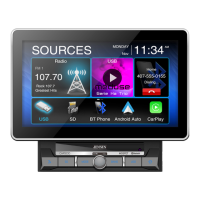
screens, simulating activity on the display. “Demo” is
discreetly displayed in yellow text (above the clock), to
indicate the unit is in Demo Mode. To stop Demo Mode, press
the upper-left quadrant of the TFT (Source select).
When Demo “Auto Run” is On, the unit will automatically
display Demo Mode when powered on.
Exiting the System Setup Menu
To exit setup mode and resume normal playback, press the
SETUP button (31) on the remote control or touch the BACK
button on the screen.



 To Next Page