EasyManua.ls Logo

Jensen UV9 - User Manual

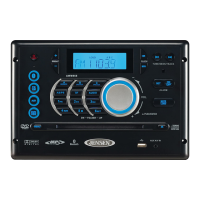
Jensen UV9
84 pages
Print Icon
To Next Page IconTo Next Page
Loading...
UV9
Instruction Manual
Manual de Instrucciones
Guide d'Instructions
SERIES

Other manuals for Jensen UV9

Questions and Answers

  • S
    Sheila PierceAug 19, 2025
    Why is there no audio output from my Jensen UV9 Car Receiver?
    • M
      Matthew ThomasAug 19, 2025
      If you are experiencing no or low audio output on your Jensen Car Receiver, there are several potential causes. First, check the wiring to ensure proper audio output connection and correct any issues. Make sure the volume isn't set too low and increase it if necessary. Review the wiring diagram to check the 'MUTE' connection. If the speakers are damaged, consider replacing them. Also, adjust the channel balance to the center position if it's heavily biased. Finally, ensure speaker wiring isn't in contact with any metal parts of the car, and if it is, insulate the connections.
  • N
    Nicole HarrisAug 21, 2025
    How to fix a Jensen Car Receiver that will not power on?
    • K
      Kathleen MurphyAug 22, 2025
      If your Jensen Car Receiver won't power on, the radio fuse or car battery fuse may be blown. Replace the blown fuse with a new one of the correct rating. Alternatively, the unit may be in an illegal operation state. In this case, press the RESET button located in the bottom right corner of the front panel.
  • B
    brooksdanielAug 23, 2025
    Why is the sound quality poor on my Jensen UV9 Car Receiver?
    • J
      Jamie WoodAug 23, 2025
      If you're experiencing poor sound quality or distortion with your Jensen Car Receiver, the issue could be due to several factors. If you are using a pirated disc, use an original copy instead. Ensure that the speaker power rating is compatible with the unit; if not, connect proper speakers. Also, check the speaker contact to make sure the speaker is not shorted.
  • C
    Christopher GriffinAug 26, 2025
    What to do if the Jensen Car Receiver remote control does not function?
    • G
      Gloria CoxAug 26, 2025
      If the remote control for your Jensen Car Receiver isn't working, the battery may be depleted. Replace it with a new one. Alternatively, the battery might be installed incorrectly; remove it and reinstall it correctly.
  • E
    Eric ElliottAug 27, 2025
    Why is my Jensen UV9 having weak station searching?
    • M
      Ms. Amy GarciaAug 27, 2025
      If your Jensen Car Receiver is having trouble finding stations, it could be due to the auto antenna not being fully extended or properly connected. Ensure the auto antenna control cable is correctly connected. Also, check if the LOCAL function is activated and turn it off if it is.
  • R
    rileywilliamsAug 29, 2025
    Why is there no image on my Jensen Car Receiver screen?
    • K
      Kylie PollardAug 29, 2025
      If there is no image on your Jensen Car Receiver, check the connection to the parking brake wire and correct it if necessary. Also, ensure the parking brake is engaged by stopping the vehicle in a safe place and applying it.
  • P
    Peggy HughesSep 1, 2025
    What to do if my Jensen UV9 Car Receiver disc does not play back?
    • B
      Brian PhillipsSep 1, 2025
      If your Jensen Car Receiver isn't playing discs, it could be due to several reasons. The disc may be warped or scratched, so use a disc in good condition. If the disc is dirty or wet, clean it with a soft cloth. The laser pickup might be dirty, so clean it with a cleaning disc. Ensure you are using a compatible disc and that the disc rating does not exceed the Parental Lock rating limit; if it does, change the Parental Lock settings to lower the restriction. Also, check that the disc region code is compatible with the unit and that the disc is inserted with the label side up.
  • T
    Timothy RobinsonSep 2, 2025
    Why is my Jensen UV9 screen flashing?
    • B
      Belinda PetersonSep 3, 2025
      If you're seeing a flashing image or interference on the screen of your Jensen Car Receiver, it could be because the DVD is not compatible with the current TV system settings. Change the setup to accommodate the disc. Alternatively, there may be improper video signal connections; check the wiring and correct it if necessary.
  • J
    Jennifer PageSep 4, 2025
    Why does my Jensen Car Receiver reset when the engine is off?
    • W
      wboydSep 5, 2025
      If your Jensen Car Receiver resets itself when the engine is off, there may be an incorrect connection between the ACC and the positive battery wire. Check the wiring and correct it.
  • M
    mccartydestinySep 6, 2025
    Why is the image on my Jensen UV9 Car Receiver blurred?
    • D
      Donald GlennSep 7, 2025
      If the image on your Jensen Car Receiver is blurred, distorted, or dark, it could be because the disc is illegally copied. Use an original disc instead.

Summary

Installation Guide

Pre-installation Steps

Steps to prepare the unit and dashboard before final mounting.

Final Installation Steps

Procedures for physically mounting the unit in the dashboard.

Controls and Indicators Overview

Front Panel Controls and Display

Identifies and describes the function of each button and the LCD display on the front panel.

Using the TFT Monitor

Open and Close TFT Monitor

Instructions on how to open and close the TFT display screen.

Operating Instructions

Power On and Off

How to turn the unit on and off, including monitor behavior.

Playing Source Selection

How to switch between different audio/video sources.

Audio Control Menu

How to adjust audio settings like EQ, Bass, Mid, Treble, Fader, and Balance.

Setup Menu

Accessing Menu Items

How to navigate through the different setup sub-menus.

Adjusting a Feature

Step-by-step guide on how to change settings within a sub-menu.

Tuner Operation

Tuner TFT Display Overview

Explains the information displayed on the tuner's TFT screen.

Switching to Radio Tuner Source

How to select the radio tuner as the audio source.

Using Preset Stations

How to store and recall radio stations using preset buttons.

DVD;VCD Video Operation

Inserting a Disc

How to insert DVD or VCD discs into the player.

Controlling DVD;VCD Playback

Operations for stopping, pausing, and seeking during playback.

DVD;CD Audio Operation

Controlling DVD;CD Playback

Operations for stopping, pausing, and moving through tracks.

MP3;WMA Operation

Media and File Requirements

Supported media formats and file requirements for MP3/WMA.

Inserting a USB Device

How to connect and use a USB flash memory device.

Troubleshooting

General Troubleshooting

Common issues and solutions for power, remote control, and audio output.

TFT Monitor Troubleshooting

Issues related to the TFT display not opening or showing images.

Tuner Troubleshooting

Problems related to weak station searching.

Specifications

DVD;CD Player Specifications

Technical details for the DVD and CD playback capabilities.

Monitor Specifications

Technical details for the TFT display screen.

CEA Power Ratings

Power output ratings according to CEA standards.

Jensen UV9 Specifications

General IconGeneral
BluetoothYes
USB Ports1
EqualizerYes
TouchscreenYes
USB InputYes
SD Card SlotYes
AM/FM TunerYes
Backup Camera InputYes
Steering Wheel Control CompatibleYes
RadioAM/FM
GPS NavigationNo
Display TypeLCD
Supported FormatsMP3, WMA, FLAC
Preamp Outputs3 (Front, Rear, Subwoofer)
Resolution800 x 480
Video Playback FormatsAVI, MP4
Audio Playback FormatsMP3, WMA, FLAC

Related product manuals