EasyManua.ls Logo

Jensen AWM968 - User Manual

Jensen AWM968
40 pages
Print Icon
To Next Page IconTo Next Page
Loading...
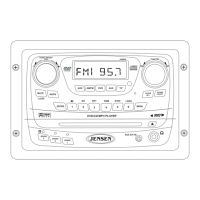
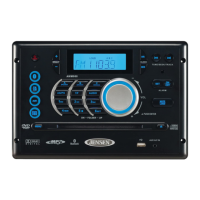
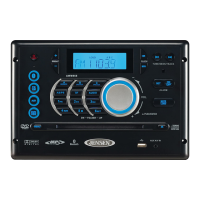
AWM968
Installation and Operation Manual
MOBILE AUDIO SYSTEM
AWM968
PUSH/ENTER
Guide d’installation et d’opération

Questions and Answers

  • D
    Denise BarnesAug 20, 2025
    How to fix a Jensen Car Receiver that will not turn on?
    • N
      Natalie AlexanderAug 20, 2025
      If your Jensen Car Receiver radio won't turn on or the front panel isn't working, try pressing the reset button. Also, check the fuse, the 12V+ on the battery wire (YELLOW wire), the 12V+ on the accessory wire (RED wire), and the ground connection.
  • J
    Jeanne PerryAug 22, 2025
    What to do if my Jensen Car Receiver has no sound?
    • P
      Phillip HughesAug 22, 2025
      If your Jensen Car Receiver turns on but you're not getting any sound, first check that the volume, fader/balance, and mute controls are properly adjusted. You can also try the reset button. Make sure the speaker selection and connections are correct. Check the speaker wires for shorts or open circuits. If there's a short on the "A" channel, the "B & C" channels will still work. If there's a short on the "B and/or C" channels, the "A" channel will still work.
  • C
    Cesar WolfeAug 25, 2025
    Why is there no AM/FM reception on my Jensen Car Receiver?
    • G
      greeneheatherAug 25, 2025
      If your Jensen Car Receiver isn't picking up AM or FM stations, first make sure you're tuned to a valid station. Check the antenna connection on the back of the stereo. If that doesn't work, try using a different antenna.
  • A
    Andrea DavisAug 26, 2025
    How to fix Jensen AWM968 when DVD plays sound but no video?
    • J
      jamiereedAug 27, 2025
      If your Jensen Car Receiver DVD player plays sound but no video, ensure the video cable is connected from the video output (yellow RCA) to the input on your television.
  • R
    ronnie82Aug 27, 2025
    What to do if wired remote control is not functioning on Jensen AWM968 Car Receiver?
    • J
      Jeffrey MooreAug 28, 2025
      If your Jensen Car Receiver's wired remote control isn't working, try pressing the reset button. Check that the remote is securely connected to the radio, either directly or via an extension cable. If using an extension cable, try connecting the remote directly to the radio. If it works then, the extension cable is likely damaged and needs replacement. If it still doesn't work, the remote itself might be defective and need replacing. Also, make sure you're using a compatible remote (MWR75).
  • B
    Brandon StevensAug 30, 2025
    Why is my Jensen AWM968 Car Receiver not responding to the remote control?
    • P
      Paul HarrisAug 30, 2025
      If your Jensen Car Receiver isn't responding to the remote control, make sure there's a clear line of sight for the IR signal. Check the batteries in the remote. If applicable, confirm the remote's IR sensor is plugged into the IR input.
  • G
    gavinmendozaAug 31, 2025
    What to do if CD/DVD does not load fully in Jensen AWM968 Car Receiver?
    • J
      Jenny PaulAug 31, 2025
      If your Jensen Car Receiver CD/DVD isn't loading fully, ensure the unit has power and that no other CD/DVD is currently inside. Also, check that the transport screw has been removed from the rear of the unit. If the transport screw is not removed, the disc will load for a few seconds and then eject.
  • G
    Gina MichaelSep 2, 2025
    How to troubleshoot CD/DVD playback issues on my Jensen Car Receiver?
    • J
      Julie CrawfordSep 2, 2025
      If your Jensen Car Receiver CD/DVD isn't playing correctly, first make sure the disc is inserted correctly and is free from dirt and scratches. Try playing factory CDs. Inspect the radio’s chassis to verify shipping screw(s) have been removed. Check factory original CDs for compatibility warnings (due to various copy-protection, multimedia content, etc.).
  • D
    David NobleSep 4, 2025
    What to do if Jensen AWM968 does not turn on?
    • J
      John WilliamsonSep 4, 2025
      If your Jensen Car Receiver is not turning on or the front panel is not working, try the reset button. Also, check the fuse, the 12V+ on the battery wire (YELLOW wire), the 12V+ on the accessory wire (RED wire), and the ground connection.
  • R
    Robert ReyesSep 6, 2025
    Why is there no sound coming from my Jensen AWM968?
    • M
      Miguel VegaSep 6, 2025
      If your Jensen Car Receiver turns on but produces no sound, first check that the volume, fader/balance, and mute controls are correctly set. Also, verify proper speaker selection and connections. Try the reset button. Check for shorts or open circuits on the speaker wires. If there is a short on the “A” channel, the “B & C” channels will continue to function. If there is a short on the “B and/or C” channels, the “A” channel will continue to function.

Summary

Introduction

Precautions

Details important safety and handling instructions to prevent damage or injury.

Installation

Disconnecting the Battery

Provides instructions for safely disconnecting the vehicle battery before installation.

Selecting the Mounting Location

Offers guidance on choosing an optimal and safe location for unit installation.

Preparing the Opening

Instructions for measuring and cutting the correct mounting hole for the unit.

Mounting the Radio

Steps involved in physically securing the AWM968 unit in its designated location.

Wiring

Wiring Diagram

Illustrates all electrical connections required for the proper operation of the unit.

Pinout Description

Details the function of each pin in the unit's wiring harness connector.

Component Connections

Shows how to connect power, speakers, antenna, and audio/video cables.

Basic Operation

Volume Control and Audio Adjustment

Guides on adjusting volume, bass, treble, balance, and fade settings.

Advanced Functions

USB Interface Connector

Details on connecting USB devices for media playback.

Unit Reset Procedure

Steps to reset the unit to factory default settings.

AM;FM Tuner Operation

CD Operation

Programmed and Random Playback

Creating custom track sequences and enabling random playback.

DVD;VCD Operation

Advanced DVD;VCD Features

Using subtitle, angle, zoom, and programmed playback options.

MP3;USB Operation

MP3;USB Playback Details

Programmed and Remote Track Access

Creating custom playback sequences and direct file selection.

Bluetooth Operation

Bluetooth Menu and Pairing

Accessing Bluetooth settings and pairing a mobile device.

Call Handling and Audio Streaming

Managing phone calls and streaming audio via Bluetooth.

Remote Control Operation

Remote Control Button Functions

Detailed explanation of each button on the remote control.

Setup Menu

Troubleshooting

Common Issues and Solutions

Table listing troubleshooting symptoms and their corresponding solutions.

Jensen AWM968 Specifications

General IconGeneral
BrandJensen
ModelAWM968
CategoryCar Receiver
Display TypeLCD
BluetoothYes
USB PortYes
Radio TunerAM/FM
Aux InputYes
DVD PlayerNo
SD Card SlotYes
Preamp OutputsYes
Steering Wheel Control CompatibleYes
Rear View Camera InputYes
CD PlayerYes
Remote ControlYes
TypeMultimedia Receiver
Screen Size7 inch
Power Output50W x 4
Supported FormatsMP3, WMA

Related product manuals