EasyManua.ls Logo

Jensen AWM968 - User Manual

Jensen AWM968
40 pages
Print Icon
To Next Page IconTo Next Page
Loading...
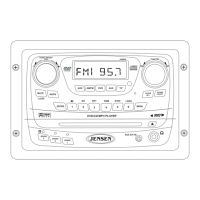
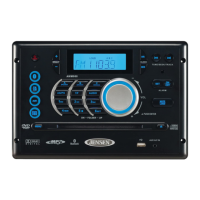
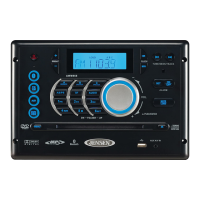
AWM968
Installation and Operation Manual
MOBILE AUDIO SYSTEM
AWM968
PUSH/ENTER
Guide d’installation et d’opération

Questions and Answers

  • L
    Leroy GibbsSep 8, 2025
    How to improve AM/FM reception on Jensen AWM968?
    • S
      smithlindaSep 8, 2025
      To improve AM or FM reception on your Jensen Car Receiver, verify that you are tuned to a valid station. Check your antenna connection on the rear of the stereo. You can also try using a different antenna.
  • C
    Carolyn SmithSep 10, 2025
    What to do if Jensen AWM968 remote control is not working?
    • K
      Kelsey WilliamsSep 10, 2025
      If your Jensen Car Receiver is not responding to the remote control, ensure you have a clear line of sight for the IR signal. Check the batteries in the remote. Also, confirm that the remote IR sensor is plugged into the IR input, if applicable.
  • M
    Michael MontgomerySep 12, 2025
    What to do if CD/DVD does not play correctly on Jensen AWM968 Car Receiver?
    • A
      annemillerSep 12, 2025
      If your CD/DVD does not play correctly on your Jensen Car Receiver, check to make sure the disc is inserted correctly. Verify the disc is free from dirt and scratches. Try playing factory CDs. Inspect the radio’s chassis to verify shipping screws have been removed. Check factory original CDs for compatibility warnings due to various copy-protection, multi-media content, etc.
  • F
    frederickdanielSep 13, 2025
    How to fix a non-functioning wired remote control on Jensen Car Receiver?
    • C
      Carrie SimmonsSep 13, 2025
      To fix a wired remote control that is not functioning on your Jensen Car Receiver: 1. Try the reset button. 2. Verify the remote is securely connected to the radio directly or via extension cable. 3. If using an extension cable, try connecting directly to the radio; if it works, the extension cable is likely damaged and should be replaced. 4. If the remote still does not work when connected directly to the radio, the remote could be defective and should be replaced. 5. Verify a compatible remote is used; only the MWR75 is compatible.
  • J
    Jose JohnsonSep 15, 2025
    What to do if Jensen Car Receiver CD/DVD does not load fully?
    • D
      danielledaySep 15, 2025
      If the CD/DVD does not load fully in your Jensen Car Receiver, make sure the unit has power and that no other CD/DVD is currently inside. Also, ensure the transport screw has been removed from the rear of the unit; the disc will load for several seconds and then eject if the transport screw has not been removed.
  • R
    rebeccabakerSep 18, 2025
    Why does my Jensen AWM968 DVD play sound but no video?
    • D
      Daniel MillsSep 18, 2025
      If your Jensen Car Receiver DVD plays sound but no video, ensure that the video cable is routed from the video output (yellow RCA) to the input on the television.

Summary

Introduction

Precautions

Details important safety and handling instructions to prevent damage or injury.

Installation

Disconnecting the Battery

Provides instructions for safely disconnecting the vehicle battery before installation.

Selecting the Mounting Location

Offers guidance on choosing an optimal and safe location for unit installation.

Preparing the Opening

Instructions for measuring and cutting the correct mounting hole for the unit.

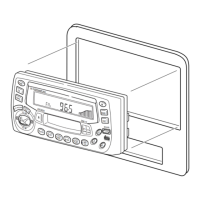
Mounting the Radio

Steps involved in physically securing the AWM968 unit in its designated location.

Wiring

Wiring Diagram

Illustrates all electrical connections required for the proper operation of the unit.

Pinout Description

Details the function of each pin in the unit's wiring harness connector.

Component Connections

Shows how to connect power, speakers, antenna, and audio/video cables.

Basic Operation

Volume Control and Audio Adjustment

Guides on adjusting volume, bass, treble, balance, and fade settings.

Advanced Functions

USB Interface Connector

Details on connecting USB devices for media playback.

Unit Reset Procedure

Steps to reset the unit to factory default settings.

AM;FM Tuner Operation

CD Operation

Programmed and Random Playback

Creating custom track sequences and enabling random playback.

DVD;VCD Operation

Advanced DVD;VCD Features

Using subtitle, angle, zoom, and programmed playback options.

MP3;USB Operation

MP3;USB Playback Details

Programmed and Remote Track Access

Creating custom playback sequences and direct file selection.

Bluetooth Operation

Bluetooth Menu and Pairing

Accessing Bluetooth settings and pairing a mobile device.

Call Handling and Audio Streaming

Managing phone calls and streaming audio via Bluetooth.

Remote Control Operation

Remote Control Button Functions

Detailed explanation of each button on the remote control.

Setup Menu

Troubleshooting

Common Issues and Solutions

Table listing troubleshooting symptoms and their corresponding solutions.

Jensen AWM968 Specifications

General IconGeneral
BrandJensen
ModelAWM968
CategoryCar Receiver
Display TypeLCD
BluetoothYes
USB PortYes
Radio TunerAM/FM
Aux InputYes
DVD PlayerNo
SD Card SlotYes
Preamp OutputsYes
Steering Wheel Control CompatibleYes
Rear View Camera InputYes
CD PlayerYes
Remote ControlYes
TypeMultimedia Receiver
Screen Size7 inch
Power Output50W x 4
Supported FormatsMP3, WMA

Related product manuals