14
UV9
Auto Store/Preview Scan (AS/PS)
Auto Store (AS)
To select six strong stations and store them in the current
band:
1. Select a band (if needed).
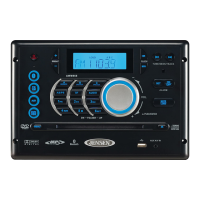
2. Press the AS button (3) on the control panel or touch AS
(16) on the screen for 2 seconds to activate the Auto
Store function.
The new stations replace stations already stored in that band.
Preview Scan (PS)
To scan the AM or FM band for a preview of available stations
in your particular area, touch the PS button (20). Touch again
to stop preview scan.
Local Radio Station Seeking (LOC)
When the Local function is on, only radio stations with a
strong local radio signal are played. To activate the Local
function in AM/FM tuner mode, press and hold the rotary
encoder button (11) on the front panel. Press and hold the
rotary encoder again to turn Local off. When the Local
function is active, the LOC indicator at the top of the screen is
illuminated.



 To Next Page