EasyManua.ls Logo

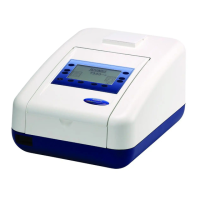
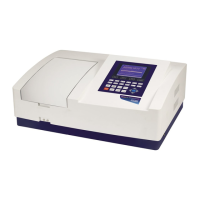
jenway 7305 - User Manual

Default Icon
62 pages
Print Icon
To Next Page IconTo Next Page
Loading...
Operating Manual
730 005 REV D/08-14
Model 7300 and 7305
Spectrophotometer

Table of Contents

Questions and Answers

  • N
    nicole15Aug 17, 2025
    How to achieve zero absorbance when calibrating jenway 7305 Measuring Instruments?
    • D
      Dakota OlsonAug 17, 2025
      To address the issue of not achieving zero absorbance or 100% transmittance during calibration with your Jenway Measuring Instruments, first, verify that there is no sample present in the sample chamber. Next, ensure the instrument lid is properly closed before and during the calibration process. Finally, check if the lamp is functioning correctly; if it has failed, replace the lamp (7300) or the lamp module (7305).
  • P
    Patricia KruegerAug 19, 2025
    What to do if Jenway Measuring Instruments unable to achieve a reading when measuring a sample?
    • F
      fitzgeraldpaulAug 19, 2025
      If you're unable to get a reading when measuring a sample using your Jenway Measuring Instruments, start by ensuring that you're using the correct cuvette, one that doesn't absorb the light. Also, check that the sample isn't too dense, preventing light from transmitting through it. Finally, verify that the lamp is working properly.
  • S
    Sharon LunaAug 22, 2025
    Why does my Jenway Measuring Instruments show 'Err 5 - Light Saturation Not Found'?
    • J
      Jennifer PayneAug 22, 2025
      If your Jenway Measuring Instruments display an 'Err 5 - Light Saturation Not Found' error, it could be due to a lamp failure, a deteriorating lamp signal, or a sample/cuvette being present in the sample holder. First, ensure the sample holder is empty. Then, restart the unit. If the problem persists, contact a service technician.
  • G
    Gregory KimAug 26, 2025
    What to do if I get Err 3 Dark Calibration Error on my jenway 7305 Measuring Instruments?
    • Y
      Yvette Estes PhDAug 26, 2025
      If you encounter an 'Err 3 - Dark Calibration Error' on your Jenway Measuring Instruments, it might be due to the sample chamber lid being open during the calibration sequence or a fault on the detector PCB. Ensure the sample chamber is completely closed. Then, press the key adjacent to the back icon to retry the dark calibration.
  • A
    Anthony SandersAug 27, 2025
    What causes Err 9 Over Temperature on Jenway Measuring Instruments?
    • C
      cheryl19Aug 27, 2025
      An 'Err 9 - Over Temperature' error on your Jenway Measuring Instruments can be caused by a failure of the fan or a thermal switch that is not connected. Restart the unit. If the problem continues, contact a service technician.
  • P
    piercerobertAug 30, 2025
    Why does the measure sample icon disappear after changing the wavelength on Jenway Measuring Instruments?
    • T
      Tracy SchaeferAug 30, 2025
      If the measure sample icon disappears after changing the wavelength on your Jenway Measuring Instruments, a calibration must be performed at the new wavelength. Once the calibration is complete, the measure sample icon will reappear.
  • J
    Jacob WallaceSep 2, 2025
    What does Err 2 Operating Parameters Failure mean on jenway 7305 Measuring Instruments?
    • J
      John BrownSep 2, 2025
      An 'Err 2 - Operating Parameters Failure' on your Jenway Measuring Instruments can occur if the methods were reset by pressing the top left button during the power-on tests or if the parameters have been corrupted. Press the key adjacent to the tick icon to action.
  • M
    Mark DavisSep 5, 2025
    How to fix Err 8 Unable to find Vane on Turret in Jenway Measuring Instruments?
    • L
      laurencarterSep 5, 2025
      If your Jenway Measuring Instruments display 'Err 8 - Unable to find Vane on Turret', it's likely because the turret carousel has been removed and not replaced properly. Check if the turret is in the sample chamber and inserted correctly. Press the key adjacent to the back icon to try rechecking.
  • J
    juan01Sep 7, 2025
    Why is my jenway 7305 Measuring Instruments unable to print results using the internal printer?
    • J
      Jesus RochaSep 8, 2025
      If you're unable to print results using the internal printer of your Jenway Measuring Instruments, first ensure that the internal printer is selected in the autolog menu. Then, check that there is paper in the unit and that a result is displayed on the screen.
  • B
    Brenda StewartSep 12, 2025
    What does Err 1 System Parameters Failure mean on jenway 7305 Measuring Instruments?
    • W
      Walter YoungSep 12, 2025
      If your Jenway Measuring Instruments show 'Err 1 - System Parameters Failure', it indicates a FRAM chip failure. Restart the unit; if the problem persists, contact a service technician.

Summary

Safety

SECTION 1 - Introduction

1.1 Instrument Description

Overview of the Jenway 7300 and 7305 spectrophotometers and their capabilities.

1.2 Instrument Specification

Detailed technical specifications for both the 7300 and 7305 models.

SECTION 2 - Installation

2.2 Installation

Step-by-step guide for setting up the spectrophotometer for operation.

SECTION 4 - Instrument Setup

SECTION 5 - Photometrics

5.3 Calibration

Procedure for calibrating the instrument for Photometrics measurements.

5.4 Sample Measurement

Performing sample measurements in Photometrics mode.

SECTION 6 - Concentration

6.3 Calibration

Procedures for calibrating using a standard or a factor.

6.4 Sample Measurement

Performing sample measurements in Concentration mode.

SECTION 7 - Printing and Autologging

SECTION 8 - Accessories and Spare Parts

8.3 Using the Accessories

Instructions for operating specific accessories like the 8 cell turret and Peltier.

SECTION 9 - Maintenance and Service

9.3 Service

Contact information and procedures for service and repair.

SECTION 10 - Troubleshooting

10.1 Error Codes

Explanation of error codes, their causes, and solutions.

10.2 Troubleshooting Guide

Common issues and their recommended solutions.

jenway 7305 Specifications

General IconGeneral
Brandjenway
Model7305
CategoryMeasuring Instruments
LanguageEnglish

Related product manuals