1 888 275 4538 MVP GROUP .16 | P a g e
- During the wash cycle, the “D” button GREEN light indicator will be blinking and the time remaining will be
displayed.
- If during this process the door is opened, the wash cycle will be interrupted and “CLOSE DOOR” is
displayed. To start a new cycle press button “D” start cycle.
N.B.
The machine is equipped with different washing cycles, from 1 to 4. If available, use button “C” short cycle
for light dirty dishes.
Button “B” medium cycle for medium dirty dishes. Button “A” long cycle for very dirty dishes.
3B4 – AUTOMATIC WASHING CYCLE
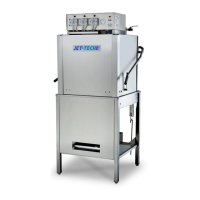
(Hood-type machines only)
Machines with automatic washing cycle have the possibility to perform an automatic washing cycle by
simply closing the door of the machine.
1- Press button “F” to select automatic washing cycle. (Fig.18)
Fig.18
2- Close the door. Whenever closing the door, the wash cycle will start automatically.
- First cycle must be started by pressing button “D” start wash cycle. All other cycles will be automatic.
3B5 – CONTINUOUS WASHING CYCLE
(Hood-type machines only)
Machines with continuous washing cycle have the possibility to perform one washing cycles for long time
period such as 10min maximum per cycle.
1- Press button “G” to select continuous washing cycle. (Fig.19)
Fig.19
2- Close the door and press button “D” to start a wash cycle.
3- Press again button “F” to stop continuous washing cycle whenever is preferred.
- This option is recommended as prewashing cycle when the dishes are very dirty.


 To Next Page